DoYourData Super Eraser - Best Data Destruction Tool for Enterprise
How to securely erase data in enterprise? Professional and reliable data erasure tool is necessary. DoYourData Super Eraser for Business is such a software that can achieve the goal. It can permanently wipe data to avoid data leakages for enterprise users.
 Updated by Shirly Chen on August 12, 2026
Quick Navigation:
- Why Data Erasure Is Critical for Modern Businesses
- Key Criteria for the Best Enterprise Data Erasure Software
- Why DoYourData Is the Ultimate Solution for Enterprise
- Comparison: DoYourData vs. Alternative Methods
- How to Wipe Enterprise Data Step-by-Step
- FAQs about DoYourData Super Eraser
- Conclusion:
In today's fast-moving digital world, enterprise data security is more important than ever. Companies manage vast amounts of sensitive information every day—financial records, customer personal details, proprietary intellectual property, and internal operational logs. While acquiring and using this data drives modern business growth, disposing of it improperly can create massive vulnerabilities.
When it comes time to upgrade enterprise hardware, decommission old servers, or recycle workplace laptops, simply sending files to the Recycle Bin or performing a standard disk format is nowhere near enough. Modern data recovery technology can easily retrieve 'deleted' files from formatted drives. To guarantee complete privacy and prevent costly compliance violations, businesses require a certified, permanent solution.
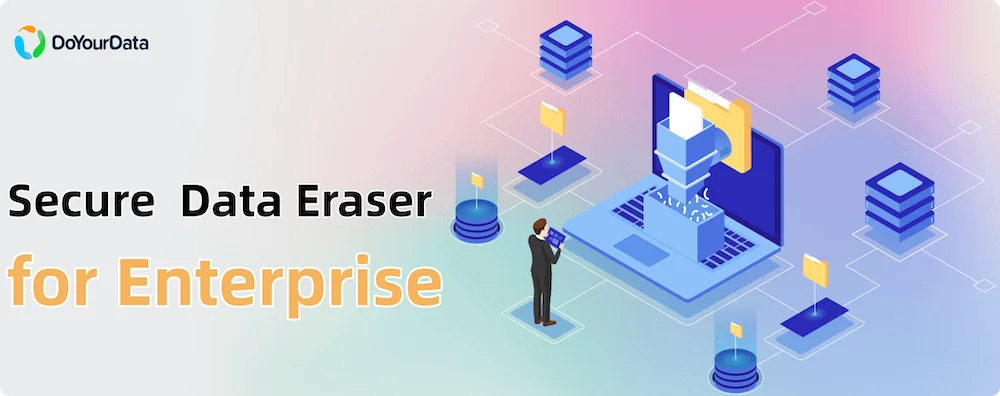
That is where DoYourData Super Eraser Business comes in. Widely recognized as the best data destruction tool for enterprise environments, it provides military-grade data erasure that renders deleted files 100% unrecoverable while keeping your storage hardware fully operational for reuse or resale.
Why Data Erasure Is Critical for Modern Businesses
Many business owners and IT managers assume that pressing 'Delete' or running a quick disk format permanently removes data. Unfortunately, operating systems only remove the index pointing to the file—the actual contents remain intact on the storage sectors until overwritten by new files.
Leaving unencrypted or non-sanitized data on retired storage media creates severe operational and legal risks:
- Devastating Security Breaches: Discarded storage drives containing sensitive client data or financial logs can fall into the wrong hands, leading to corporate espionage or public data leaks.
- Severe Regulatory Penalties: Data protection frameworks like GDPR, HIPAA, PCI-DSS, and CCPA mandate strict data handling procedures. Failing to sanitize enterprise storage properly can result in millions of dollars in regulatory fines.
- Loss of Customer Trust: A single data spill resulting from improperly disposed IT assets can destroy decades of hard-earned brand reputation.
- Obstacles to E-Waste Recycling: Companies aiming to meet environmental sustainability (ESG) goals need to donate, reuse, or resell old computers. Without safe data wiping, IT asset disposition (ITAD) becomes a major liability.
Key Criteria for the Best Enterprise Data Erasure Software
Not all data destruction software is built for enterprise environments. Basic consumer wiping utilities often lack the speed, military-grade erasure algorithms, or auditing features required by commercial organizations. When evaluating data wiping solutions for business use, IT administrators look for specific capabilities:
1. Compliance with International Data Sanitization Standards
The software must support internationally recognized erasure algorithms. These include US Department of Defense (DoD 5220.22-M), NIST SP 800-88, Peter Gutmann, and U.S. Army AR380-19 standards. These algorithms write zero, one, or random binary patterns across drive sectors to ensure data destruction beyond recovery.
2. Cross-Device & File System Compatibility
An enterprise infrastructure is diverse. The ideal erasure solution should seamlessly handle traditional Hard Disk Drives (HDD), Solid State Drives (SSD), NVMe drives, USB flash drives, memory cards, server storage, RAID configurations, and virtual environments.
3. Tamper-Proof Audit Certificates
Compliance audits require proof. Enterprise data erasure tools must generate detailed erasure certificates documenting the date, time, drive serial number, wiping method, and erasure status for compliance record-keeping.
4. Non-Destructive Hardware Sanitization
Unlike physical degaussing or mechanical shredding, software-based data destruction erases bits cleanly without physically damaging the hardware. This allows organizations to repurpose drives internally, sell refurbished hardware, or safely donate IT assets.
Why DoYourData Is the Ultimate Solution for Enterprise
If you are looking for a reliable, easy-to-use, and comprehensive enterprise data wiping utility, DoYourData Super Eraser Business stands out as the industry leader. Specially tailored for corporate environments, IT service providers, government bodies, and educational institutions, it offers complete control over data destruction.
DoYourData Super Eraser
- Most reliable and safe data erasure software.
- Support both Windows and macOS systems.
- Permanently wipe data with certified algorithms.
Here is why IT professionals prefer DoYourData Super Eraser Business over competitors:
1. Three Flexible Data Erasure Modes
DoYourData Super Eraser Business understands that different business situations require different wiping strategies. It provides three distinct modes:
- Mode 1: Selective File/Folder Erasure: Target specific confidential files, archives, or folders without affecting the rest of the hard drive. Perfect for removing confidential project files or employee records.
- Mode 2: Complete Hard Drive Wiping: Format and permanently wipe entire hard drives, partitions, or external storage devices. Ideal for re-allocating employee laptops or decommissioning old storage drives.
- Mode 3: Wipe Free Space: Permanently erase previously deleted files lying hidden in the drive's free space without modifying existing, active files on your operating system.
2. Certified Military-Grade Erasure Standards
DoYourData Super Eraser Business incorporates top-tier data destruction algorithms, including standard zero fill, DoD 5220.22-M (3 passes), DoD 5220.22-M (ECE, 7 passes), NIST 800-88, and Peter Gutmann (35 passes). Once erased by DoYourData, even advanced file recovery software or professional forensic laboratories cannot recover a single byte of data.
3. Complete Hardware & Platform Versatility
Whether you are managing Windows workstations, Windows Server environments (Server 2022, 2019, 2016, 2012, etc.), macOS systems, hardware RAID arrays, or external storage, DoYourData handles all storage controllers with ease.
4. Commercial & Unlimited Enterprise Licensing
DoYourData offers flexible licensing models specifically structured for companies, managed service providers (MSPs), and repair shops. The Business and Enterprise licenses permit usage on unlimited machines within an organization, reducing software expenditure significantly.
Comparison: DoYourData vs. Alternative Methods
To better understand why software-based erasure with DoYourData is superior for modern enterprise IT management, let's compare it with other common methods:
|
Feature / Method |
Standard Formatting |
Physical Shredding |
DoYourData |
|---|---|---|---|
|
Data Recoverability |
Easily Recoverable |
Unrecoverable |
100% Unrecoverable |
|
Hardware Reusability |
Yes |
No (Hardware Destroyed) |
Yes (Full Value Retained) |
|
Environmental Impact |
Low |
High E-Waste Creation |
Eco-Friendly / Zero Waste |
|
Audit Trail / Certificate |
No |
Physical Destruction Receipt |
Detailed Digital Audit Certificate |
How to Wipe Enterprise Data Step-by-Step
Using DoYourData Super Eraser Business is simple and requires no specialized technical training. Here is how easy it is to sanitize enterprise data:
Step 1: Download & Install: Download DoYourData Super Eraser Business and activate your license on your workstation or server.
Step 2: Choose Erasure Mode: Launch the application and select your preferred mode: 'Erase Files/Folders', 'Wipe Hard Drive', or 'Wipe Free Space'. Choose the specific files, partition, or drive you wish to sanitize permanently.
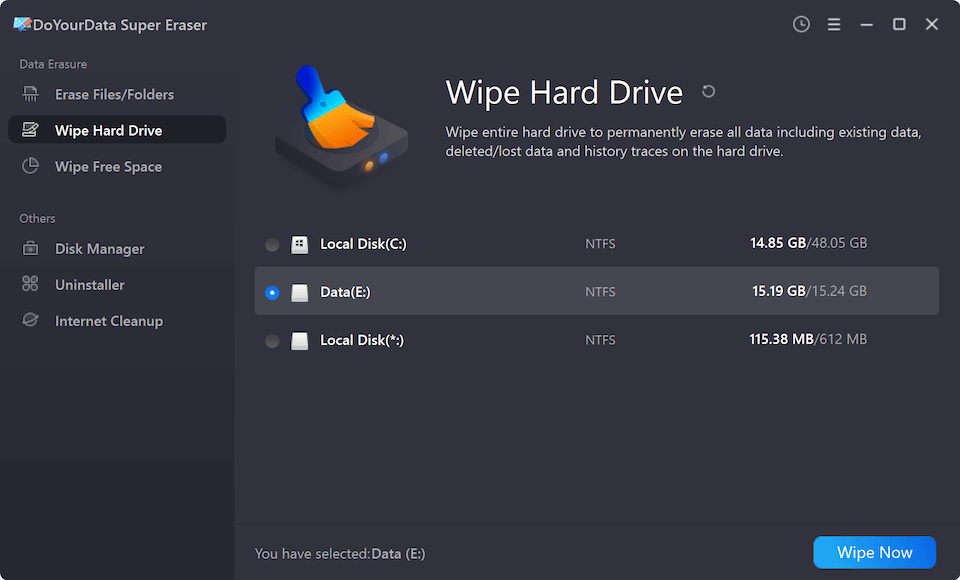
Step 3: Select Erasure Standard: Click 'Erase Now' or 'Wipe Now' button, then you can select a data wiping algorithm.

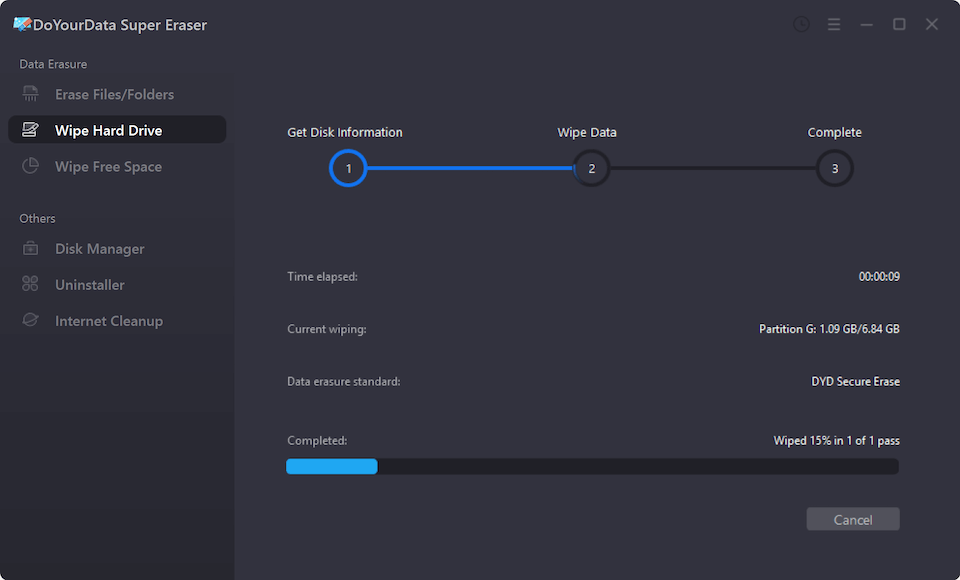
Step 4: Execute & Confirm: Click the 'Continue' button to confirm the operation. The software will overwrite the data using your chosen military-grade standard.
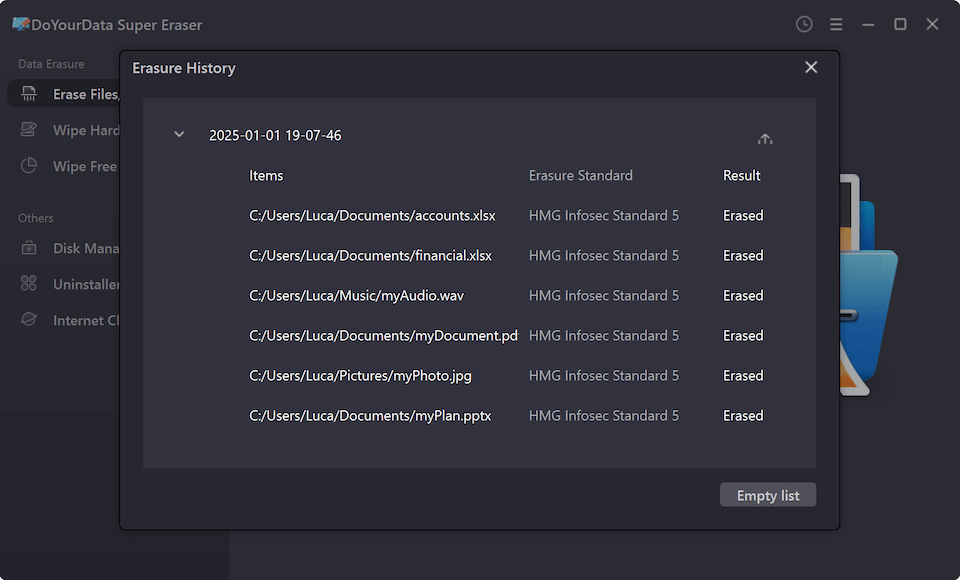
Step 5: Review Erasure Log: Once completed, review and export the erasure summary log for your internal compliance archives.
FAQs about DoYourData Super Eraser
Below are direct answers to the most common questions users ask about DoYourData Super Eraser app download and usage:
Conclusion:
Data protection is an ongoing responsibility that does not end when hardware reaches the end of its life cycle. Incomplete data disposal poses serious financial, legal, and operational risks to your business.
By choosing DoYourData Super Eraser Business, you give your organization a trusted, certified, and cost-effective data destruction solution. Safely sanitize hard drives, SSDs, servers, and external media with military-grade standards, maintain regulatory compliance, and promote sustainable IT asset recycling.

DoYourData Super Eraser
DoYourData Super Eraser, the award-winning data erasure software, offers certified data erasure standards including U.S. Army AR380-19, DoD 5220.22-M ECE to help you securely and permanently erase data from PC, Mac, HDD, SSD, USB drive, memory card or other device, make data be lost forever, unrecoverable!
Written & Updated by Shirly Chen
Shirly Chen has been writing data recovery, data erasure articles for DoYourData over 4 years. She has been working as a professional website content writer & editor for quite a long time. She also writes articles about disk clone, Mac optimization, disk backup, etc.