Why DoYourData Super Eraser Is the World NO.1 Data Erasure Software
As the best data erasure software, DoYourData Super Eraser can help you shred files or wipe data permanently. After wiping data with the software, there will be no chance to recover the data with any software or recovery service.
 Updated by Shirly Chen on July 17, 2026
Quick Navigation:
- The Invisible Threat: Deletion/Formatting Is Not Safe
- 1. Certified, Military-Grade Data Erasure Standards
- 2. Three Flexible Wiping Modes for Every Situation
- 3. Incredible Device Compatibility & Storage Lifespan Safety
- 4. A Simple, No-Tech-Skills-Needed Interface
- 5. Extra Security Utilities for Maximum Value
- Final Thought
- FAQs about DoYourData Super Eraser
Have you ever thought about what happens to your files when you empty the Recycle Bin on your computer? Many of us assume that hitting delete means those private family photos, confidential bank details, or old work folders are gone for good. Unfortunately, that is not how technology works. In reality, your operating system just hides the files and marks their space as ready to be written over. Anyone with a basic, free recovery program can get those files back in just a couple of minutes.
This is a major security risk, especially if you plan to sell, donate, or recycle your computer, USB drive, or external hard drive. To protect your digital privacy, you need a professional-grade tool. That is where DoYourData Super Eraser comes in. Recognized by global security experts and millions of users worldwide, this tool has set a new standard for absolute data safety.
In this detailed guide, we will break down exactly why DoYourData Super Eraser is the world NO.1 data erasure software and why it should be your go-to solution for total privacy protection.
The Invisible Threat: Deletion/Formatting Is Not Safe
To understand the magic of DoYourData Super Eraser, you first need to understand the big problem with normal file deletion. Whether you use a Windows PC or a macOS system, the OS manages files using a directory system. It is like an index at the back of a massive book.
When you delete a file or format a hard drive, the system only removes the index pointer. The actual data blocks containing your private information stay on your storage drive intact. They only disappear when new files are written over them, which can take weeks, months, or sometimes never happen at all.
If you sell or hand down your machine or device in this state, your personal life is wide open to anyone who buys it. This is why using a dedicated, certified file shredder isn't just an option—it is a security requirement. DoYourData Super Eraser handles this exact vulnerability by overwriting every block of targeted data, rendering it completely unrecoverable by any means.
DoYourData Super Eraser
- NO.1 data erasure software for Windows and macOS.
- Permanently wipe data with military-grade standards.
- Easy to use and 100% safe for data erasure.
1. Certified, Military-Grade Data Erasure Standards
The first and most important reason why DoYourData Super Eraser is the world NO.1 data erasure software is its reliance on certified, internationally-recognized data destruction algorithms. It does not just delete files; it replaces them entirely with randomized code lines.
Instead of using a basic single-pass overwrite, the software integrates strict government-level security standards. These include:
- HMG Infosec Standard 5: A high-security baseline standard used by government institutions.
- DoD 5220.22-M: The trusted standard used by the U.S. Department of Defense to sanitize physical hard drives.
- Peter Gutmann's Algorithm: An ultra-secure, 35-pass wiping method designed to neutralize even the most advanced laboratory-grade data recovery hardware.
Whether you are a home user deleting a private journal or a large enterprise sanitizing hundreds of systems, these algorithms ensure that once the process is complete, no data recovery software or specialist laboratory in the world can retrieve a single byte of your data.
2. Three Flexible Wiping Modes for Every Situation
Different situations call for different security strategies. DoYourData Super Eraser is highly praised because it does not limit you to just wiping your entire computer. Instead, it features three distinct, user-focused modes tailored to your unique needs:
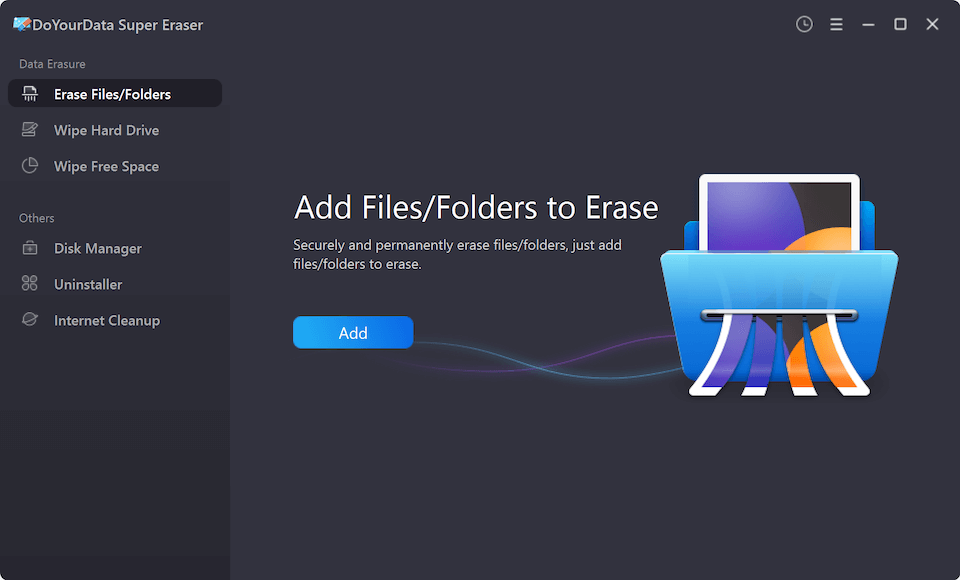
Mode 1: Selective File & Folder Shredding
This mode is perfect for day-to-day privacy. It allows you to handpick specific files or entire folders—like tax documents, browser databases, or private pictures—and permanently shred them. The rest of your storage remains untouched and operating as normal. It is surgical, fast, and secure.
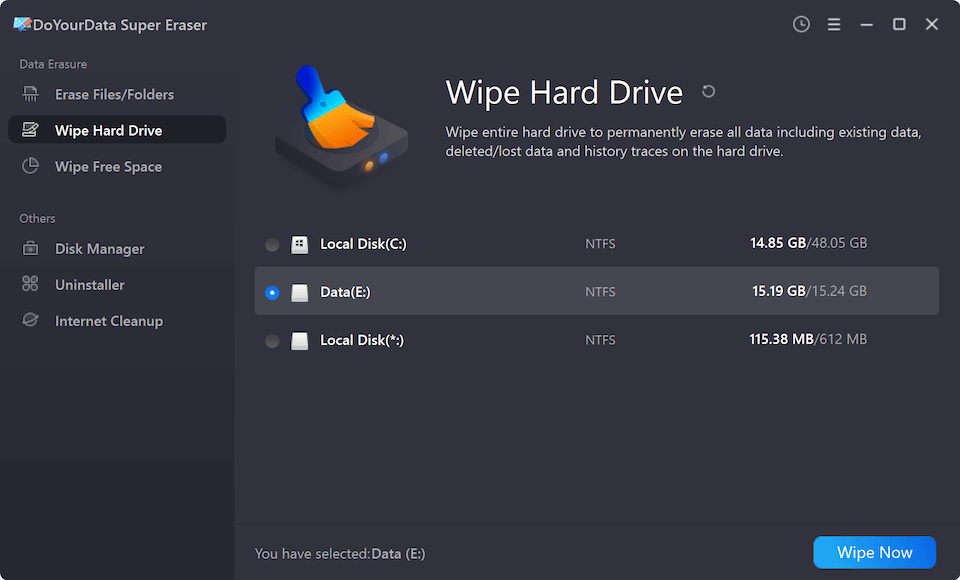
Mode 2: Full Hard Drive Wiping
If you are selling your old computer, upgrading to a new system, or recycling an external drive, you need this mode. It completely wipes an entire disk partition, local hard drive, or external storage device in one single pass. It deletes existing files and past history in a single sweep, preparing the device perfectly for its next owner.
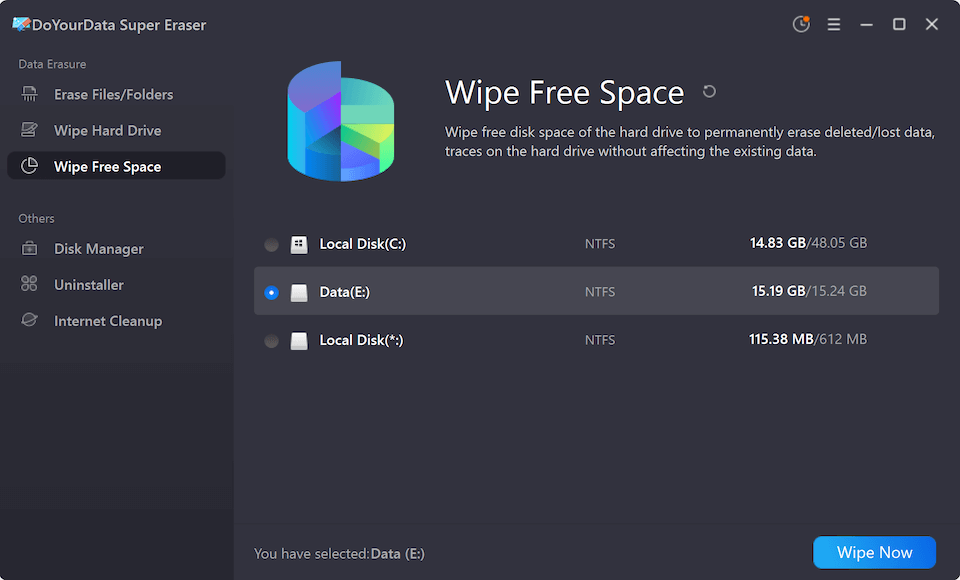
Mode 3: Wipe Free Disk Space
What about files you deleted months ago using normal methods? They are still hiding in your storage's "free space." This mode targets and overwrites only the unused, empty space on your hard drive. It leaves your active, existing files completely untouched, while permanently destroying the traces of all your previously deleted files.
3. Incredible Device Compatibility & Storage Lifespan Safety
Many software tools on the market struggle with compatibility or run the risk of damaging modern hardware. DoYourData Super Eraser was built with advanced storage architectures in mind.
It works perfectly across standard Mechanical Hard Drives (HDDs) and high-speed Solid State Drives (SSDs). SSDs require specialized writing operations; standard wiping can cause physical wear on flash memory. Super Eraser uses smart algorithms designed to minimize SSD write cycles. This means you get military-grade security without shortening the lifespan of your expensive storage devices.
Additionally, the application supports almost any physical device you can connect to your computer, including:
- Internal local disks (C Drive, Macintosh HD, etc.)
- External hard drives and portable SSDs
- USB flash drives and pen drives
- SD, microSD, and memory cards used in digital cameras or phones
- Digital camera storage cards and MP3/MP4 media players
With cross-platform support, the software runs seamlessly on both Windows (Windows 11/10/8/7 and older) and macOS (including native support for Apple Silicon M1, M2, M3, M4, and M5 chips). This ensures a consistent, top-tier security experience no matter what operating system you prefer.
4. A Simple, No-Tech-Skills-Needed Interface
One of the major barriers to computer security is complexity. Many privacy tools look like old engineering command prompts filled with complicated options and scary jargon. If you make a wrong choice, you could destroy your entire operating system.
DoYourData Super Eraser eliminates this problem entirely. It features a modern, clean, and highly intuitive wizard-based interface. The steps are incredibly simple:
Step 1: Select your desired wiping mode from the easy-to-read left-hand menu.
Step 2: Pick the files, folders, or drive you wish to target.
Step 3: Click the bright Erase Now button and let the software work its magic.
To protect you from mistakes, the program includes built-in safety features. For example, it clearly marks active system drives to prevent you from accidentally erasing your working Windows or macOS files. It also asks for clear confirmation before any deletion runs. If you can click a mouse, you can secure your computer with this software.
5. Extra Security Utilities for Maximum Value
DoYourData Super Eraser is more than just a file shredder; it is a full-featured system utility toolkit. When you install the software, you also get access to several built-in tools that keep your system clean, light, and optimized:
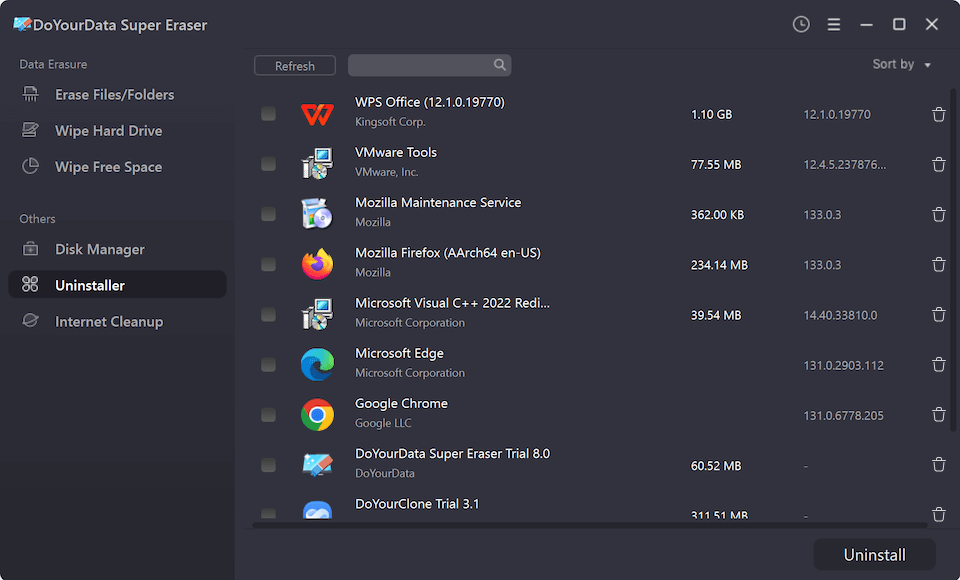
Built-in App Uninstaller
Normal uninstallers leave massive amounts of hidden system files, logs, and registry keys behind. The built-in uninstaller cleans out the program and all of its leftovers in one single sweep, freeing up storage.
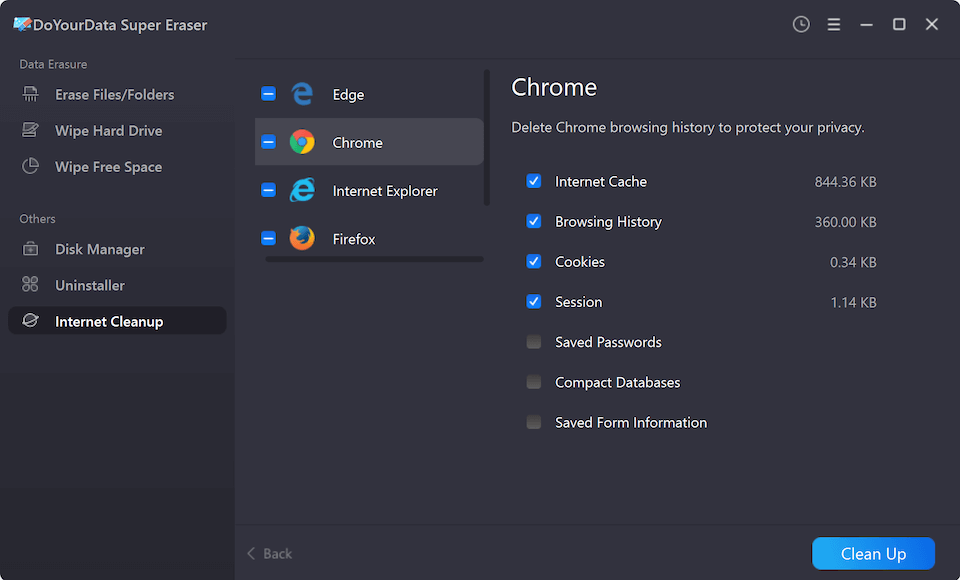
Internet Browser Cleaner
Your internet browsers store search histories, tracking cookies, cache files, and private credentials. This built-in utility clears out all browser junk simultaneously across multiple browsers, preserving your online anonymity.
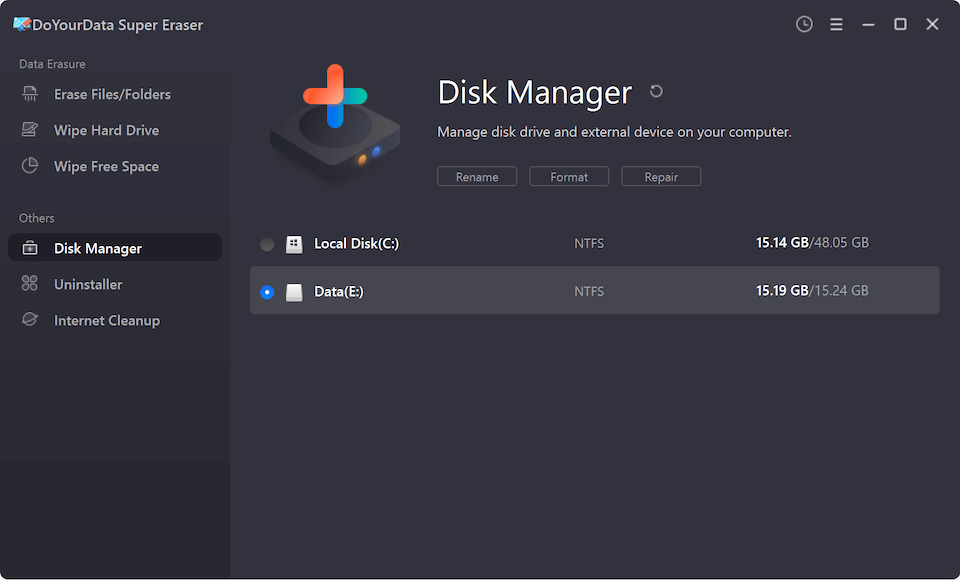
Disk Repair & Manager
This allows you to rename, format, and safely eject internal and external storage drives, keeping your drives healthy and organized.
Final Thought:
At the end of the day, digital privacy is invaluable. Selling an old computer or passing a USB drive to a friend without thoroughly sanitizing it is an open invitation for identity theft, financial fraud, and privacy leaks.
By choosing DoYourData Super Eraser, you are investing in a verified, reliable, and incredibly straightforward solution. Its combination of military-grade algorithms, flexible wiping options, safe SSD handling, and simple interface is precisely why DoYourData Super Eraser is the world NO.1 data erasure software. Take control of your private information today and enjoy the peace of mind that comes with knowing your deleted files are gone forever.
FAQs about DoYourData Super Eraser

DoYourData Super Eraser
DoYourData Super Eraser, the award-winning data erasure software, offers certified data erasure standards including U.S. Army AR380-19, DoD 5220.22-M ECE to help you securely and permanently erase data from PC, Mac, HDD, SSD, USB drive, memory card or other device, make data be lost forever, unrecoverable!
Written & Updated by Shirly Chen
Shirly Chen has been writing data recovery, data erasure articles for DoYourData over 4 years. She has been working as a professional website content writer & editor for quite a long time. She also writes articles about disk clone, Mac optimization, disk backup, etc.