Safe Data Erasure Standard for MacBook Neo Trade In
Why a safe data erasure standard for MacBook Neo trade in matters? If you failed to wipe personal data permanently, you risk privacy information leakage. DoYourData Super Eraser for Mac supports multiple international data erasure standards that can help you wipe data and protect your privacy.
 Updated by Shirly Chen on May 28, 2026
Quick Navigation:
- Understanding the 5 Major Data Erasure Standards
- Meet Your Security Partner: DoYourData Super Eraser for Mac
- Frequently Asked Questions About Wiping Your MacBook Neo
- Conclusion:
Trading in your old Mac is a wonderful experience because it helps you save money. However, your MacBook Neo holds your entire digital life, from photos to passwords. Simple deleting does not stop new owners from using recovery tools to find your files. Using a safe data erasure standard for MacBook Neo trade in is the only way to stay secure.
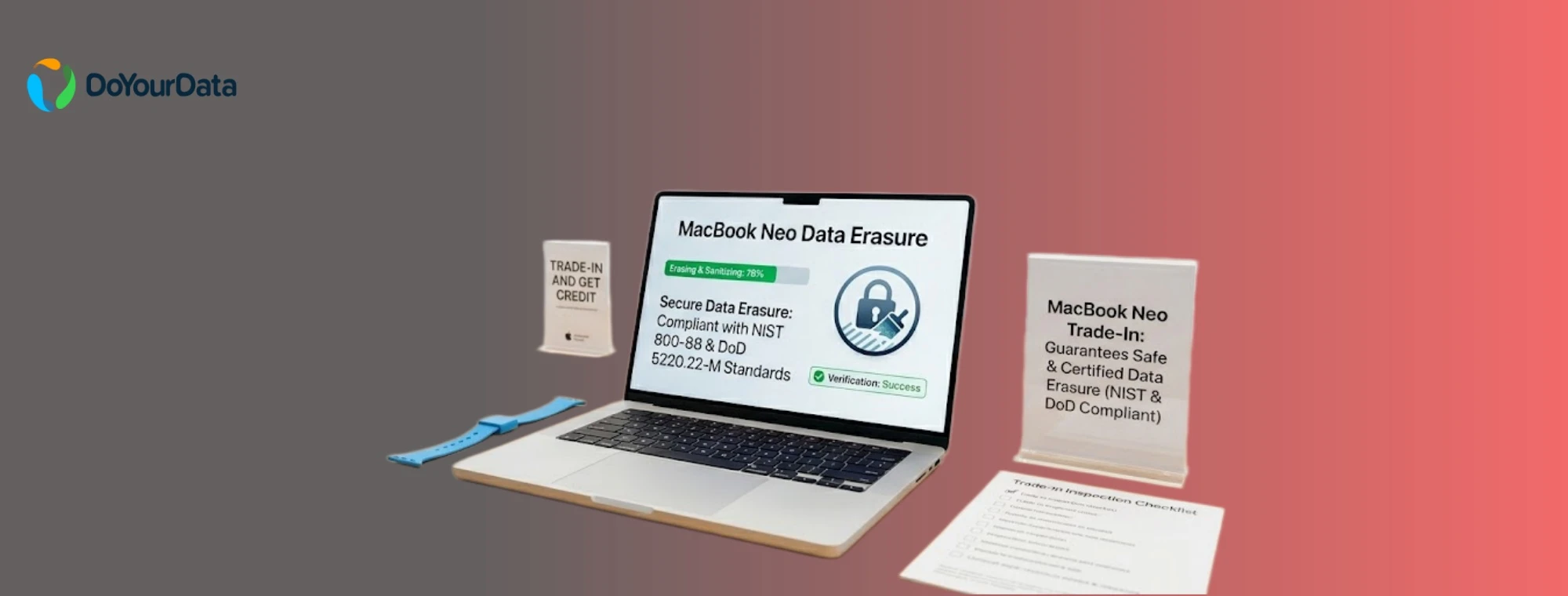
Many regular guides on the internet miss the big picture by telling you to just click reset. They wrongly assume your files are gone forever when they are actually just hidden. This simple guide teaches you the exact trusted methods professional security experts use. Let us learn how to clear your MacBook Neo safely like a true tech specialist.
Understanding the 5 Major Data Erasure Standards
Data erasure algorithms are special math rules that computers use to overwrite files permanently.Different organizations have invented their own rules depending on how secure they need to be. Let us look at the five most famous security standards simply so you can see how they work.
1. NIST 800-88 Standard
The NIST 800-88 method is the modern gold standard used by the United States government today. It is smart because it checks what kind of storage drive your laptop uses and picks the best way to clean it. For modern laptops like the MacBook Neo, it uses a rapid method that instantly destroys the computer's internal encryption keys. This makes all the data on the flash chip turn into completely unreadable digital garbage.
2. DoD 5220.22-M Standard
The DoD 5220.22-M rule is a famous military standard, which was created by the United States Department of Defense. It cleans a storage drive by writing a zero over everything, then a one over everything, and finally a random character.It is still highly trusted by companies all over the world.
3. HMG Infosec Standard 5
The HMG Infosec Standard 5 is a strict data cleaning rule used by the government in the United Kingdom. In its basic version, it overwrites all your files with a single set of characters and then verifies the work. In its high-security version, it writes zeros, writes ones, and then random data, similar to the American military rule.
4. U.S. Army AR380-19
The U.S. Army AR380-19 rule is a specialized three-pass cleaning method made for military branch computers. It writes random values across your files during the first pass, followed by different predefined characters in the next two passes. It provides a very strong shield for home users who want their laptop trade-in to be completely secure.
5. Peter Gutmann's Algorithm
Peter Gutmann's algorithm is an ultra-secure method that overwrites your data an incredible 35 times. Because it writes so many times, it takes a very long time to finish and is overkill for modern flash storage. However, it remains the ultimate symbolic choice for users who want the maximum possible amount of overwriting data passes.
Meet Your Security Partner: DoYourData Super Eraser for Mac
DoYourData Super Eraser for Mac supports all five standards perfectly. Whether you want to use the quick modern NIST 800-88 rule or the heavy 35-pass Gutmann system, this tool has them all built inside.
It is designed to handle modern flash storage safely without causing unnecessary wear to your MacBook Neo parts. Using this app ensures that commercial data recovery tools can never bring back your personal tax files or photos.
DoYourData Super Eraser for Mac
- Reliable data erasure software for MacBook Neo.
- Wipe data permanently with international data erasure standards.
- 3 modes to shred files or wipe hard drive data.
Steps to Securely Wipe Your MacBook Neo
Preparing your computer for a trade-in is super easy when you follow the right order. Here is how to get your MacBook Neo perfectly ready and safe for its next owner.
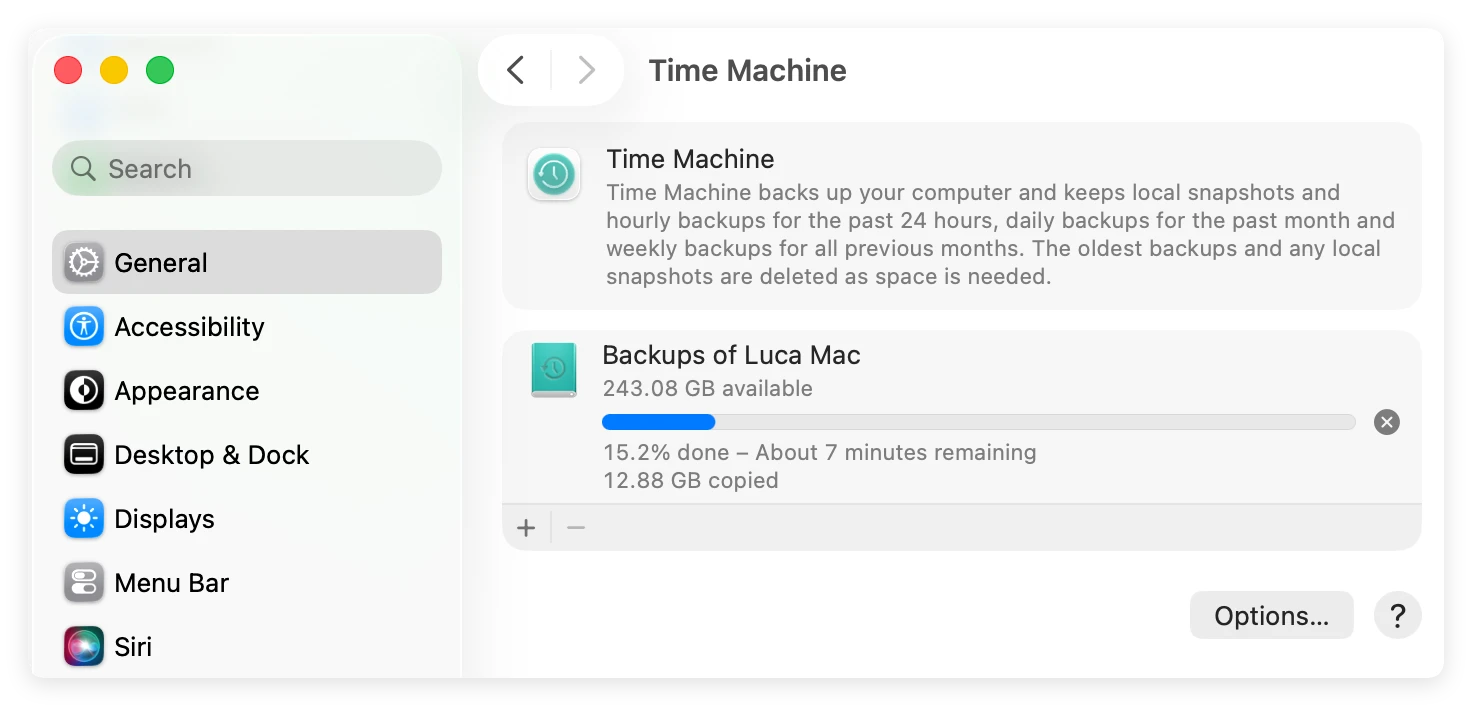
Step 1: Always save a safe copy of your personal files first. Plug an external hard drive into your MacBook Neo and run the built-in application called Time Machine. Let the computer finish copying your pictures and homework until it says the backup is completely done.
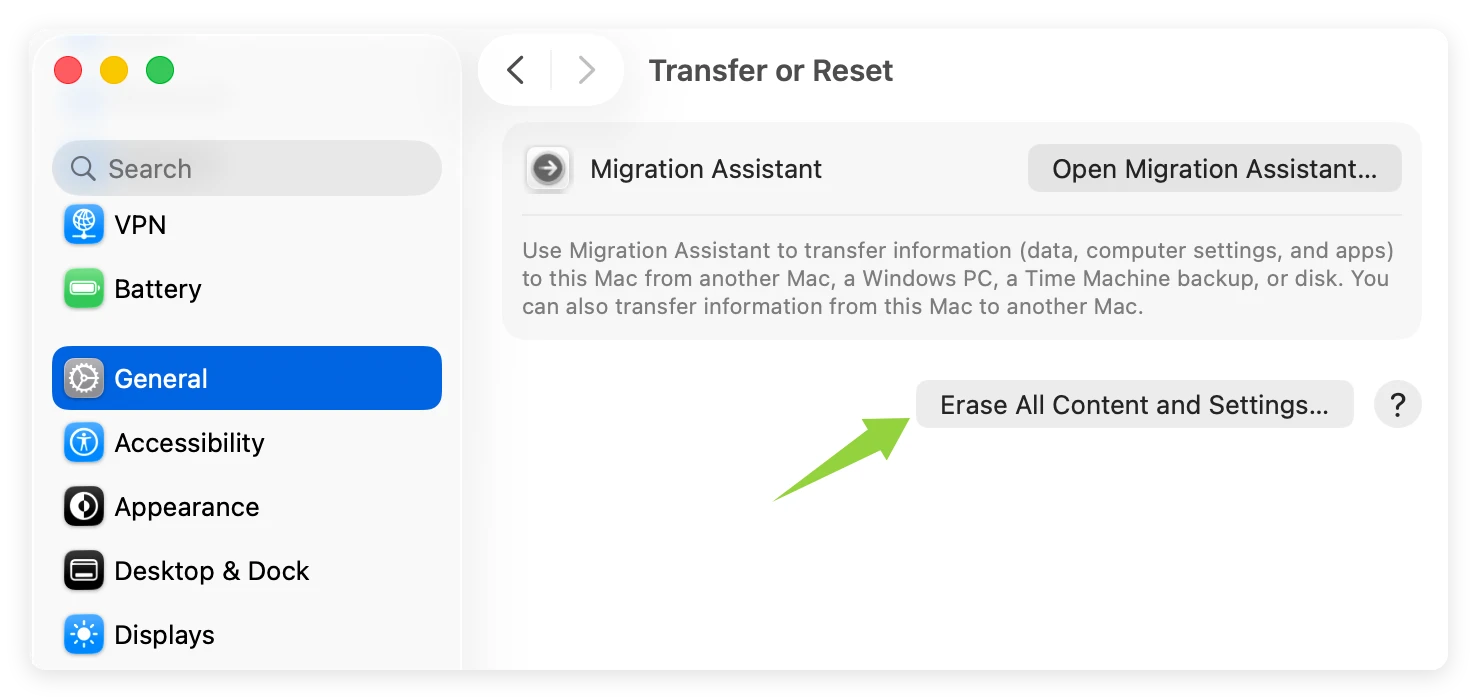
Step 2: Use the built-in macOS tool to reset MacBook Neo completely. Go to System Settings, click General, choose Transfer or Reset, and click Erase All Content and Settings. When the laptop restarts to the bright welcome screen, all your personal data and installed apps were removed. Also, all settings were reset to default.
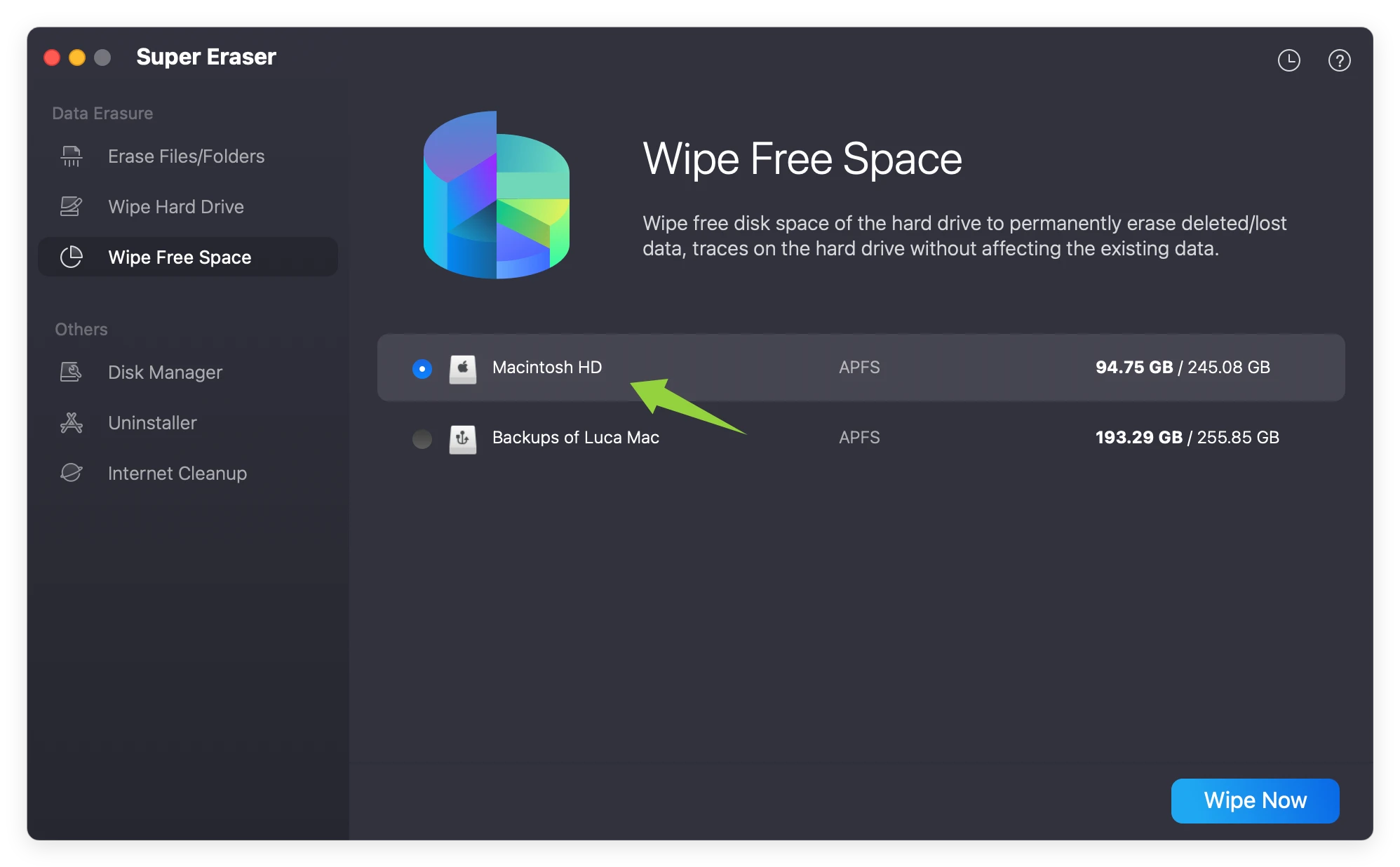
Step 3: Open the DoYourData app to start the secure erasing process and pick the Wipe Free Space tool. Choose your main internal storage drive (Macintosh HD) from the list and select your preferred data standard like NIST 800-88. Start to wipe and watch the software safely destroy all your hidden file leftovers forever.
★ Pro SEO Tip: The Final Verification Test ★
Before you put your laptop in a shipping box, download a free file scanner onto a separate thumb drive. Run a quick scan on your freshly reset Mac. If the tool finds zero files, your device successfully matches the safe data erasure standard for MacBook Neo trade in. You are completely safe!
Frequently Asked Questions About Wiping Your MacBook Neo
Conclusion:
Protecting your personal privacy is the smartest thing you can do before parting with old gear. Securing your digital identity before a trade-in is very easy when you use the right steps. By following the official safe data erasure standard for MacBook Neo trade in, you lock out data thieves. Combining Apple's system reset with the cleaning power of DoYourData Super Eraser for Mac is the ultimate solution. Take a few minutes to clean your device today, and enjoy your upgrade with perfect peace of mind!
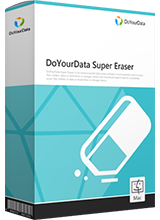
DoYourData Super Eraser for Mac
DoYourData Super Eraser for Mac is a 100% safe, powerful and easy-to-use data erasure program. It offers certified data erasure standards including Peter Gutmann, U.S. Army AR380-19, DoD 5220.22-M ECE to permanently erase data from Macs and external devices, making data recovery be impossible.
Written & Updated by Shirly Chen
Shirly Chen has been writing data recovery, data erasure articles for DoYourData over 4 years. She has been working as a professional website content writer & editor for quite a long time. She also writes articles about disk clone, Mac optimization, disk backup, etc.