How to Shred a File and Prevent Data Recovery: The Ultimate Guide
If you are disposing of personal financial documents, confidential business records, client information, or sensitive photos/videos, relying on standard deletion puts your privacy at serious risk. Use DoYourData Super Eraser to shred the files can make sure the files 100% unrecoverable.
 Updated by Shirly Chen on August 27, 2026
Quick Navigation:
- Why Deletion Cannot Prevent Data Recovery
- File Shredding on HDDs vs. SSDs
- How to Shred Files Beyond Recovery
- More Solutions: Wiping Free Space and Entire Drive
- FAQs about Permanent File Shredding
- Conclusion
Have you ever wondered what actually happens when you hit 'Delete' on a file and empty your Recycle Bin or Trash? Most users assume that once a file disappears from the screen, it is gone forever. However, the reality of computer storage is quite different.
Standard deletion commands do not remove your actual file content from your hard drive or solid-state drive. Instead, your operating system simply marks the space occupied by that file as 'available' for future data. Until new information is written directly over that exact spot, your original file remains completely intact and easily accessible to anyone using data recovery software.
To ensure your deleted information can never be retrieved by anyone, you must learn how to shred a file to prevent data recovery. In this guide, we will break down exactly how secure file shredding works and show you the easiest way to permanently erase your files on Windows and Mac.
Why Deletion Cannot Prevent Data Recovery
To understand why file shredding is necessary, it helps to picture your computer's storage drive like a large book with a table of contents:
- The File Index Analogy: Operating systems like Windows and macOS use file systems (such as NTFS, APFS, or FAT32) to keep track of where every file is physically stored.
- Removing the Pointer: When you standard-delete a file or empty the Recycle Bin, the operating system only removes the entry from the index. The actual content remains written on the drive plates or flash memory cells.
- The Recovery Danger: Because the underlying data is still there, automated data recovery software can easily scan the disk, locate the unindexed data, and restore the complete file in seconds.
If you sell your old computer, lend a USB drive to a colleague, or fall victim to malware, unauthorized individuals can easily recover your 'deleted' confidential files. This is where file shredding becomes essential.
What Is File Shredding?
Digital file shredding works just like a paper shredder in a physical office. Instead of just throwing a document into a wastebasket where anyone can pull it out, a file shredder continuously overwrites the original binary data with random patterns of 0s and 1s. Once overwritten, the original data is destroyed forever and cannot be recovered by any software or forensic technique.
File Shredding on HDDs vs. SSDs
How data is securely destroyed depends heavily on the type of storage drive your computer uses. The mechanics of mechanical Hard Disk Drives (HDDs) and modern Solid-State Drives (SSDs) are fundamentally different.
1. Traditional Hard Disk Drives (HDDs)
On magnetic HDDs, data is stored in fixed physical sectors on spinning platters. A file shredder tool targets those exact sectors and overwrites them with new data patterns (such as zero-filling or multi-pass algorithms like DoD 5220.22-M). Because the write process is direct, overwriting guaranteed sectors completely renders the original data irrecoverable.
2. Modern Solid-State Drives (SSDs)
SSDs use flash memory and active background algorithms like 'Wear Leveling' and TRIM. Wear leveling automatically distributes new writes evenly across flash cells to prolong the drive's lifespan. Because of this, when software attempts to overwrite a specific file sector on an SSD, the drive controller may write the new data to a different physical cell, leaving traces of the old file temporarily in the background memory.
To completely shred a file and prevent data recovery on an SSD, you need specialized software capable of wiping unallocated space, clearing raw memory blocks, or executing deep data sanitization standards.
How to Shred Files Beyond Recovery
Whether you are using Windows 11, Windows 10, or macOS, the most effective way to permanently destroy sensitive files is by using a professional data erasure utility like DoYourData Super Eraser.
DoYourData Super Eraser
- The best file shredder tool for Windows and Mac.
- Support multiple certified data wiping algorithms.
- Permanently wipe data to prevent data recovery.
DoYourData Super Eraser is a certified, powerful data erasure software designed to shred targeted files, wipe entire hard drives, and clean unused disk space. It utilizes advanced military-grade data destruction algorithms—including US Army AR380-19, DoD 5220.22-M, NIST 800-88, and Gutmann 35 passes—ensuring that shredded files are gone forever and 100% unrecoverable by any data recovery software or specialist.
Step-by-Step: Permanently Shredding Files and Folders
Follow these simple steps to shred specific files or folders from your computer, external hard drive, or flash drive:
Step 1. Open the software and select the 'Erase Files/Folders' mode from the main interface.
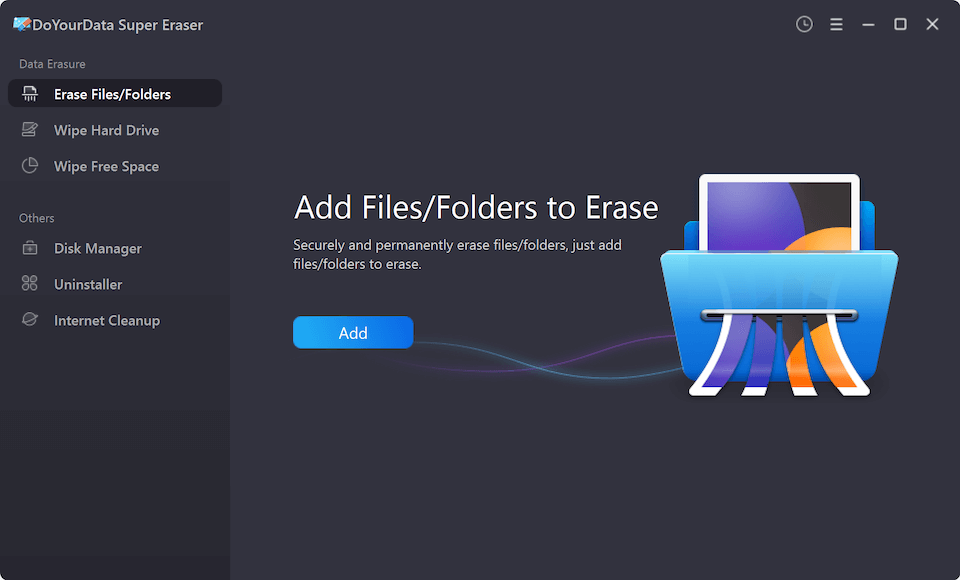
Step 2. Click the 'Add' button to browse and select the specific files or folders you wish to destroy permanently.
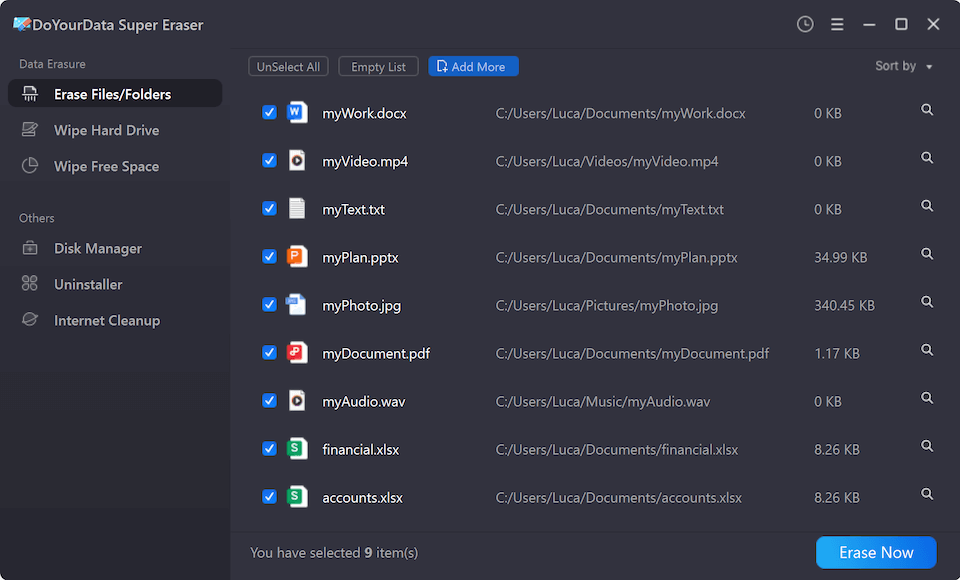
Step 3. Click the 'Erase Now' button. Choose and confirm the data erasure standard in the pop-up window.
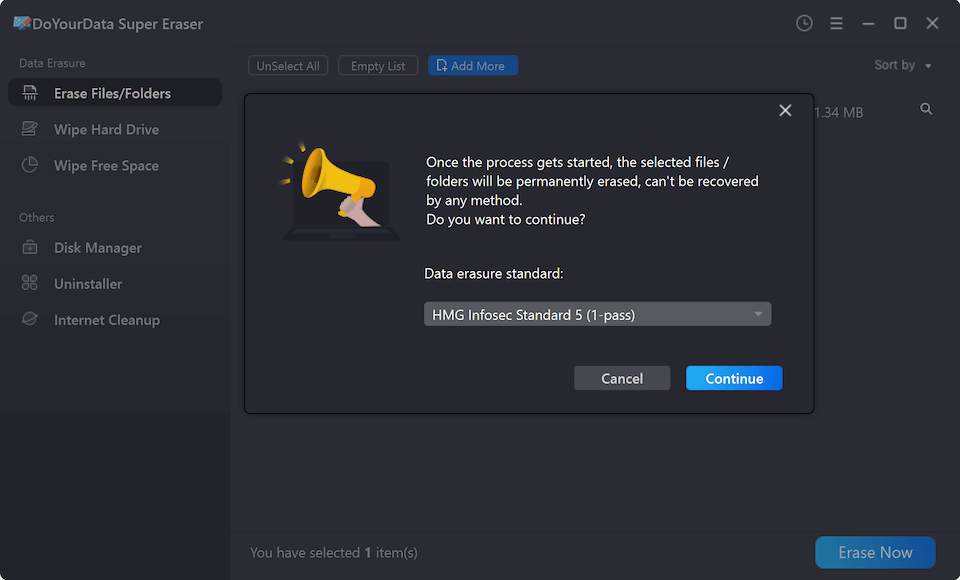
Step 4. Click the 'Continue' button to start file shredding. The software will overwrite the targeted files with randomized binary patterns and clear all directory records.
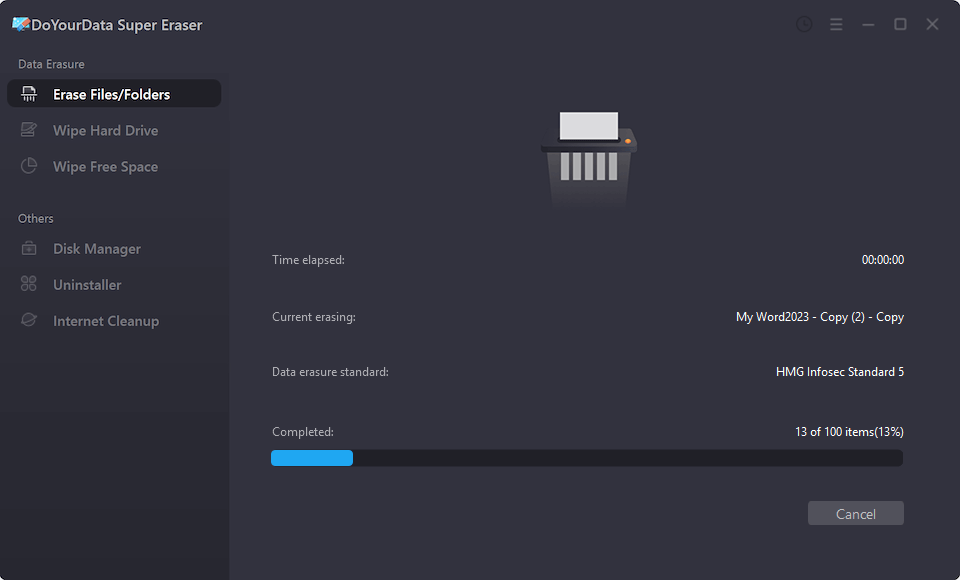
Once the erasure process is complete, your files are completely destroyed. Even if you run deep recovery software like Do Your Data Recovery or send the drive to a forensic laboratory, zero traces of the original file will be found.
More Solutions: Wiping Free Space and Entire Drive
Sometimes, shredding individual files is not enough. Depending on your situation, DoYourData Super Eraser offers additional sanitization modes to meet every security need:
Mode 1: Wipe Unused Disk Space (Wipe Free Space)
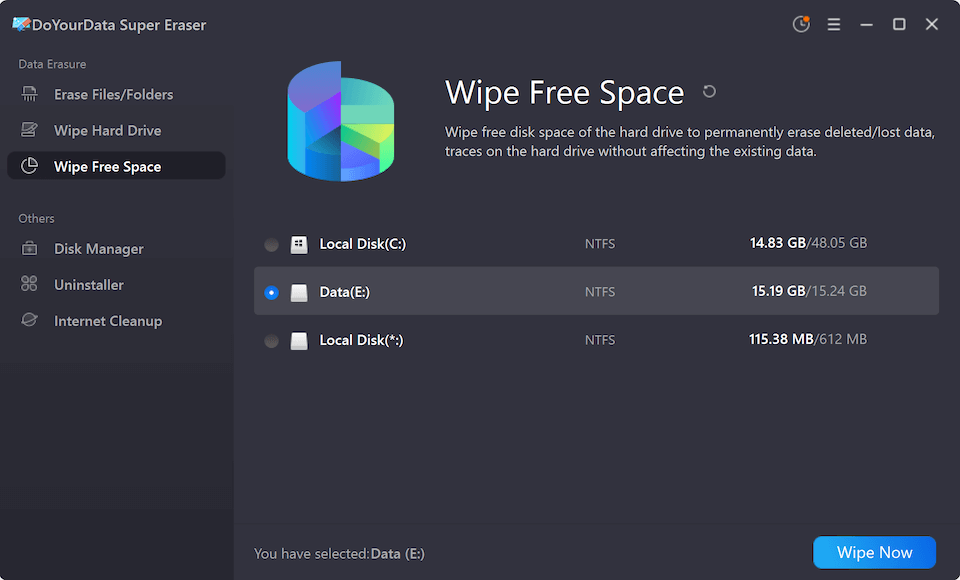
If you previously deleted files using standard methods (like Empty Recycle Bin or Shift+Delete), those files are still lingering in your drive's 'free space'. Using the 'Wipe Free Space' feature in DoYourData Super Eraser will overwrite all free memory blocks across your drive without affecting your existing, safe files. This permanently cleans up all past deleted files in one click.
Mode 2: Wipe Entire Hard Drive / Partition
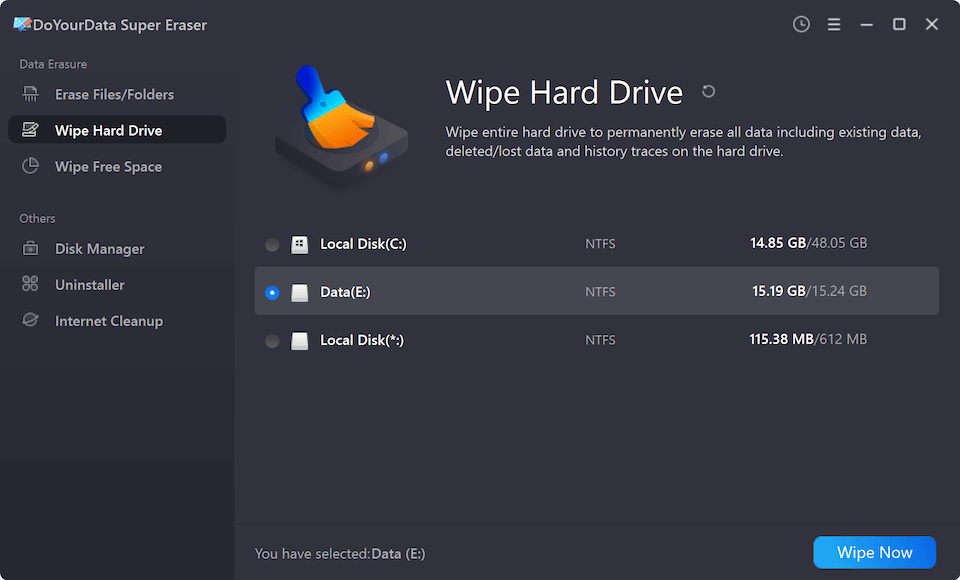
If you plan to donate, sell, or trade in your old laptop, desktop, or external storage device, shredding individual files one by one takes too long. Use the 'Wipe Hard Drive' mode to format and sanitize the entire partition or external drive, shredding every piece of stored data and clearing all privacy traces completely.
FAQs about Permanent File Shredding
Conclusion
In today's digital era, protecting your personal privacy and confidential business data requires more than just basic file deletion. Simply emptying your computer's Recycle Bin leaves your sensitive documents exposed to data recovery tools.
By choosing to shred a file to prevent data recovery, you take control of your digital security. Using a trusted and professional data erasure tool like DoYourData Super Eraser ensures that your private files, financial records, and personal photos are destroyed permanently and beyond recovery. Download DoYourData Super Eraser today to safeguard your digital footprint!

DoYourData Super Eraser
DoYourData Super Eraser, the award-winning data erasure software, offers certified data erasure standards including U.S. Army AR380-19, DoD 5220.22-M ECE to help you securely and permanently erase data from PC, Mac, HDD, SSD, USB drive, memory card or other device, make data be lost forever, unrecoverable!
Written & Updated by Shirly Chen
Shirly Chen has been writing data recovery, data erasure articles for DoYourData over 4 years. She has been working as a professional website content writer & editor for quite a long time. She also writes articles about disk clone, Mac optimization, disk backup, etc.