Top 5 WD Disk Wipe Software: Wipe Western Digital Drives Permanently
Are you planning to sell your Western Digital (WD) external hard drive, upgrade your laptop's WD SSD, or pass an old WD My Passport to a friend? Before you let go of your storage device, you need to think about data security. Use DoYourData Super Eraser or other professional tools to wipe data permanently to keep your privacy safe.
 Updated by Shirly Chen on August 24, 2026
Quick Navigation:
- The Risk of Standard Formatting vs. True Data Erasure
- Quick Comparison of Best WD Disk Wipe Tools
- Top 5 Best WD Disk Wipe Software in 2026
- Wipe WD Disk with DoYourData Super Eraser
- FAQs on WD Disk Wiping Software
- Final Verdict
Many users believe that deleting files and emptying the Recycle Bin—or even running a quick format—permanently removes sensitive information. Unfortunately, that is a dangerous myth. Standard formatting only removes the index entries pointing to your files. The actual data stays intact on the disk sectors until it gets overwritten by new information.
Anyone using simple, free data recovery software can easily retrieve your personal photos, tax records, passwords, or confidential work documents. To prevent unauthorized recovery, you must use a dedicated WD disk wipe software. A reliable data erasure tool overwrites the storage sectors with zero-filling or military-grade erasure algorithms, ensuring your private files are destroyed beyond recovery.
The Risk of Standard Formatting vs. True Data Erasure
Understanding the difference between simple disk management actions and true data destruction can save you from severe identity theft or data leaks:
- Standard Formatting: Removes file references but leaves raw data on the physical drive sectors, ready to be reconstructed.
- Disk Management / Diskpart: Often targets user partitions while leaving hidden system partitions, unallocated space, and residual fragments untouched.
- Data Erasure Software: Overwrites every sector with fixed patterns or random binary code multiple times, permanently destroying all data traces.
Key Takeaway for WD SSD Users: Solid-state drives (SSDs) use wear-leveling controllers that treat data differently than traditional HDDs. Standard wiping utilities may leave data remnants in reserve blocks. Using a specialized WD disk wipe software equipped with military-grade overwriting algorithms guarantees total data destruction on both WD HDDs and SSDs.
Quick Comparison of Best WD Disk Wipe Tools
Here is a quick overview of the top solutions available for erasing Western Digital storage devices on Windows and Mac:
| Software Name | Supported WD Drives | Wipe Standards | Ease of Use | Best For |
|---|---|---|---|---|
| DoYourData Super Eraser | WD HDD, SSD, My Passport, Elements, NVMe | DoD 5220.22-M, Peter Gutmann, US Army | ★★★★★ | All-in-one wiping for Windows & Mac |
| WD Dashboard (Western Digital) | WD Internal SSDs, Select HDDs | Sanitize / Secure Erase (Firmware-level) | ★★★☆☆ | WD internal drive health & sanitize |
| DBAN (Darik's Boot and Nuke) | WD Internal HDDs (Non-SSD) | DoD 5220.22-M, Gutmann, PRNG | ★★☆☆☆ | Bootable wipe for older desktop HDDs |
| CCleaner (Drive Wiper) | WD External Drives & Secondary Partitions | DoD 5220.22-M, Gutmann (35 passes) | ★★★★☆ | Casual user partition cleaning |
| KillDisk | WD Hard Drives, SSDs, USB Enclosures | One Pass Zeros, DoD 5220.22-M | ★★★☆☆ | Enterprise & advanced technician use |
Top 5 Best WD Disk Wipe Software in 2026
1. DoYourData Super Eraser (Recommended)
DoYourData Super Eraser is a powerful, user-friendly data destruction software designed for both Windows and Mac operating systems. It offers complete data erasure solutions for all Western Digital storage devices, including WD My Passport, WD Elements, WD Blue, WD Black, WD Red, and high-speed WD Green NVMe SSDs.
DoYourData Super Eraser
- The best data erasure software for WD disks.
- Wipe data permanently from different hard drives.
- Support multiple certified data wiping algorithms.
What makes DoYourData Super Eraser stand out is its versatility. It provides flexible erasure modes suited for different scenarios—whether you want to destroy specific confidential files, wipe an entire external WD drive, or erase deleted residual data from unallocated space without affecting current operational files.
⭐ Key Features:
- Selective File & Folder Erasure: Allows users to shred individual files or folders selectively without wiping the entire drive.
- Wipe Hard Drive Mode: Wipes the entire WD hard drive, SSD, or USB drive, removing all existing data, hidden files, and partitions.
- Wipe Free Space: Safely overwrites free disk space to erase previously deleted files permanently while keeping your existing files intact.
- Military-Grade Standards: Utilizes certified erasure standards including U.S. Army AR380-19, DoD 5220.22-M, NIST 800-88, and Peter Gutmann.
- Modern UI & Dual OS Support: Simple 3-step operation suitable for beginners with zero technical background.
👍 Pros:
- Supports both Windows 11/10/8/7 and macOS Sequoia/Sonoma/Ventura.
- Fully compatible with all WD HDDs, SATA SSDs, NVMe SSDs, and external desktop drives.
- Guarantees 100% unrecoverable data erasure with no physical damage to the drive.
👎 Cons:
- The free trial offers limited file destruction capacity; full drive wipe requires the Pro version.
2. WD Dashboard (Official Western Digital Tool)
WD Dashboard is Western Digital's official storage management software. Designed primarily for WD internal SSDs, this utility helps users monitor drive health, performance, firmware updates, and offers built-in Sanitize and Secure Erase functions.
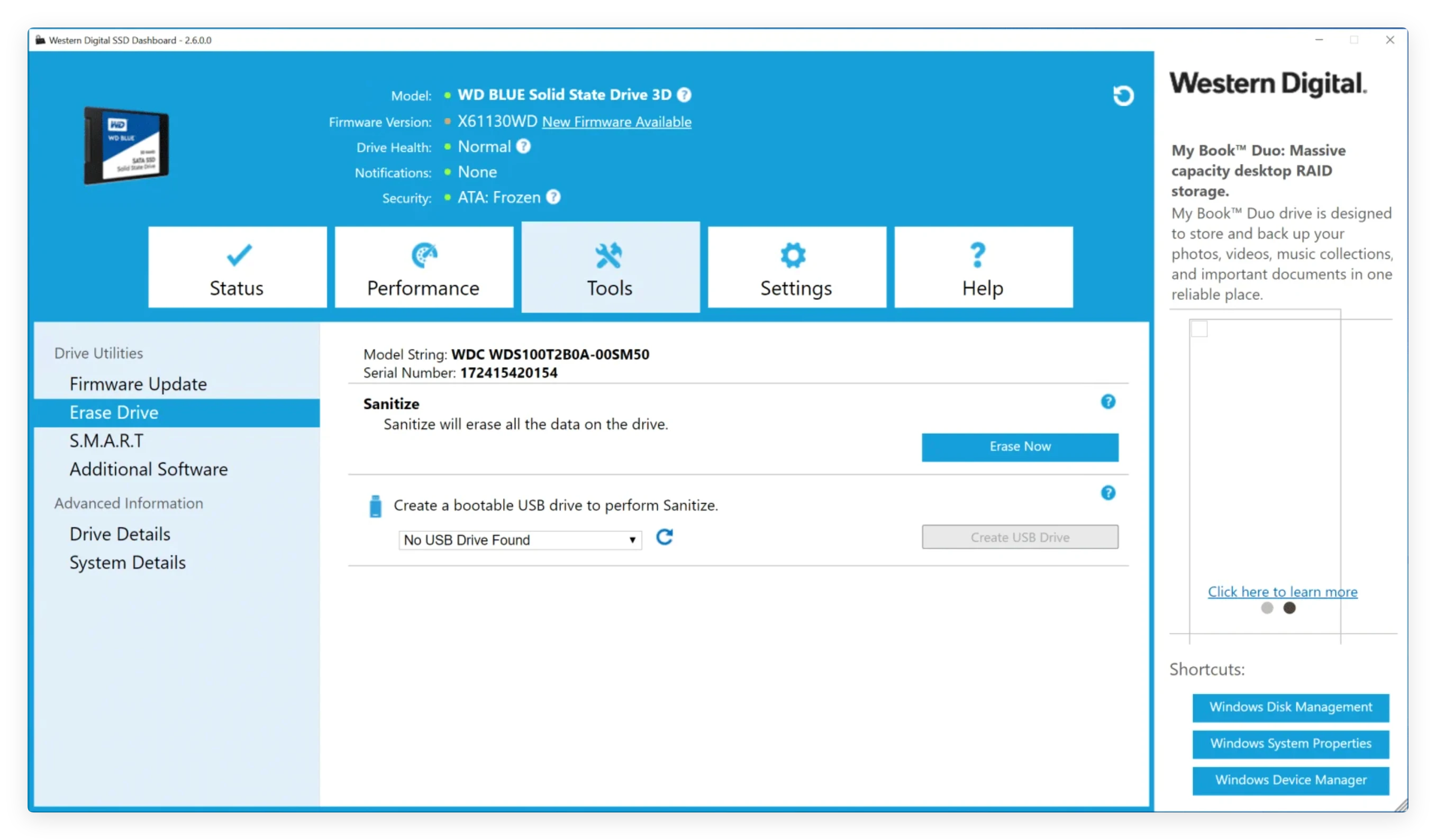
If you are managing an internal Western Digital SSD, WD Dashboard uses hardware-level commands (NVMe Format or ATA Secure Erase) to reset drive cells back to factory fresh condition.
👍 Pros:
- Official utility built directly by Western Digital.
- Executes fast hardware-level firmware commands on supported WD SSDs.
- Completely free to download and use.
👎 Cons:
- Does not support third-party non-WD drives or many external USB enclosures.
- Cannot sanitize boot drives while the Windows operating system is currently running.
- No macOS version available.
3. DBAN (Darik's Boot and Nuke)
DBAN is one of the most famous open-source data wiping utilities in the computer industry. It runs from a bootable USB flash drive or CD, operating outside the OS environment to overwrite internal hard drives completely.
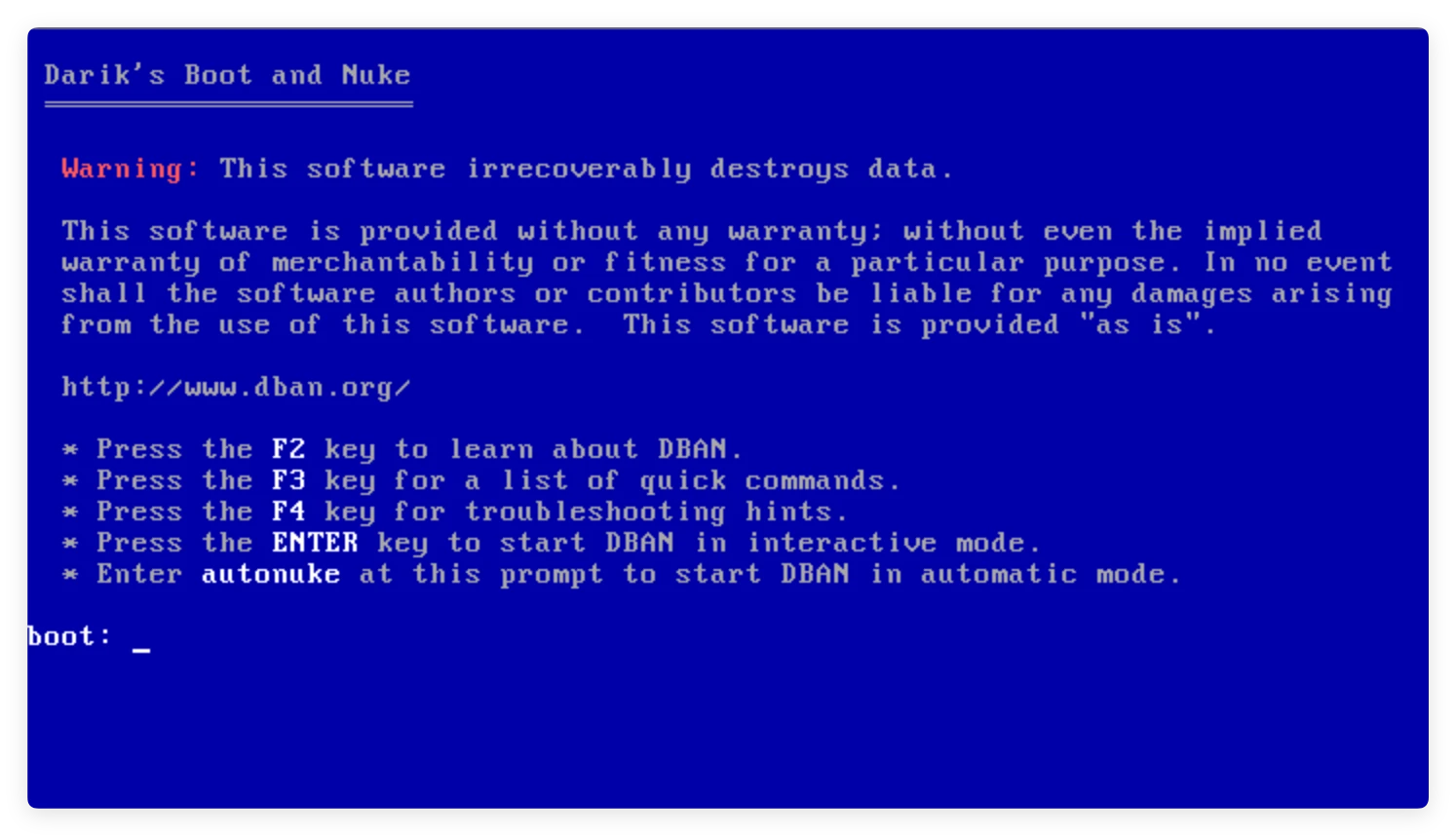
While DBAN is highly effective for legacy mechanical Western Digital hard drives (like older WD Caviar Blue HDDs), it is not designed for modern solid-state drives (SSDs) and lacks modern hardware interface support.
👍 Pros:
- Completely free, open-source software.
- Bypasses the operating system to wipe system drives completely.
👎 Cons:
- Does not support SSDs (may cause wear or fail to wipe reserved cells).
- Requires creation of bootable media and BIOS/UEFI configuration.
- Text-only interface with no graphical desktop guidance.
4. CCleaner Drive Wiper
CCleaner is widely known for system cleaning and registry maintenance, but it also includes a built-in Drive Wiper utility. It allows users to wipe free space or destroy all data on non-system drives.
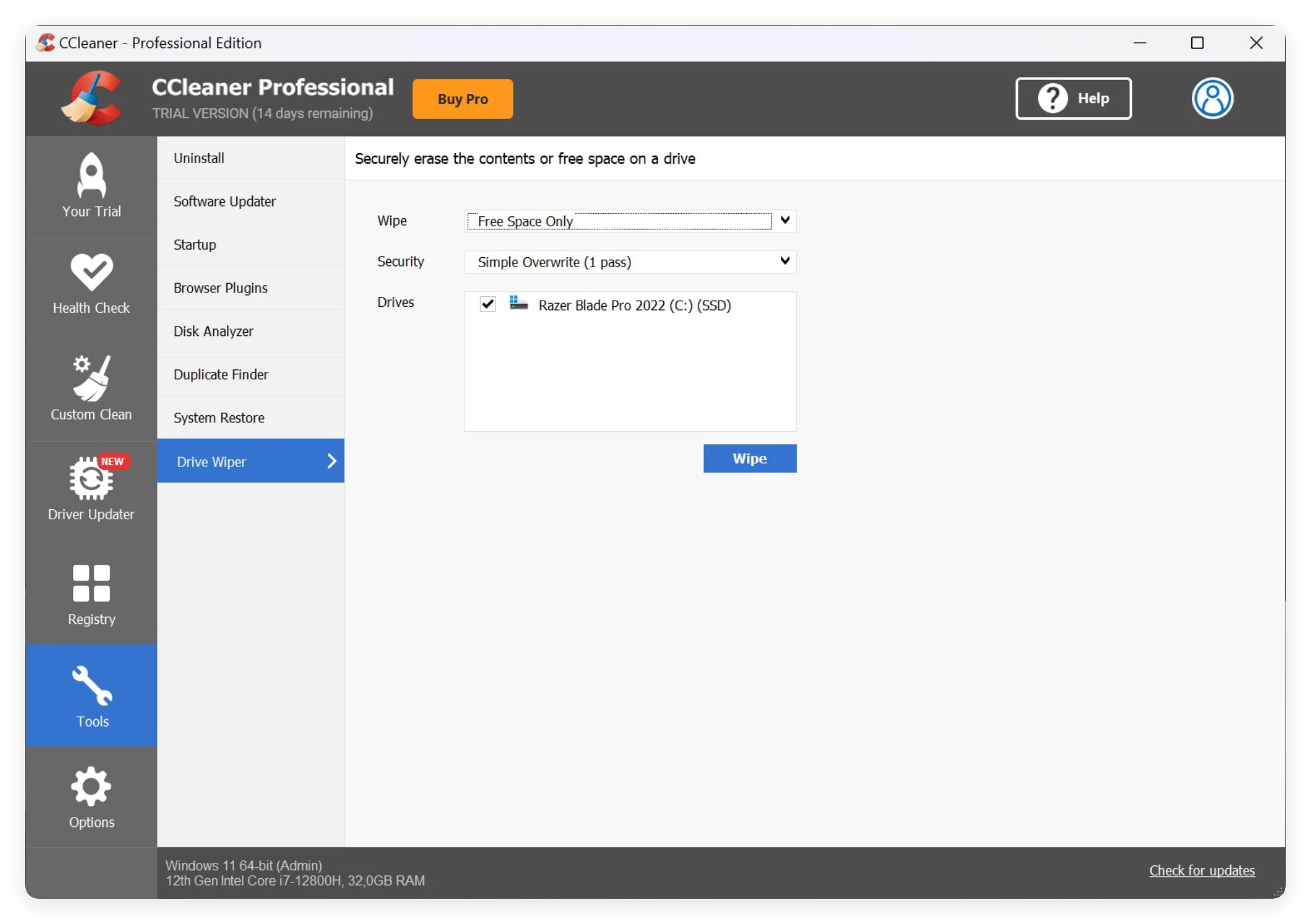
For casual users who already have CCleaner installed and want to clear an external WD My Passport or secondary partition, this serves as a convenient basic tool.
👍 Pros:
- Easy to use for existing CCleaner users.
- Includes options for simple 1-pass up to 35-pass Gutmann overwriting.
👎 Cons:
- Cannot wipe the primary system C: drive where Windows is running.
- Lacks advanced SSD firmware-level sanitize capabilities.
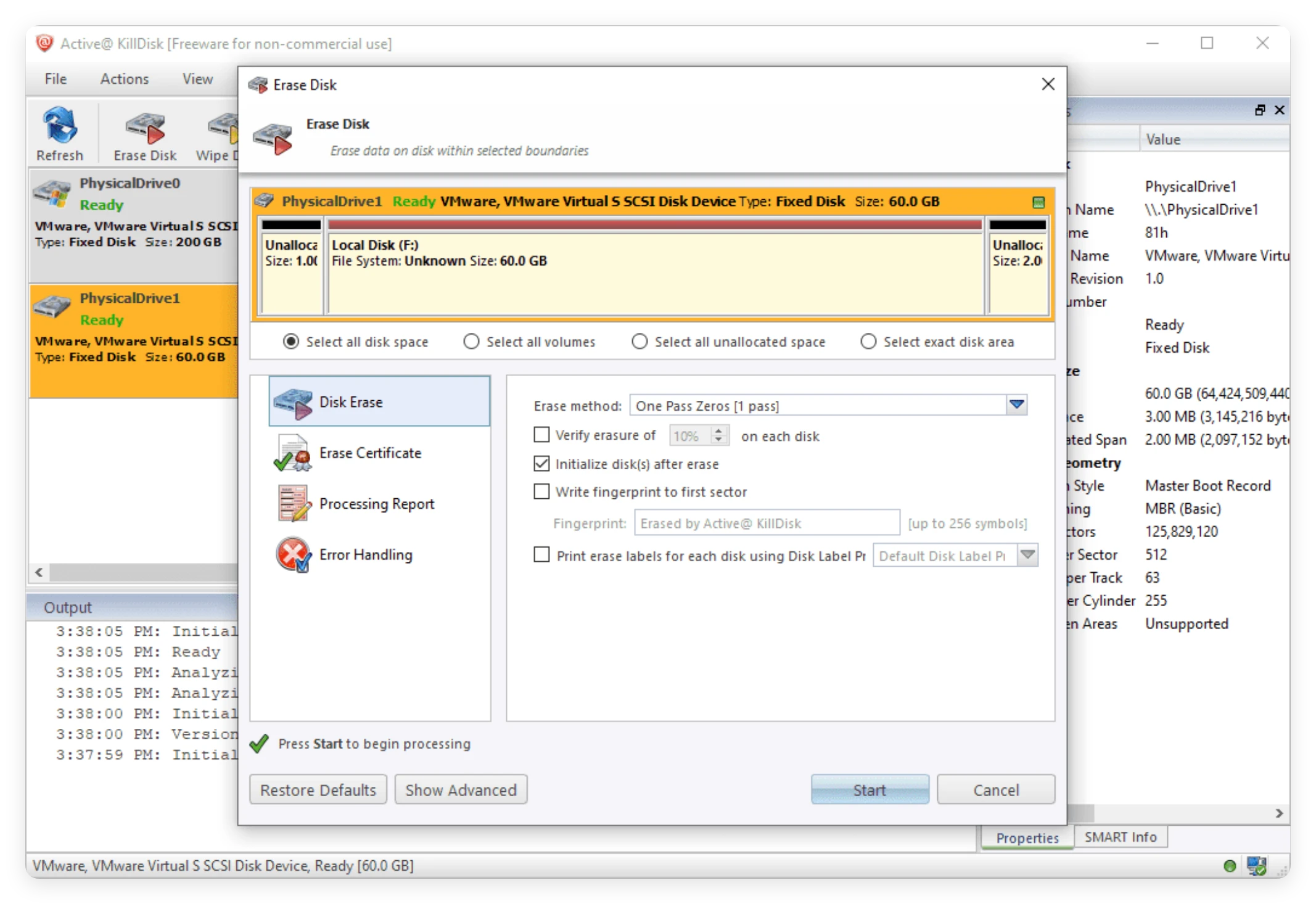
5. Active@ KillDisk
Active@ KillDisk is a commercial-grade data destruction software intended for industrial and professional technical environments. It supports high-level security compliance standards and can wipe multiple Western Digital drives simultaneously.
👍 Pros:
- Generates detailed data destruction certificates for legal auditing.
- Supports multi-drive parallel wiping for IT administrators.
👎 Cons:
- Complex user interface with a steep learning curve for home users.
- Free version is strictly limited to single-pass zero-filling.
Wipe WD Disk with DoYourData Super Eraser
Wiping a Western Digital hard drive or SSD permanently does not require technical expertise. Follow these simple steps to erase your WD drive safely using DoYourData Super Eraser:
Step 1: Download and Install DoYourData Super Eraser
Download DoYourData Super Eraser on your PC or Mac. Connect your Western Digital external drive (or ensure your internal drive is recognized) and launch the application.
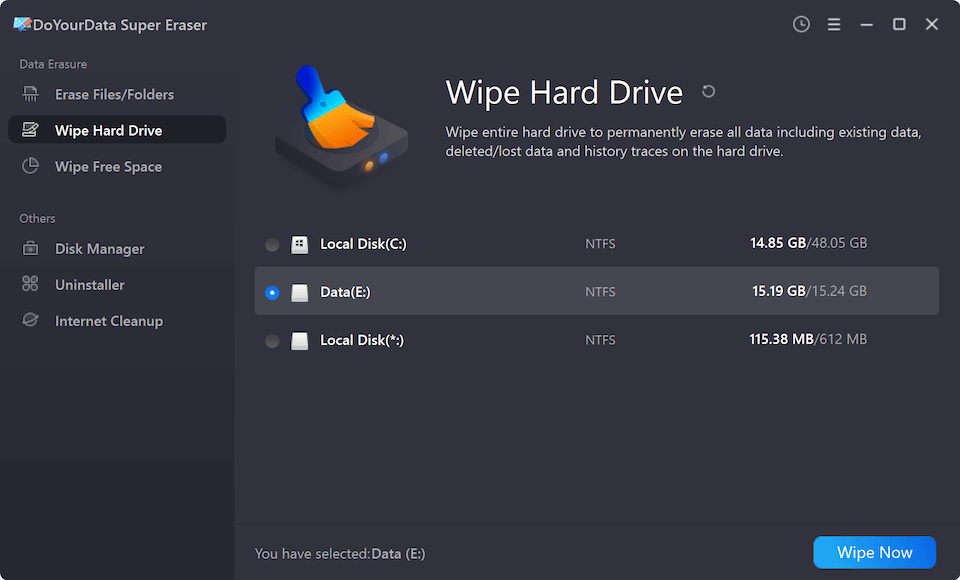
Step 2: Choose 'Wipe Hard Drive' Mode
On the main interface, choose the second mode—Wipe Hard Drive. This mode will erase all existing data, hidden files, formatted partitions, and residual traces on the selected disk. Select your WD hard drive, WD SSD, or WD My Passport external disk from the drive list. Double-check to ensure you have chosen the correct target disk.
Step 3: Select the Data Erasure Standard
After clicking the Wipe Now button, you will need to select a data erasure standard. There are multiple standards available. Check and choose a wanted one. Note that any standard is enough to wipe data permanently.

Step 4: Start to Permanently Erase Data
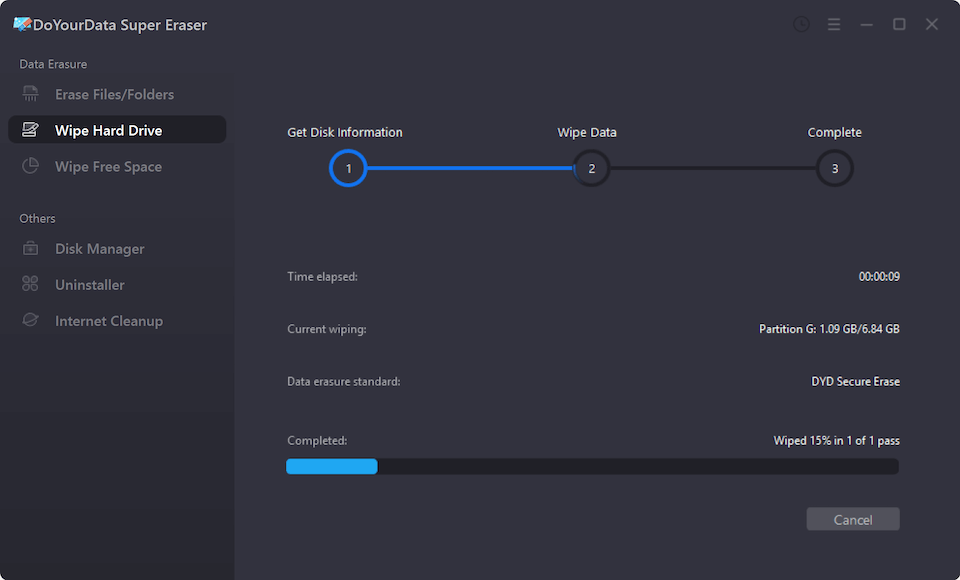
Click the Continue button. Confirm the operation when prompted. DoYourData Super Eraser will execute deep overwriting algorithms across the drive. Once finished, your Western Digital drive is 100% clean, wiped, and ready for safe disposal or resale.
FAQs on WD Disk Wiping Software
Final Verdict
Selling, recycling, or giving away an old Western Digital storage device without properly destroying your data poses severe privacy risks. Simple deletion and drive formatting leave your personal files exposed to recovery tools.
To protect your confidential information, using a dedicated WD disk wipe software is essential. Tools like DoYourData Super Eraser provide complete, unrecoverable data destruction with certified algorithms, intuitive operation, and cross-platform compatibility. Download DoYourData Super Eraser today to ensure your privacy remains 100% secure before parting with your WD drive!

DoYourData Super Eraser
DoYourData Super Eraser, the award-winning data erasure software, offers certified data erasure standards including U.S. Army AR380-19, DoD 5220.22-M ECE to help you securely and permanently erase data from PC, Mac, HDD, SSD, USB drive, memory card or other device, make data be lost forever, unrecoverable!
Written & Updated by Shirly Chen
Shirly Chen has been writing data recovery, data erasure articles for DoYourData over 4 years. She has been working as a professional website content writer & editor for quite a long time. She also writes articles about disk clone, Mac optimization, disk backup, etc.