Certified File Shredder Utility Mapping DoD Wiping Guidelines for macOS
Adhering to the U.S. Department of Defense (DoD 5220.22-M 3-pass and 7-pass) sanitization standards, DoYourData Super Eraser for Mac overwrites confidential files, unallocated free space, and external storage media with multi-pass patterns. Fully optimized for Apple Silicon (M1–M6) and APFS architectures, it provides compliant, military-grade data sanitization with automated verification, ensuring complete data privacy and enterprise audit readiness.
 Updated by Shirly Chen on Novmenber 4, 2026
Quick Navigation:
- Understanding the DoD 5220.22-M Data Wiping Standard
- The Challenge of Secure File Shredding on Modern macOS
- DoYourData Super Eraser for Mac: Certified DoD Wiping Solution
- FAQs about File Shredder Utility Mapping DoD Wiping Standard
- Conclusion
Deleting confidential files on macOS should be straightforward. You drag a sensitive spreadsheet or private client folder to the Trash, empty it, and assume the data is permanently erased. Unfortunately, that is not how modern desktop operating systems manage file storage. Until new files are written over those exact blocks, the original data remains completely intact. Anyone can retrieve your deleted documents in seconds.
For businesses, healthcare providers, legal practices, and security-conscious Mac users, this residual data poses a severe security risk. To guarantee that erased data remains unrecoverable, organizations rely on government-grade sanitization standards—most notably the U.S. Department of Defense (DoD 5220.22-M) wiping protocol.
This comprehensive guide explores how a certified file shredder utility mapping DoD wiping guidelines for macOS devices works, why military-grade multi-pass overwriting remains essential, and how DoYourData Super Eraser for Mac delivers verified, compliant data destruction for modern Mac hardware.
Understanding the DoD 5220.22-M Data Wiping Standard
The DoD 5220.22-M standard was originally established by the U.S. Defense Security Service (DSS) as part of the National Industrial Security Program Operating Manual (NISPOM). Over the decades, it has become the global benchmark for permanent media sanitization across corporate, legal, and government enterprises.
How the DoD 3-Pass and 7-Pass Algorithms Function
The standard mandates overwriting storage sectors with specific binary character patterns and verifying the overwrite execution. A compliant wiping process operates across predefined passes:
- Pass 1 (Character Overwrite): Overwrites every addressable storage location with binary zeroes (0x00) and verifies the write operation.
- Pass 2 (Complement Overwrite): Overwrites the exact same sectors with binary ones (0xFF) or complement values, followed by verification.
- Pass 3 (Random Character Overwrite): Overwrites all storage locations with a pseudo-random character pattern (e.g., 0x97) and completes a final verification check.
In ultra-high-security environments, organizations utilize the expanded DoD 5220.22-M (ECE) 7-pass standard. This method executes two full 3-pass wiping cycles separated by an additional intermediate overwrite pass, ensuring seven total layers of random and patterned data destruction.
Why Verification and Certificates Matter
A standard overwrite script attempt is not sufficient for regulatory compliance. True compliance requires automated post-pass verification. A certified file shredder utility mapping DoD wiping guidelines for macOS devices verifies that every byte of target data has been completely overwritten. Furthermore, enterprise-grade utilities generate tamper-proof erasure logs and certificates, providing clear audit trails for regulatory compliance such as HIPAA, GDPR, PCI-DSS, and SOX.
The Challenge of Secure File Shredding on Modern macOS
Achieving true data sanitization on macOS requires navigating modern hardware architectures. With Apple Silicon chips, T2 security chips, APFS (Apple File System), and integrated Solid-State Drives (SSDs), generic file wiping methods face distinct operational hurdles.
APFS Wear-Leveling and File System Abstractions
Apple introduced APFS to optimize performance for flash storage. APFS uses Copy-on-Write metadata architectures and wear-leveling algorithms. Wear-leveling distributes data write operations evenly across SSD flash blocks to prolong hardware lifespan. If software attempts to overwrite a specific file in place, the SSD controller often writes the new data to a completely different physical flash block, leaving the original data block untouched in unallocated space.
Apple Silicon, T2 Chips, and System Integrity Protection (SIP)
Modern Macs feature built-in hardware encryption via Secure Enclave. Additionally, macOS System Integrity Protection (SIP) restricts direct low-level sector access for unauthorized applications. Standard command-line tools or uncertified utilities cannot reliably execute multi-pass sector overwriting without administrative authorization and low-level disk integration.
To overcome these challenges, a certified file shredder utility mapping DoD wiping guidelines for macOS devices must intelligently interact with APFS file tables, issue hardware-level TRIM commands, and execute multi-pass overwriting across both target file pointers and unallocated free storage space.
DoYourData Super Eraser for Mac: Certified DoD Wiping Solution
DoYourData Super Eraser for Mac is engineered specifically to deliver certified, military-grade data sanitization for macOS environments. Fully optimized for macOS Sequoia, Sonoma, Ventura, and older versions, it seamlessly maps DoD 5220.22-M wiping guidelines to modern Mac architectures.
| Erasure Algorithm | Pass Count | Ideal Security Use Case |
|---|---|---|
| U.S. DoD 5220.22-M (3-Pass) | 3 Passes | Standard commercial, legal, and private file sanitization. |
| U.S. DoD 5220.22-M (ECE) | 7 Passes | High-security enterprise, government, and finance records. |
| NIST SP 800-88 Rev 2 | 1-3 Passes | Modern SSD sanitization compliant with current federal guidelines. |
| Peter Gutmann Standard | 35 Passes | Maximum security sanitization for highly classified datasets. |
Key Wiping Modes in DoYourData Super Eraser
- Selectively Wipe Files & Folders: Allows users to select specific files, confidential folders, or documents and shred them instantly using the 3-pass or 7-pass DoD algorithm. Once erased, zero recovery software can rebuild the content.
- Wipe Free Disk Space: Wipes the free space on your Mac's APFS or HFS+ drive. This permanently erases previously deleted files that were cleared via normal Trash emptying, ensuring residual data traces in unallocated blocks are zeroed out.
- Wipe Entire Storage Volumes: Permanently erases entire external storage devices (USB flash drives, external HDDs, SSDs, SD cards) before resale, recycling, or reassignment.
Advanced Technical Features
- Apple Silicon & Intel Compatibility: Engineered natively for Apple Silicon and Intel-based Mac computers.
- APFS & TRIM Integration: Integrates with SSD controllers to issue TRIM operations alongside data overwriting, preventing wear-leveling leakage.
- Risk-Free System Operation: Safe design ensures macOS system files, core applications, and system integrity remain completely untouched.
Step-by-Step Guide: How to Shred Files on macOS Using DoD Standard
Erasing confidential records on your Mac using DoD 5220.22-M standards requires just a few simple steps with DoYourData Super Eraser for Mac:
Step 1: Download DoYourData Super Eraser for Mac. Double-click the installation package and follow the setup wizard to place the app in your Applications folder.
DoYourData Super Eraser for Mac
- Best file shredder that supports DoD data wiping algorithm.
- Permanently wipe data and ensure the data is gone forever.
- Shred individual files, wipe deleted data or erase entire drive.
Step 2: Launch the application. From the left sidebar, choose your desired sanitization mode. To shred specified files/folders, you need to choose 'Erase Files/Folders'.
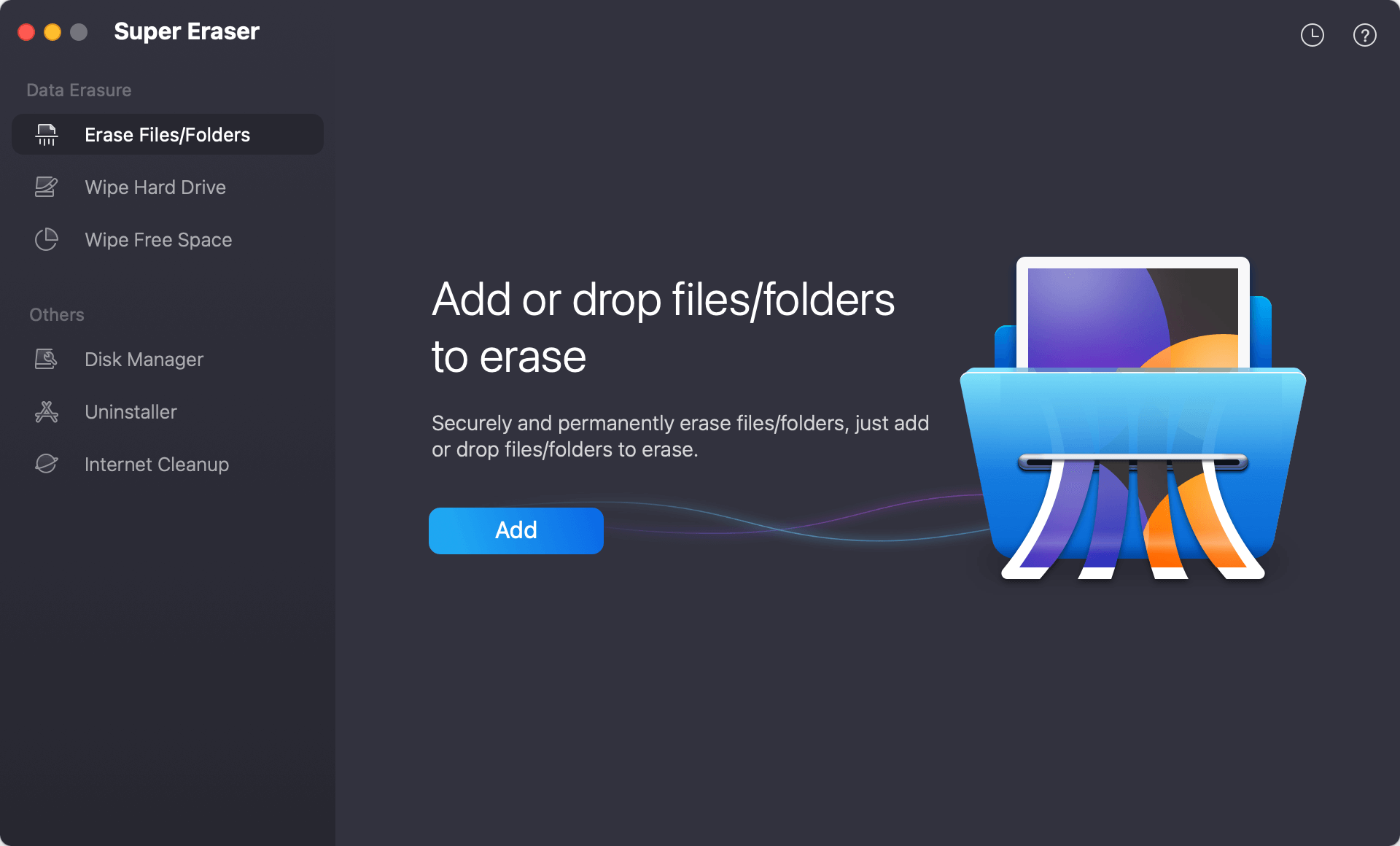
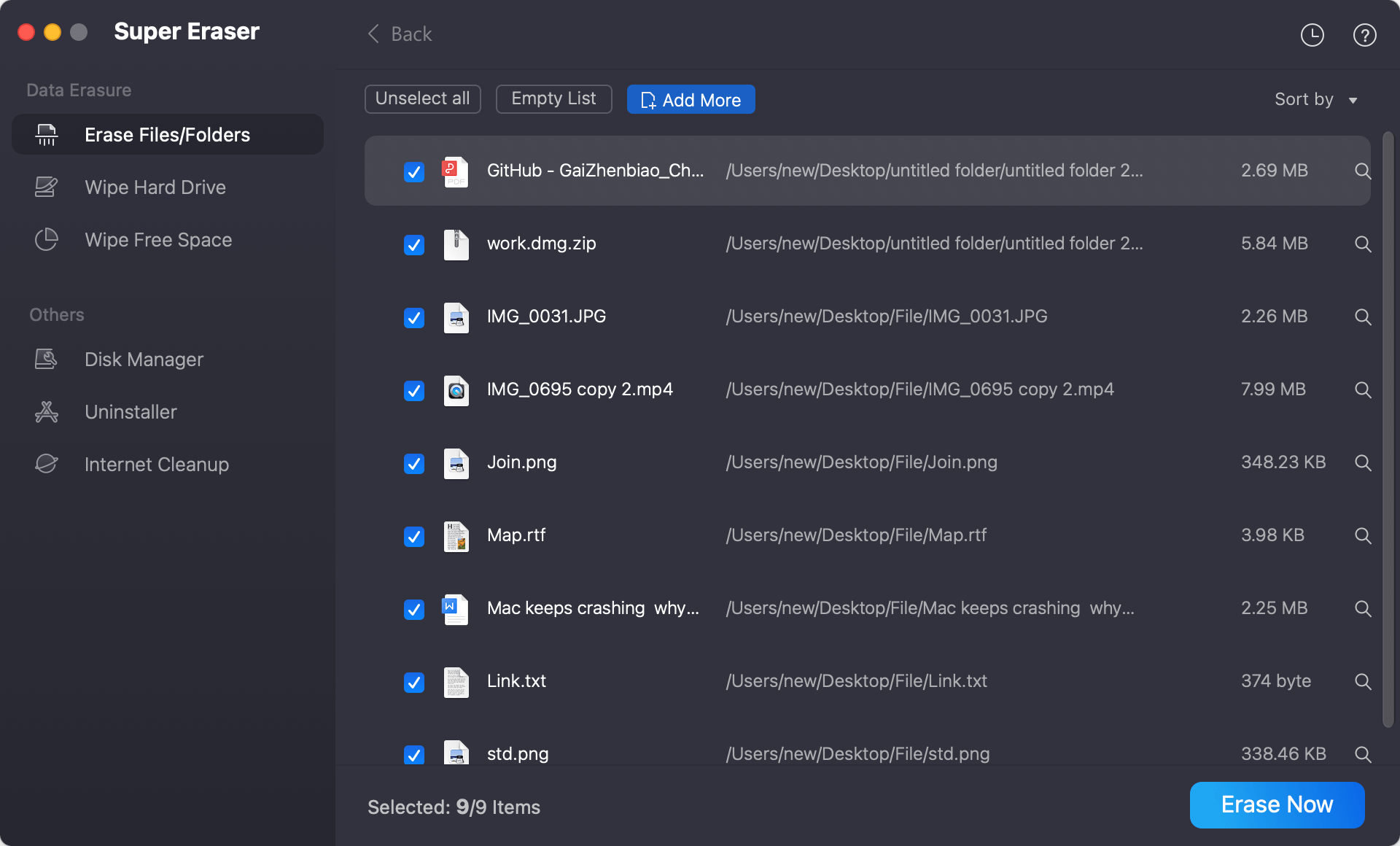
Step 3: Click 'Add' to browse and choose the target files, folders, or sensitive business documents you wish to destroy. Click the 'Erase Now' button.
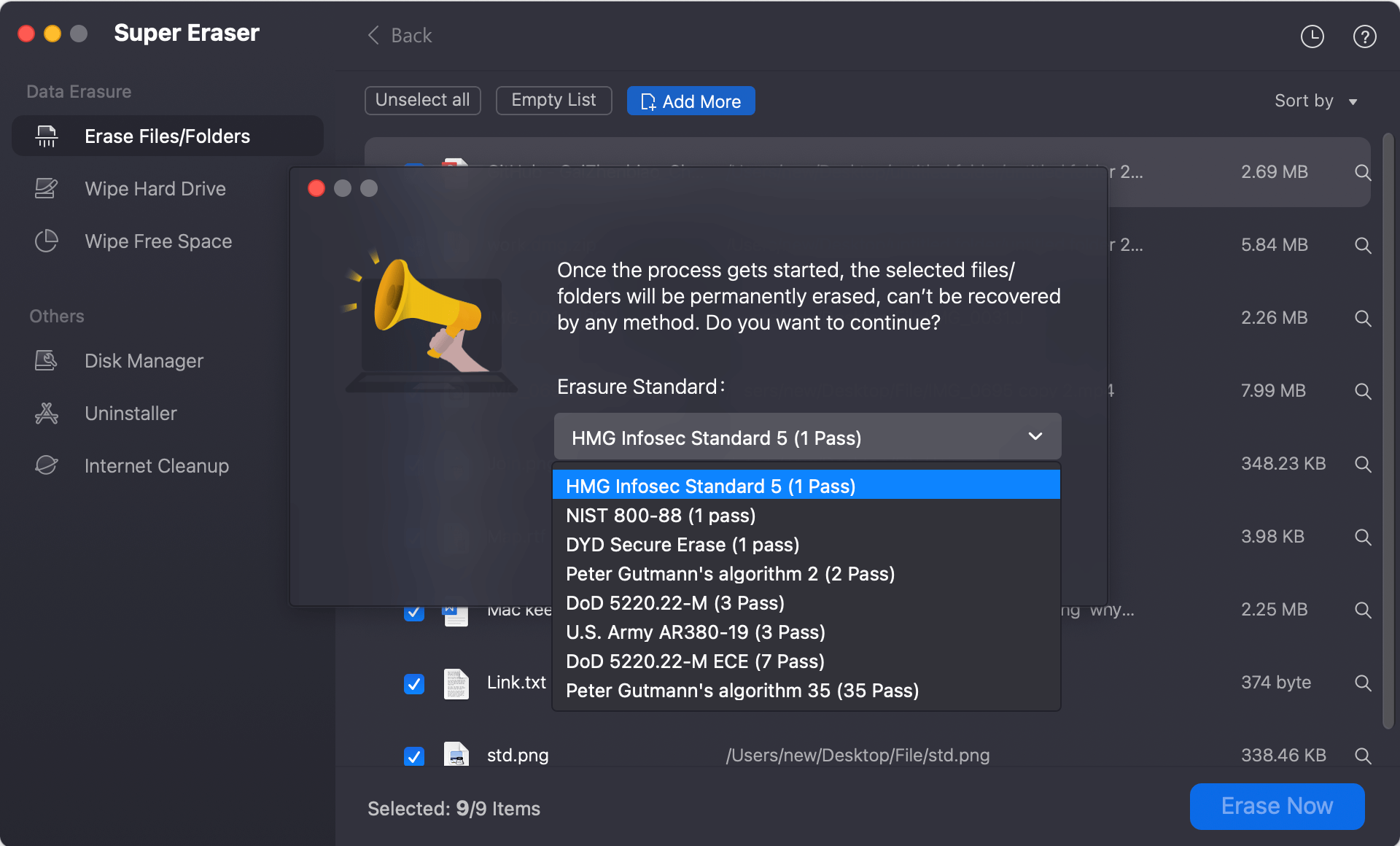
Step 4: Select U.S. DoD 5220.22-M (3 passes) or DoD 5220.22-M ECE (7 passes) as your default erasure standard.
Step 5: Start the file shredding process. DoYourData Super Eraser will execute the multi-pass overwrite sequence, replacing your file bytes with zeroes, ones, and random characters, followed by a strict verification pass.
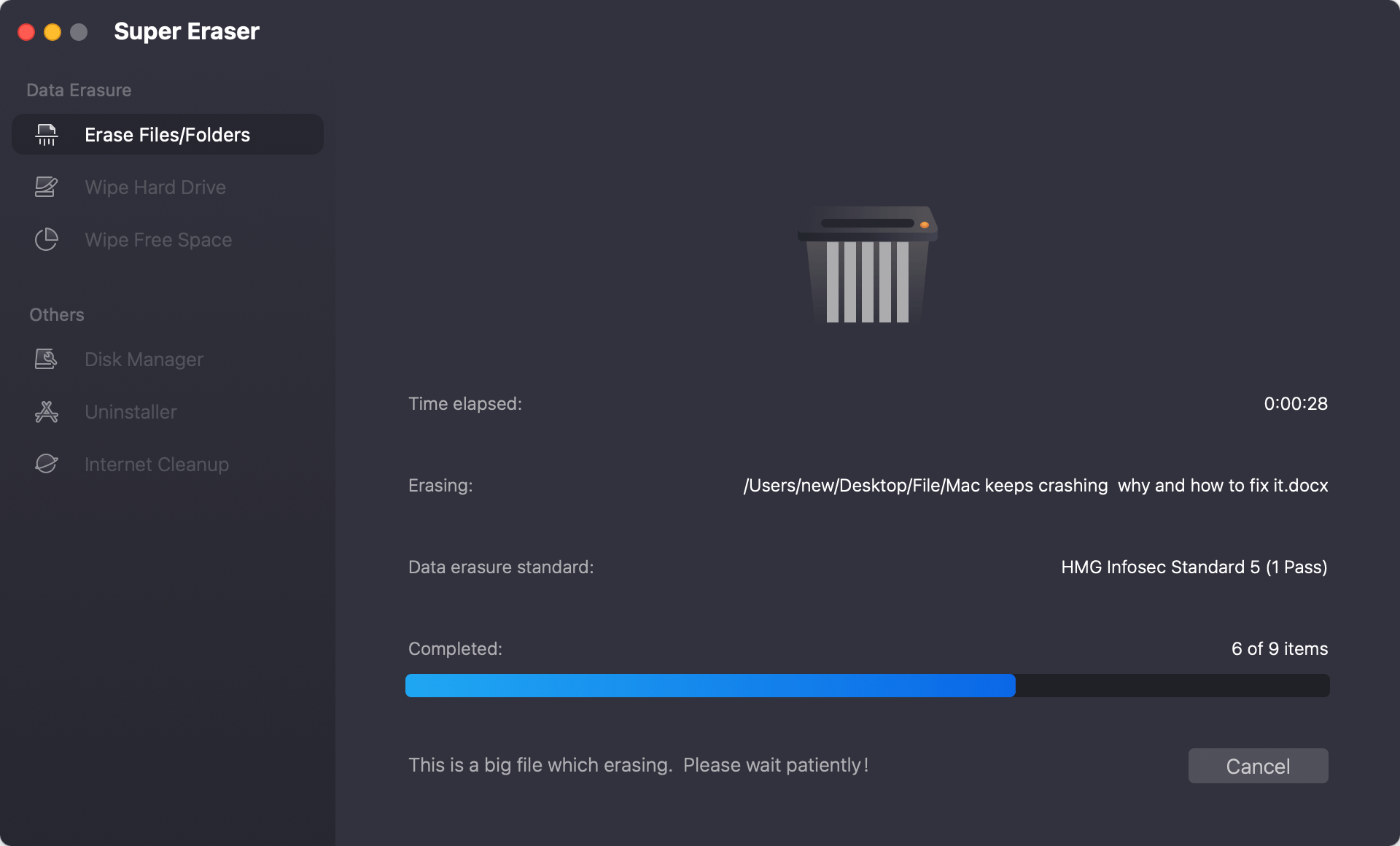
Step 6: Once complete, the utility will display a confirmation message. Your selected files are now permanently destroyed, leaving zero chance of recovery by any hardware or software recovery tools.
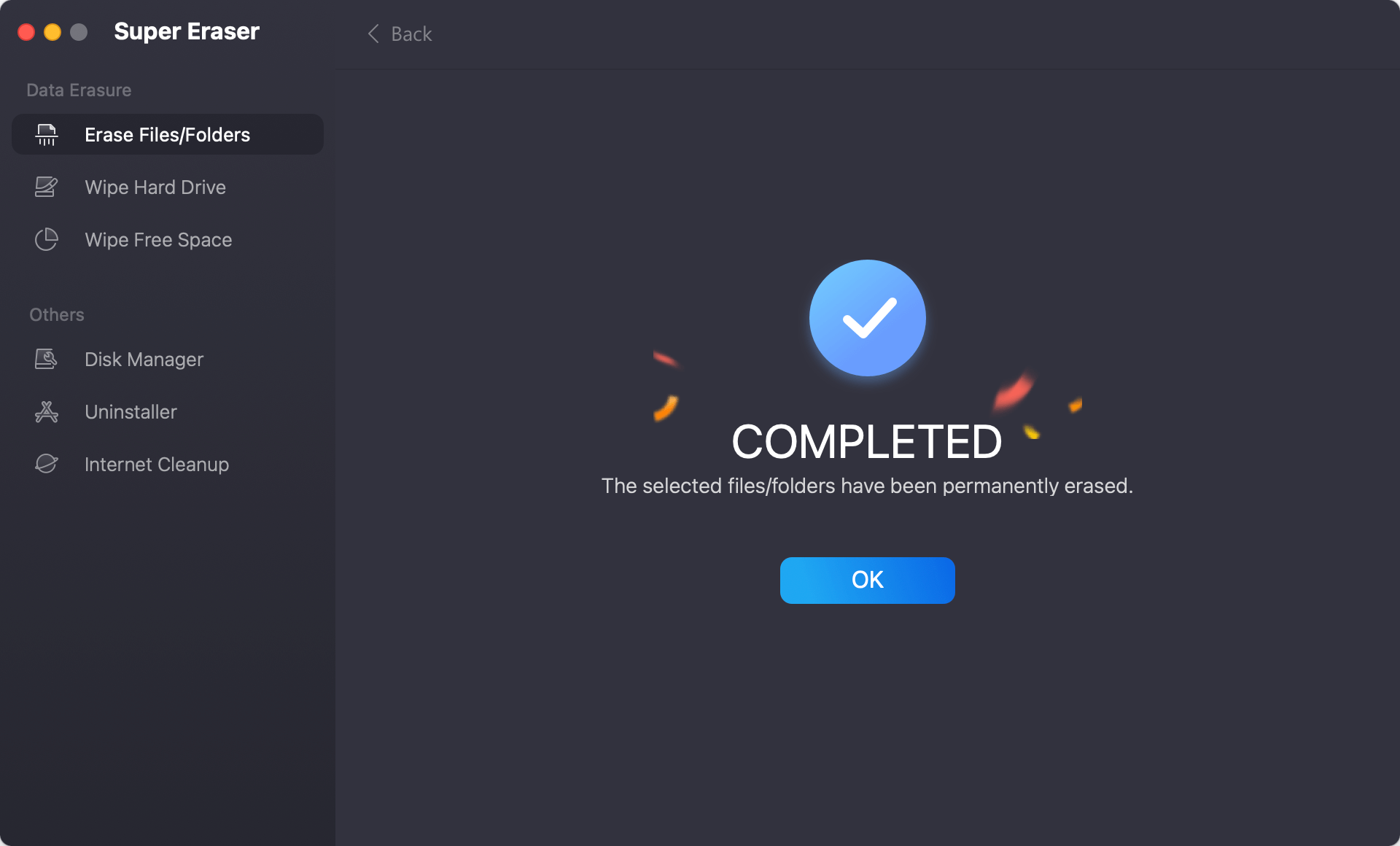
💡 Important Reminder: Because DoD wiping overwrites data sectors permanently, shredded files cannot be recovered by any software, forensic laboratory, or data recovery specialist. Always double-check your file selection before clicking Erase Now.
FAQs about File Shredder Utility Mapping DoD Wiping Standard
Conclusion:
In an era of strict privacy regulations and sophisticated data recovery technologies, standard macOS deletion methods are no longer sufficient to safeguard sensitive information. Leaving residual data in unallocated storage blocks poses an unacceptable risk to enterprise compliance and personal data security.
By deploying a certified file shredder utility mapping DoD wiping guidelines for macOS devices like DoYourData Super Eraser for Mac, users can achieve absolute, military-grade data destruction. Whether you need to shred isolated confidential documents, purge free disk space on APFS drives, or erase external storage media prior to disposition, DoYourData Super Eraser for Mac provides the speed, compliance verification, and peace of mind necessary to keep your Mac completely secure.
DoYourData Super Eraser for Mac
DoYourData Super Eraser for Mac is a 100% safe, powerful and easy-to-use data erasure program. It offers certified data erasure standards including Peter Gutmann, U.S. Army AR380-19, DoD 5220.22-M ECE to permanently erase data from Macs and external devices, making data recovery be impossible.
Written & Updated by Shirly Chen
Shirly Chen has been writing data recovery, data erasure articles for DoYourData over 4 years. She has been working as a professional website content writer & editor for quite a long time. She also writes articles about disk clone, Mac optimization, disk backup, etc.