Download Certified Data Erasure Utility for macOS Golden Gate Compatibility
Whether you are running a brand-new M-series MacBook Air, a powerful Mac Studio, or trading in an older Apple Silicon machine, shifting to a fresh system often means parting ways with your old hardware. But before you sell, donate, or recycle your Mac, ask yourself a vital question: Is your personal data truly gone? DoYourData Super Eraser for Mac can help you permanently wipe data in such cases.
 Updated by Shirly Chen on October 27, 2026
Quick Navigation:
- Why You Need Data Erasure Utility for macOS 27
- What Makes a Data Erasure Utility 'Certified'?
- Introducing DoYourData Super Eraser for Mac
- FAQs about Certified Data Erasure Utility for macOS 27
- Conclusion
Most people assume that dragging files to the Trash and emptying it—or even reformatting the disk—is enough to protect their privacy. Unfortunately, in the digital age, that couldn't be further from the truth. Standard file deletion only removes pointers to your files, leaving the actual data sitting safely on your storage sectors until new data overwrites it. Anyone with standard data recovery software can retrieve your private photos/videos/documents, financial records, bank statements, and saved passwords in just a few clicks.

That is why you need to download certified data erasure utility for macOS Golden Gate compatibility. A specialized, certified disk-wiping tool ensures that your confidential information is destroyed beyond recovery, complying with rigorous international standards like DoD 5220.22-M and NIST 800-88. In this comprehensive guide, we will explore why standard deletion falls short, what makes a utility certified, and how you can seamlessly clean your Mac running macOS Golden Gate.
Why You Need Data Erasure Utility for macOS 27
When you delete a file on macOS Golden Gate, the operating system simply marks that storage space as available. The file data remains intact on your solid-state drive (SSD) or hard disk drive (HDD) until something else happens to write over it. Even if you use Disk Utility to erase a volume or format your drive, modern data recovery algorithms can often dig deep into flash memory sectors and reconstruct lost files.
Furthermore, modern Macs utilizing Apple Silicon chips (M1, M2, M3, M4, M5, M6) and APFS (Apple File System) manage storage blocks dynamically through wear leveling and TRIM commands. This makes traditional manual file shredding ineffective. Without a dedicated, certified data erasure utility designed specifically for modern file systems and operating systems, residual data traces can linger indefinitely.
Leaving sensitive information behind poses severe risks, including identity theft, corporate data leaks, and unauthorized financial access. Protecting yourself requires a definitive solution that overrides every single storage sector with random binary patterns.
What Makes a Data Erasure Utility 'Certified'?
Not all cleaning apps are created equal. When searching online to download certified data erasure utility for macOS Golden Gate compatibility, you need to look for software backed by recognized international destruction standards. Certification means the software has been rigorously tested and proven to render data 100% unrecoverable by any forensic tool or laboratory.
Key certified data erasure standards include:
- DoD 5220.22-M: An established standard that overwrites data multiple times with zeros, ones, and random characters, ensuring complete destruction.
- Peter Gutmann's Algorithm: A highly secure, multi-pass overwriting method developed by security expert Peter Gutmann, involving up to 35 separate passes to completely eliminate magnetic and electronic remnants.
- NIST 800-88 Compliance: The U.S. government guideline for media sanitization, ensuring that logical storage spaces and cryptographic sectors are securely scrubbed before hardware disposal.
When you choose a tool that adheres to these standards, you gain total peace of mind. Whether you are an individual protecting personal memories or an IT professional wiping corporate workstations, certified erasure is the gold standard of data security.
Introducing DoYourData Super Eraser for Mac
When it comes to finding the most reliable, powerful, and user-friendly solution, DoYourData Super Eraser for Mac stands out as the ultimate benchmark. Fully optimized for macOS Golden Gate and all Apple Silicon processors, this elite-grade software offers foolproof data destruction without slowing down your machine.
DoYourData Super Eraser for Mac
- Most reliable data erasure software for Mac.
- Permanently wipe data to avoid data recovery.
- Support multiple certified data wiping algorithms.
DoYourData Super Eraser is designed with simplicity in mind. You do not need to be a computer science expert or a terminal wizard to use it. Its clean, intuitive interface guides you step-by-step through every wiping procedure, ensuring that your confidential files vanish forever.
Core Features of DoYourData Super Eraser for Mac
The software provides three flexible erasure modes tailored to different privacy scenarios:
1. Selective File and Folder Erasure (Digital Shredder)
If you only want to destroy specific sensitive documents—such as tax returns, work contracts, or private photographs—without wiping your entire computer, this mode works like a digital paper shredder. Simply drag and drop your unwanted files or folders into the application window and click shred. The software instantly obliterates those specific items while leaving everything else untouched.
2. Wipe Entire Hard Drive or External Storage
Planning to sell, donate, or trade in your Mac running macOS Golden Gate? This is your go-to mode. It thoroughly wipes every single bit of data on your internal SSD, external hard drive, USB flash drive, or memory card. It cleans out operating system files, user accounts, caches, and hidden partitions, returning your drive to a pristine, factory-fresh state.
3. Wipe Free Disk Space
If you have already deleted files in the past by dragging them to the Trash, their ghost traces still reside in the free space sectors of your drive. This mode safely scans and overwrites only the unallocated space on your drive. It cleans out old deleted files while keeping your current operating system and active files 100% safe and intact.
Additional System Utilities
Beyond disk wiping, DoYourData Super Eraser includes built-in tools to keep your Mac running smoothly:
- Internet Privacy Cleanup: Scans your system and safely removes browsing history, cookies, cache files, and chat logs from Safari, Chrome, and Firefox.
- Advanced Uninstaller: Helps you completely uninstall unwanted applications along with their hidden residual files, log files, and support folders that clutter your storage.
Step-by-Step Guide: Download and Use Certified Data Erasure Utility on macOS 27
Getting started with DoYourData Super Eraser is quick and straightforward. Follow these simple steps to securely wipe your data on macOS Golden Gate:
Step 1: Download and Install. Locate the Mac version of Super Eraser and click the download button to get the installation package. Once downloaded, open the installer and drag the application into your Applications folder.
Step 2: Choose Your Erasure Mode. Launch DoYourData Super Eraser from your Applications folder or Launchpad. You will see a clean, modern interface displaying three distinct wiping modes on the sidebar. Depending on your needs, select 'Erase Files/Folders', 'Wipe Hard Drive', or 'Wipe Free Space'. If you are wiping an external drive, make sure it is securely plugged into your Mac.
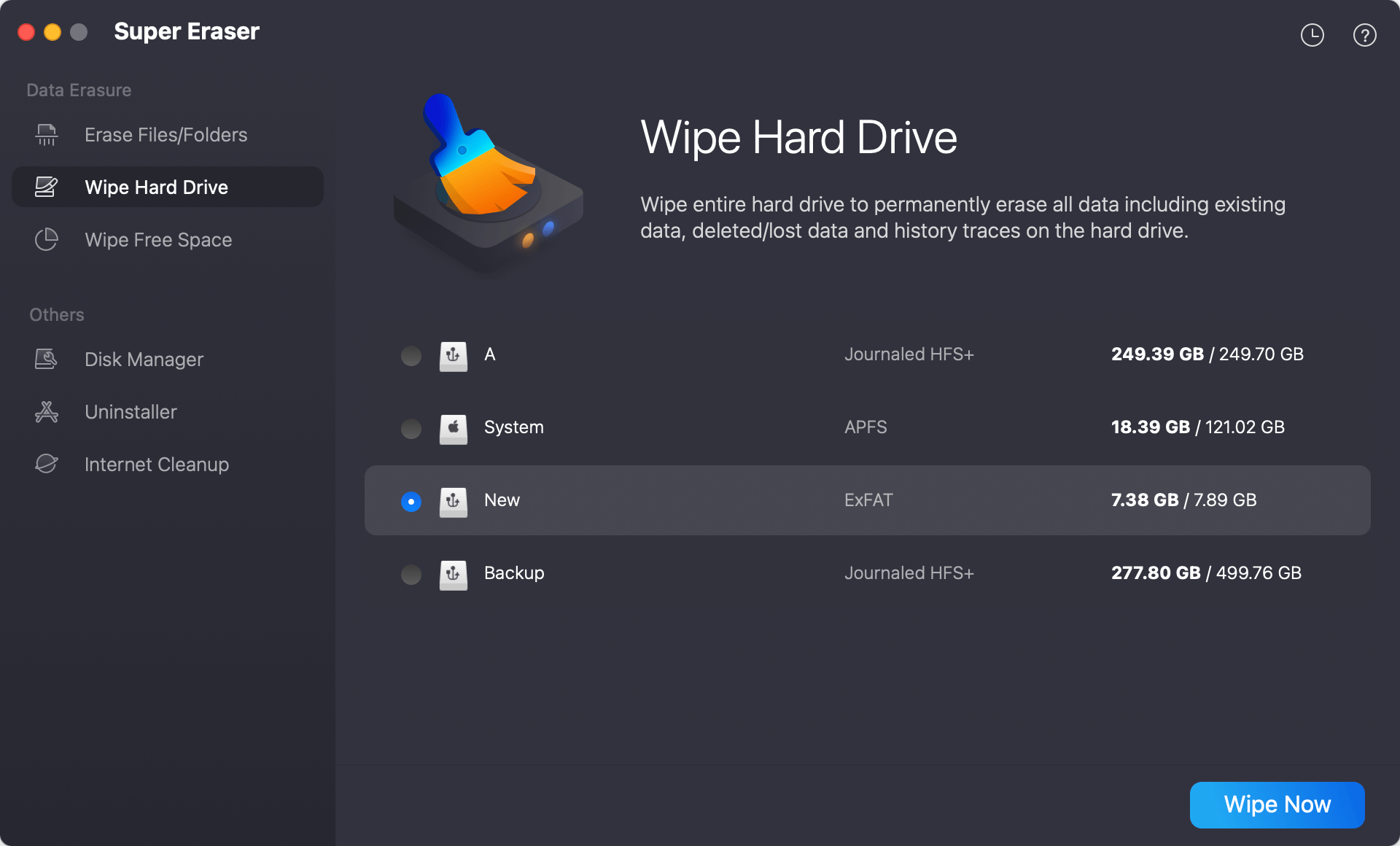
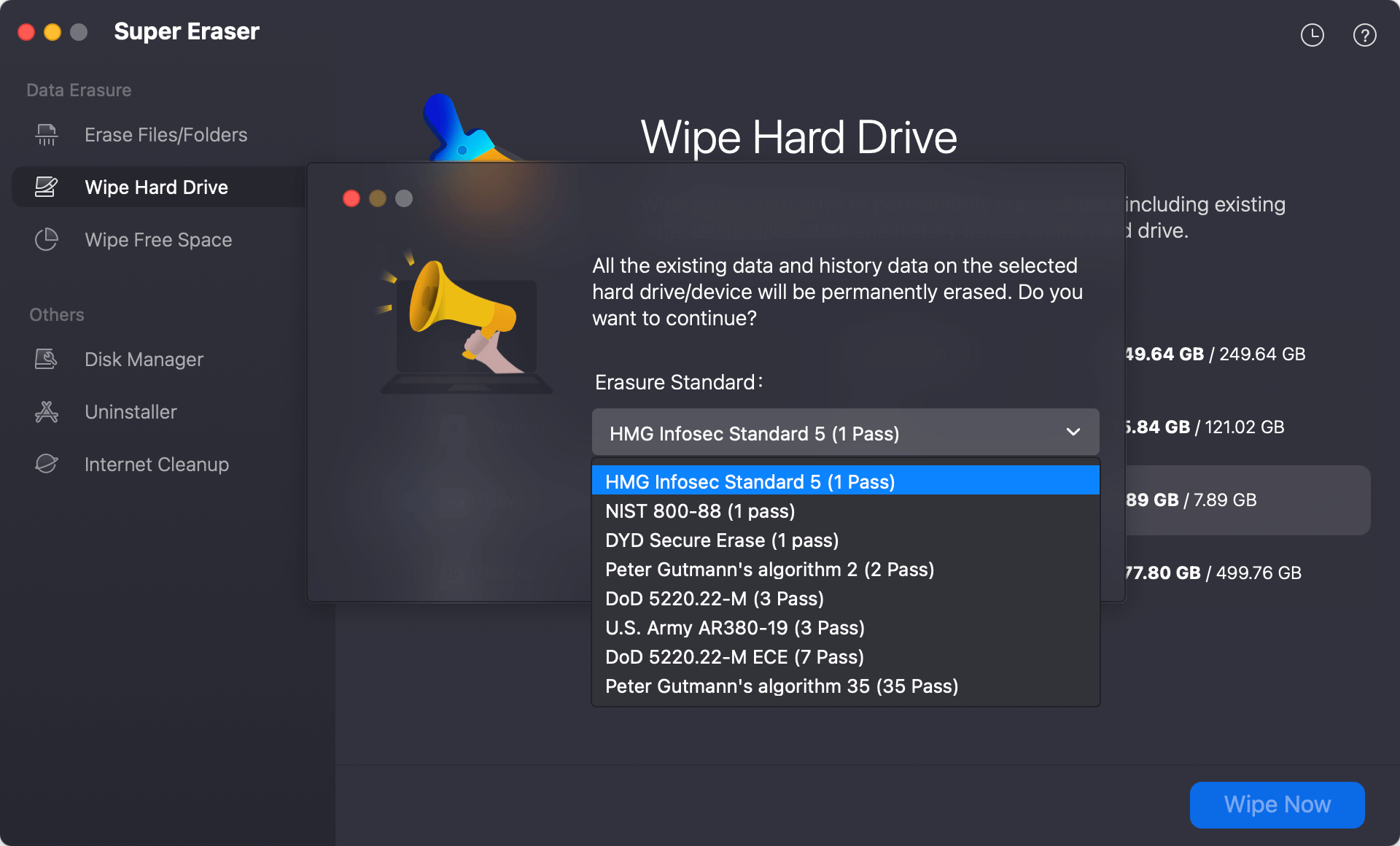
Step 3: Choose Data Erasure Algorithm. Choose the files or drives you want to erase. Pick your preferred certified algorithm (such as DoD 5220.22-M) from the options menu, and double-check your selection.
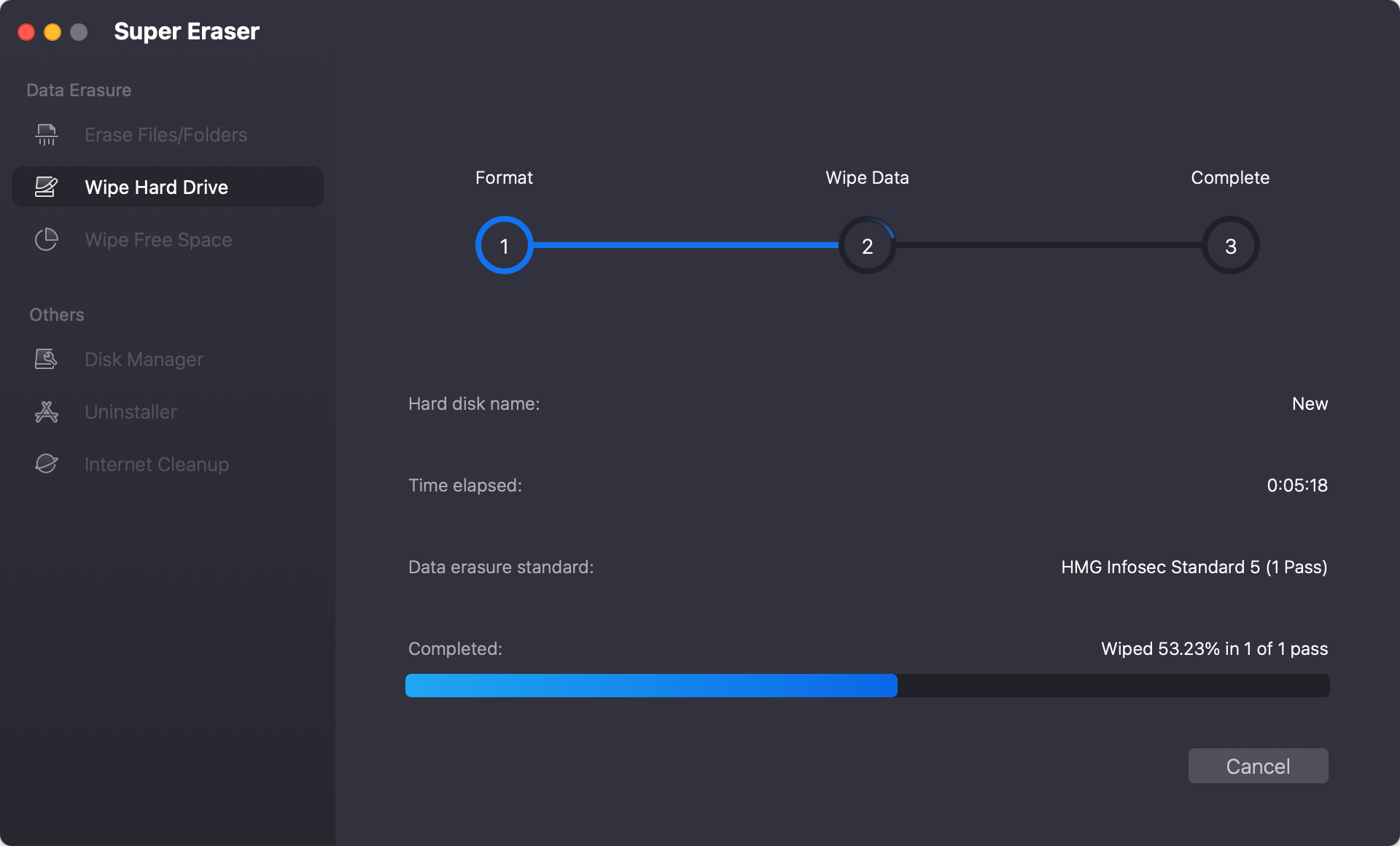
Step 4: Execute and Complete Permanent Erasure. The software will run its secure overwrite process, ensuring all selected data is permanently destroyed. Once finished, your device is completely safe to hand over to someone else.
FAQs about Certified Data Erasure Utility for macOS 27
Conclusion
Protecting your digital privacy when upgrading, selling, or recycling your computer is paramount. Relying on standard trash deletion or basic formatting leaves your most sensitive personal and professional files vulnerable to recovery. By taking a moment to download certified data erasure utility for macOS Golden Gate compatibility, you ensure that your confidential information is permanently and securely destroyed.
With its military-grade erasure algorithms, intuitive interface, and seamless compatibility with macOS Golden Gate and Apple Silicon chips, DoYourData Super Eraser for Mac delivers the ultimate peace of mind.
DoYourData Super Eraser for Mac
DoYourData Super Eraser for Mac is a 100% safe, powerful and easy-to-use data erasure program. It offers certified data erasure standards including Peter Gutmann, U.S. Army AR380-19, DoD 5220.22-M ECE to permanently erase data from Macs and external devices, making data recovery be impossible.
Written & Updated by Shirly Chen
Shirly Chen has been writing data recovery, data erasure articles for DoYourData over 4 years. She has been working as a professional website content writer & editor for quite a long time. She also writes articles about disk clone, Mac optimization, disk backup, etc.