How to Use a Military Grade Data Eraser for A18 Pro Mac?
To wipe data from A18 Pro Mac (MacBooke Neo) with military grade data wiping standard, a professional data erasure software is needed. DoYourData Super Eraser for Mac is effective to wipe data permanently to avoid data recovery on MacBook Neo and other Macs.
 Updated by Shirly Chen on June 2, 2026
Quick Navigation:
- Understanding Your Mac Storage Security Needs
- Deep Dive: What is the U.S. Army AR380-19 Standard?
- The Top Military Grade Data Erasure Software for Mac
- FAQs about Military Grade Data Eraser
- Conclusion
Are you getting ready to sell your external drive? Or maybe you just want to completely clean out an old storage disk? If you are a Mac user running a powerful chip like the A18 Pro, you might think a simple format gets the job done. But here is a secret: hitting delete or formatting your drive does not actually scrub your files away permanently.
When you click delete on a modern Mac Neo, your operating system simply hides that file. It marks the space as 'available' for future data. The real file contents sit silently on your storage cells until new information writes over them. Anyone with basic Mac data recovery software can pull those files back to life in just a few minutes. That is a major problem if your files contain sensitive financial records, private pictures, or work contracts.
To protect your privacy, you need a dedicated military grade data eraser for A18 Pro Mac. This type of utility does not just hide your information. It hunts down every last bit of data on your storage sectors and replaces them with random code patterns. This process makes it impossible for data recovery tools to piece your original information back together.
Understanding Your Mac Storage Security Needs
Modern Mac systems handle files differently than older computers. If you are plugging an external hard drive or solid state drive (SSD) into a high-performance device, standard data wiping tools are no longer enough. The advanced system architecture requires software that talks directly with your storage layers without causing slowdowns or bugs.
Using a military grade data eraser for A18 Pro Mac gives you total peace of mind. These tools utilize algorithms approved by national defense agencies. Once the process finishes, your files are gone forever. Even if a professional lab hooks your drive up to advanced forensic hardware, they will find nothing but meaningless random characters.
Deep Dive: What is the U.S. Army AR380-19 Standard?
When shopping for file-wiping programs, you will often see terms like 'government security standards'. One of the most reliable benchmarks used by experts is the U.S. Army AR380-19 data erasure standard.
So, what does this standard actually do behind the scenes? Unlike basic shredders that pass over a file just once, the U.S. Army AR380-19 standard enforces a strict, three-pass routine to destroy data completely:
- First Pass: The program overwrites all storage locations on your drive with a specific character pattern.
- Second Pass: The tool completely replaces that first layer with a totally different, inverted character setup.
- Third Pass: The software performs a final run using highly random code sequences across every storage block.
After these three intense layers of overwriting, the software checks the drive to verify that no original data traces remain. This complete transformation makes data recovery absolute history.
The Top Military Grade Data Erasure Software for Mac
If you want a dependable tool that handles this military-grade standard flawlessly, DoYourData Super Eraser for Mac is your best bet. It is explicitly designed to work with advanced Mac hardware environments, offering an effortless solution for everyday home users.
The best part? You do not need a degree in computer science to navigate it. The user interface is completely straightforward, and it keeps your Mac safe while ensuring your private data disappears forever without leaving any harmful digital footprint.
Step-by-Step Guide to Securely Wiping Your Drive
Ready to secure your storage? Here is the exact process to wipe an entire drive using DoYourData Super Eraser for Mac. Before starting, please make sure you copy any important files you want to keep to another safe location, because this process cannot be undone!
Step 1: Download and install DoYourData Super Eraser for Mac on your computer. Open up the program from your Applications folder.
DoYourData Super Eraser for Mac
- The top military grade data erasure software for Mac.
- Support A18 Pro Mac (MacBook Neo) and other Macs.
- Permanently wipe data and make the data gone forever.
Step 2: Plug your external drive or SSD into your Mac. On the left-hand menu of the software window, click on the option labeled Wipe Hard Drive. Select the specific drive you want to erase from the list on your screen. Be sure to double-check that you selected the correct drive!
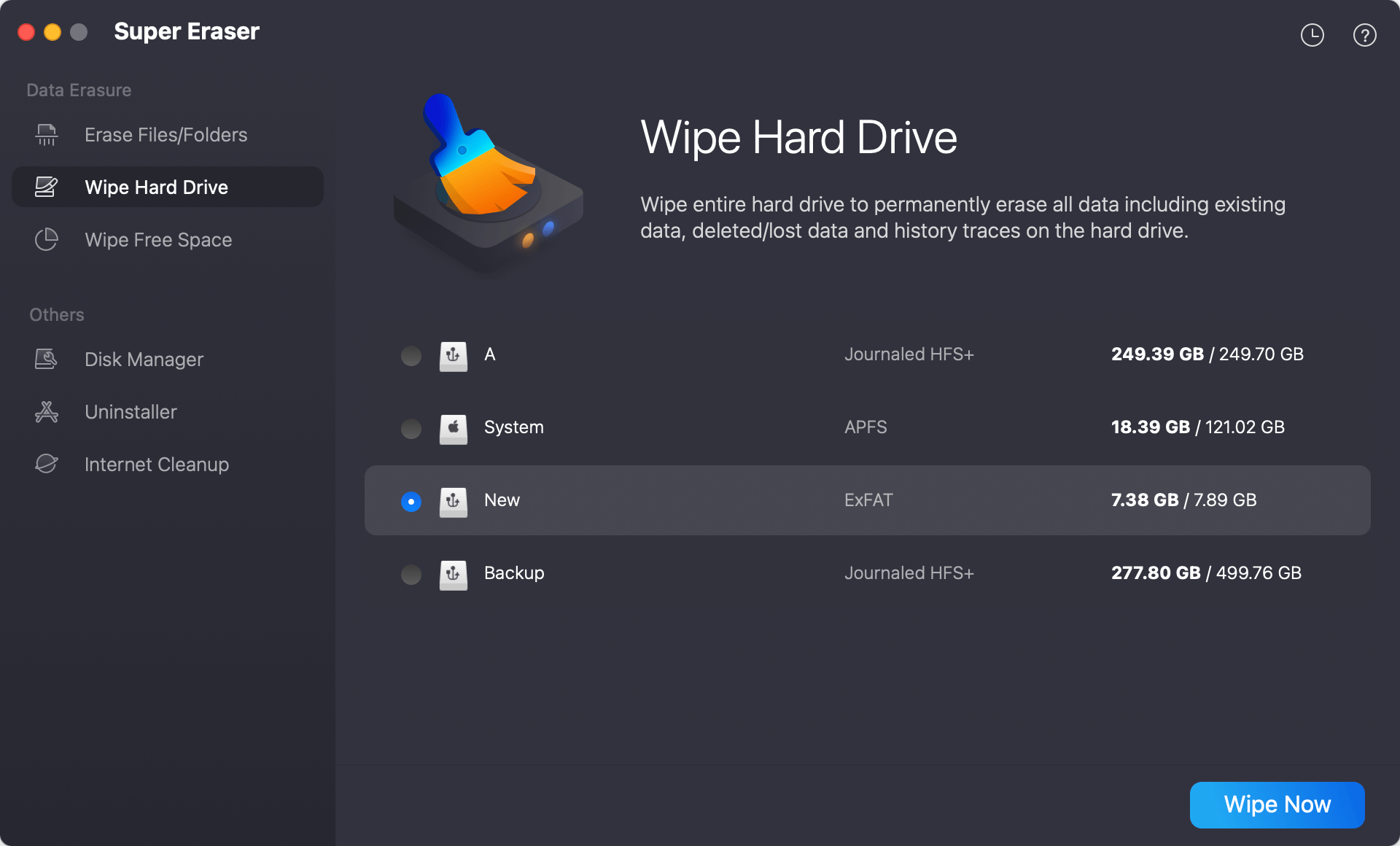
Step 3: Click Wipe Now button and pick the 'U.S. Army AR380-19' erasure method from the available drop-down menu.
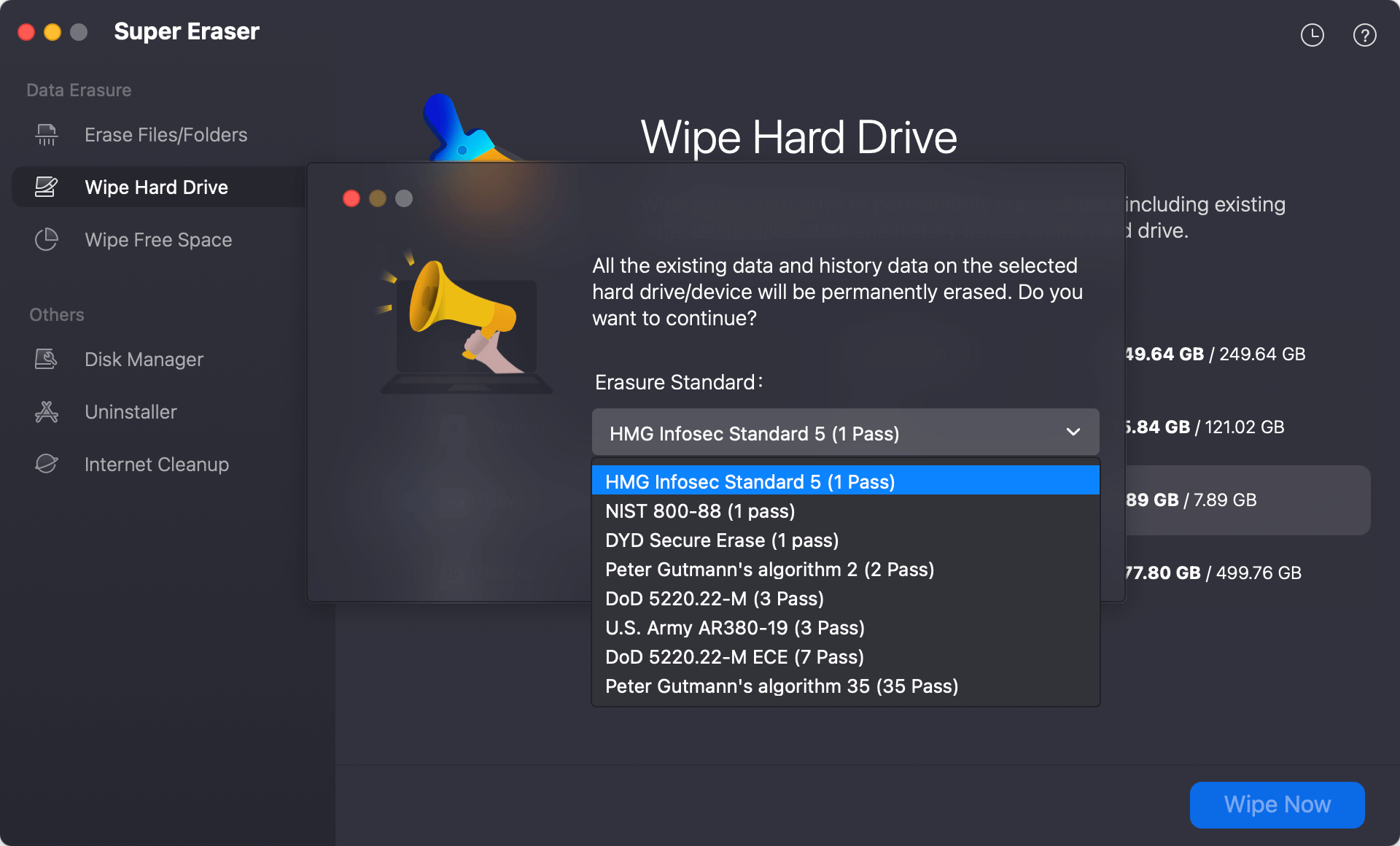
Step 4: Click the large Continue button at the bottom of the window. Keep your drive plugged in while the software runs its three-pass routine.
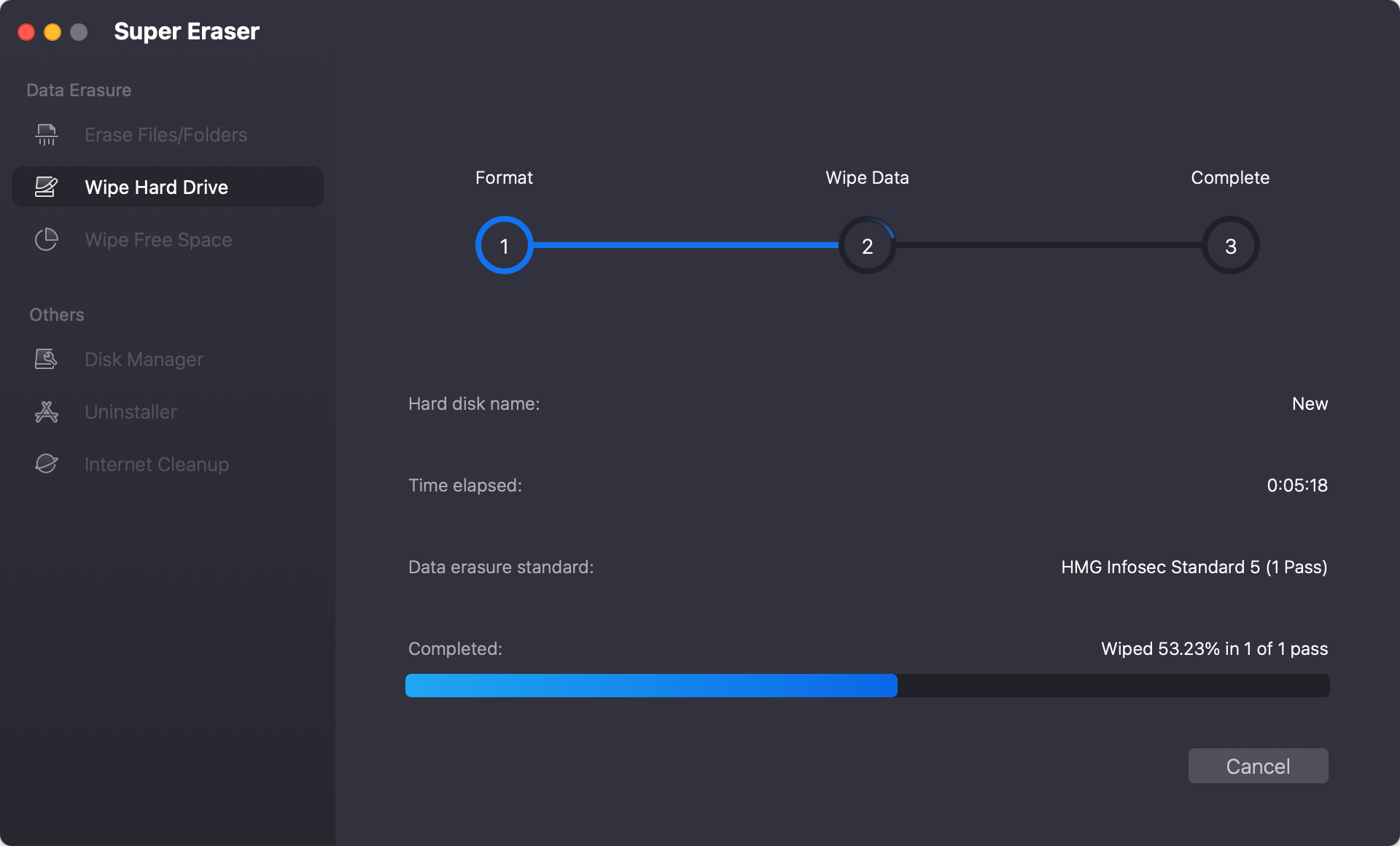
Once the progress bar finishes, your drive is 100% clean and perfectly safe to give away, sell, or reuse!
FAQs about Military Grade Data Eraser
Conclusion:
To wrap things up, keeping your personal data safe doesn't have to be complicated. Simply deleting a file or formatting your drive leaves behind digital breadcrumbs that anyone can find. When dealing with modern hardware, you need a smart solution that actually goes the extra mile.
By choosing a dedicated military grade data eraser for A18 Pro Mac, you ensure that your files are overwritten completely. Using trusted systems like the U.S. Army AR380-19 standard guarantees that old photos, financial sheets, and personal documents stay unrecoverable and out of the wrong hands.
With DoYourData Super Eraser for Mac, this high-level security is broken down into a few simple clicks. Protect your digital privacy before you pass your hardware on to its next owner. Grab your copy today, follow our easy steps, and keep your data safe from recovery tools.!
DoYourData Super Eraser for Mac
DoYourData Super Eraser for Mac is a 100% safe, powerful and easy-to-use data erasure program. It offers certified data erasure standards including Peter Gutmann, U.S. Army AR380-19, DoD 5220.22-M ECE to permanently erase data from Macs and external devices, making data recovery be impossible.
Written & Updated by Shirly Chen
Shirly Chen has been writing data recovery, data erasure articles for DoYourData over 4 years. She has been working as a professional website content writer & editor for quite a long time. She also writes articles about disk clone, Mac optimization, disk backup, etc.