Free Download DoYourData Super Eraser
When you need to shred specified files or wipe hard drive permanently, a professional data erasure software is essential. Free download the software DoYourData Super Eraser to get your sensitive data wiped. It's especially useful before you sell the old computer or drives.
 Updated by Shirly Chen on June 8, 2026
Quick Navigation:
- Why Choose DoYourData Super Eraser to Wipe Data?
- How to Shred Files or Folders for Free: A Step-by-Step Guide
- The Hidden Dangers of Downloading Cracked Software
- FAQs about DoYourData Super Eraser Free Download
- Conclusion
Have you ever wondered what happens to your files after you empty the Recycle Bin or Trash? Most of us think they are gone forever. But the truth might surprise you. When you delete a file, your computer only removes its pathway. The actual data stays hidden on your hard drive until new files write over it. Anyone with a basic data recovery tool can bring those files back in minutes.
This is a massive problem if you are selling an old computer, giving away a USB drive, or handling private personal information. If you want to make sure your private files are gone for good, you need a professional data destruction tool. That is exactly why so many people are searching for a reliable way to get a DoYourData Super Eraser free download.
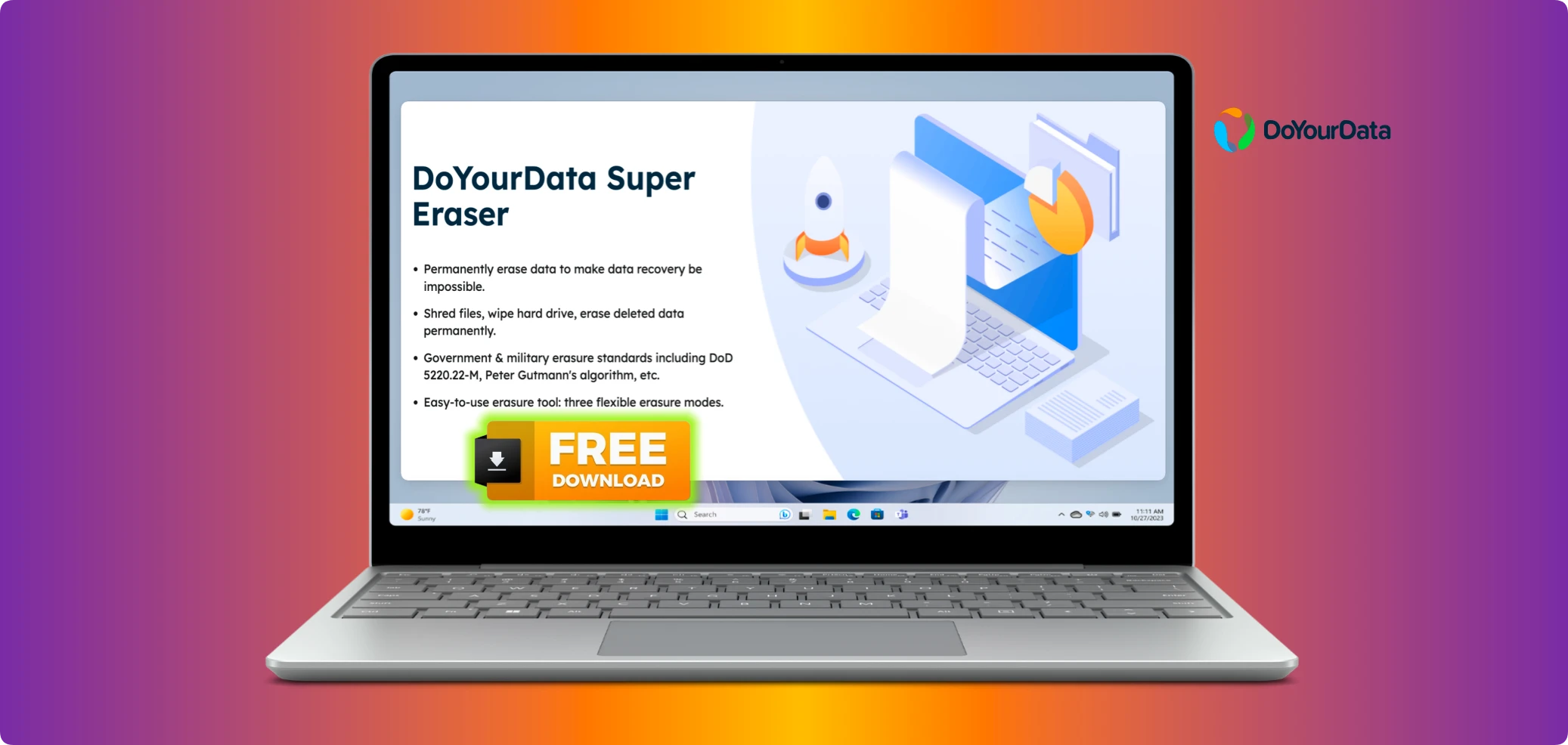
In this guide, we will break down everything you need to know about this powerful software. You will learn how the free trial works, why it is essential for privacy protection, and how you can use it to completely shred data without spending a single penny today.
Why Choose DoYourData Super Eraser to Wipe Data?
There are plenty of data wiping tools out there on the web. Why should you choose DoYourData Super Eraser over the rest? The answer comes down to safety, ease of use, and military-grade certified data erasure algorithms.
Here are the top reasons why this software stands out as a leading choice globally:
- Permanent Data Destruction: Ordinary deletion leaves footprints. This tool overwrites your data multiple times using certified standards. Once it finishes its job, no data recovery software on earth can recover a single byte of that file.
- Multiple Erasure Modes: You do not need to be an IT expert to use it. The software features an incredibly simple interface. If you can click a button, you can securely wipe your data.
- Total Hardware Support: Whether you want to destroy a single confidential document, erase an entire hard drive partition, or clear out the free space on your drive, this tool has you covered.
- 100% Safe Operation: It works flawlessly across Windows and macOS. It safely supports traditional Hard Disk Drives (HDDs), Solid State Drives (SSDs), USB flash drives, memory cards, and digital cameras.
Understanding the DoYourData Super Eraser Free Download
When searching for a DoYourData Super Eraser free download, it is crucial to understand what you are getting. The official free version is designed to be a complete trial. It allows you to run a full test of the software's capabilities before making any financial commitment.
Unlike many online tools that hide their features behind a wall, the free download gives you firsthand experience with real data shredding. The free version allows you to permanently shred a few files completely free of charge. This means you can test the user interface, verify how fast it operates, and see exactly how it works on your specific operating system.
Downloading the software is quick and easy. Click the download button for your operating system, and you will have a certified file shredder ready to go in less than two minutes.
DoYourData Super Eraser
- Free download for the best data erasure software.
- Support 3 data wiping modes to meet different requirements.
- Support wiping data fro HDD/SSD, USB flash drive, SD card, etc.
How to Shred Files or Folders for Free: A Step-by-Step Guide
Ready to test the software out? Let's walk through the exact steps to securely shred a file or folder using your free version. The entire process takes just three simple clicks.
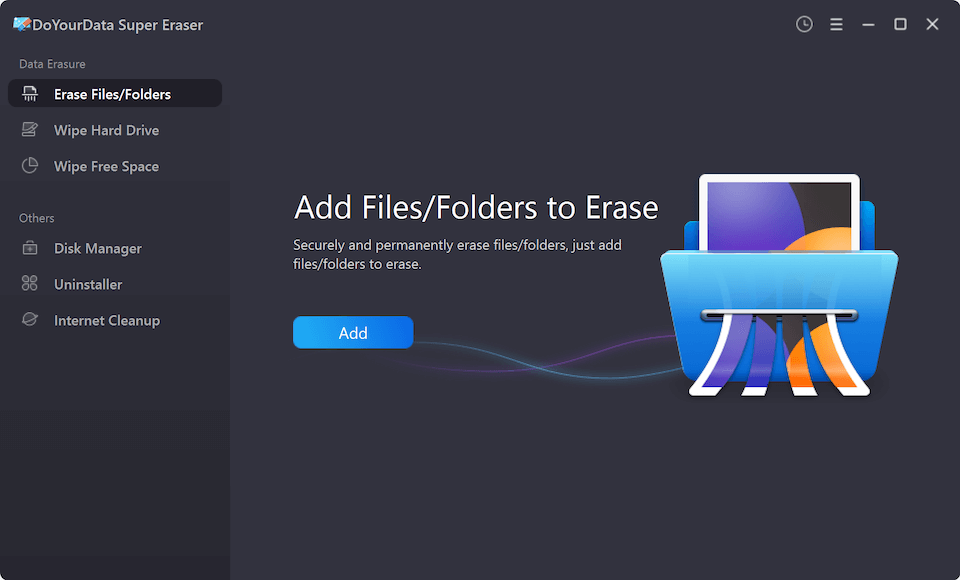
Step 1: Choose the 'Erase Files/Folders' Mode. First, launch the software on your Windows PC or Mac. On the main dashboard, look at the left sidebar menu. Ensure you select the very first option labeled "Erase Files/Folder". This mode is specifically designed for target files and folders.
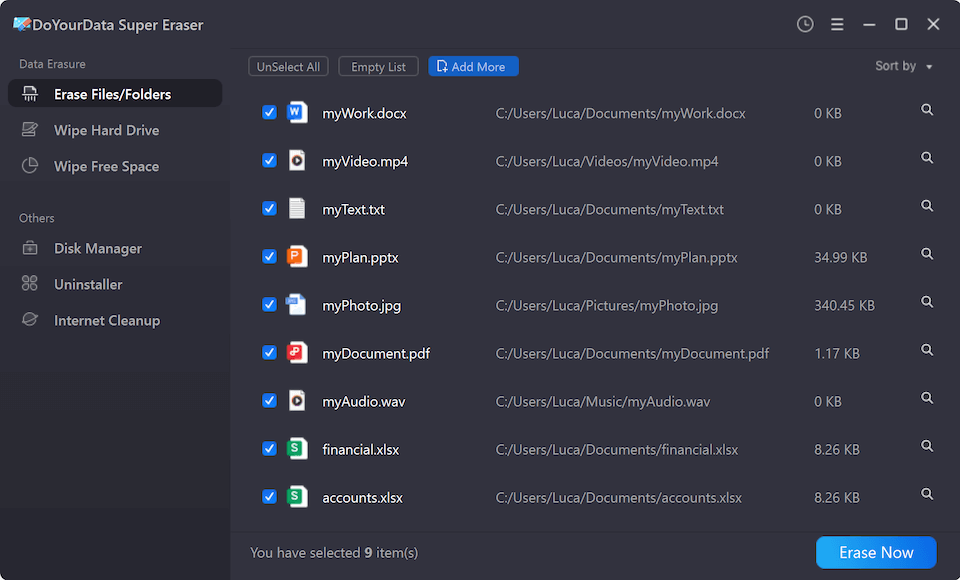
Step 2: Add Your Target Files or Folders. Click on the large "Add" button in the center of the screen. A file browser window will pop up. Navigate through your computer and select the specific files or folders you want to destroy forever. Click open to add them to your secure erasure list.
Step 3: Select the Data Erasure Standard. Click the "Erase Now" button, then you will see a popup window where you can select a data erasure standard. Any level can ensure the files be wiped permanently.
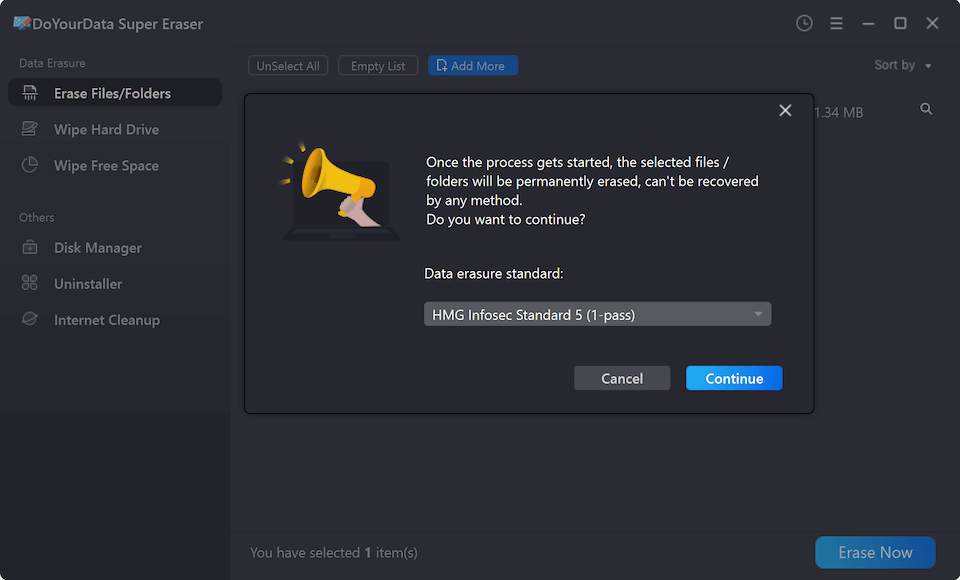
Step 4: Start to Destroy the Data. Double-check your list to make sure you have chosen the right items. Remember, once you click the button, these files can never be recovered again. If everything looks correct, click the bright "Continue" button. The software will overwrite and shred the data immediately.
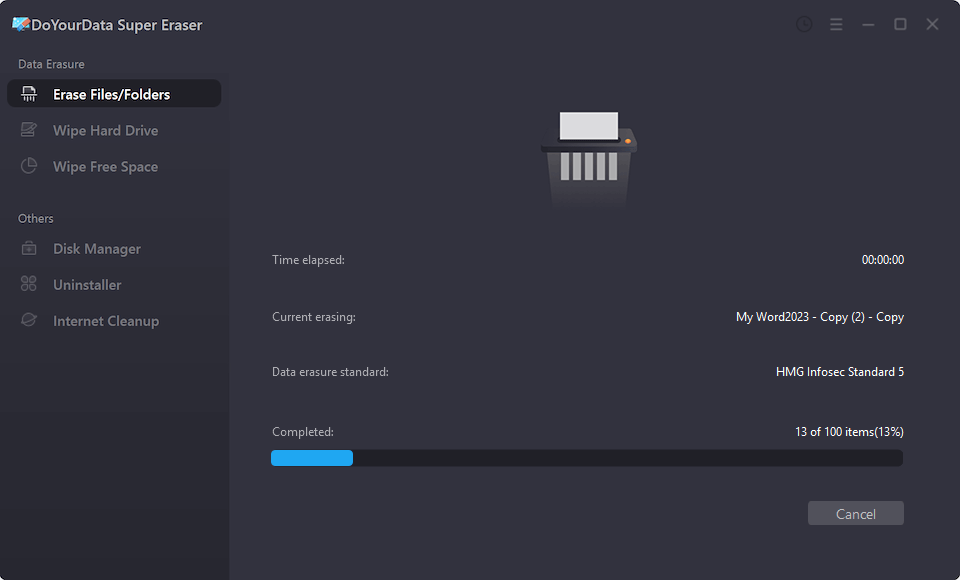
Once the process completes, a confirmation message will appear. Your selected files are now permanently gone from existence. You have successfully protected your private data using your free test!
The Hidden Dangers of Downloading Cracked Software
When searching for a DoYourData Super Eraser free download, you might stumble across websites offering a "crack," "keygen," or "serial key" for the full pro version. It can be tempting to download these to get unlimited erasure for free, but it is a highly dangerous path.
Cracked software files are modified by unknown third-party hackers. These individuals frequently bundle malicious code directly inside the download package. When you install a cracked version, you run a very high risk of introducing severe malware, ransomware, or spyware onto your personal computer.
Think about the irony: you are downloading a tool to protect your privacy, but by using a crack, you are giving hackers a backdoor into your private system! Additionally, cracked versions do not receive security updates or technical support. Stick strictly to the official free download from DoYourData to keep your digital life perfectly safe and secure.
FAQs about DoYourData Super Eraser Free Download
Conclusion:
In our modern digital world, personal data privacy is more critical than ever before. Leaving old files sitting around on your hard drives or deleting them incorrectly exposes you to massive data leak risks.
The DoYourData Super Eraser free download offers the perfect entry point to secure data destruction. It gives you an easy, user-friendly, and completely free way to test out real military-grade file shredding on your computer. By taking advantage of this free trial, you can safely wipe your most sensitive files and see the immense value of professional data erasure firsthand.
DoYourData Super Eraser
DoYourData Super Eraser, the award-winning data erasure software, offers certified data erasure standards including U.S. Army AR380-19, DoD 5220.22-M ECE to help you securely and permanently erase data from PC, Mac, HDD, SSD, USB drive, memory card or other device, make data be lost forever, unrecoverable!
Written & Updated by Shirly Chen
Shirly Chen has been writing data recovery, data erasure articles for DoYourData over 4 years. She has been working as a professional website content writer & editor for quite a long time. She also writes articles about disk clone, Mac optimization, disk backup, etc.