Why DoYourData Super Eraser is the Best Data Erasure Software
When you delete files or format a hard drive using standard computer options, your private data isn't actually gone; it remains hidden and easily accessible to data recovery tools. This creates a massive privacy risk if you plan to sell, donate, or recycle your device. Use DoYourData Super Eraser to wipe data permanently and control your digital privacy.
 Updated by Shirly Chen on June 4, 2026
Quick Navigation:
- The Big Risk: Why Simple Deletion and Formatting Fail You
- Why DoYourData Super Eraser is the Best Data Erasure Software
- Step-by-Step: How to Use DoYourData Super Eraser Safely
- Smart Security: Protecting Your Storage Health
- FAQs about DoYourData Super Eraser
- Conclusion
Every single day, we use our computers, laptops, external drives, and memory cards to store precious moments and sensitive info. From private family photos, tax papers, and banking statements to professional work items, your storage drives contain a digital map of your life. But what happens when you want to get rid of an old computer, sell a used USB flash drive, or return a leased laptop? Most people simply select their files, right-click, and hit 'Delete' or empty their Recycle Bin. Unfortunately, that is simply not enough.
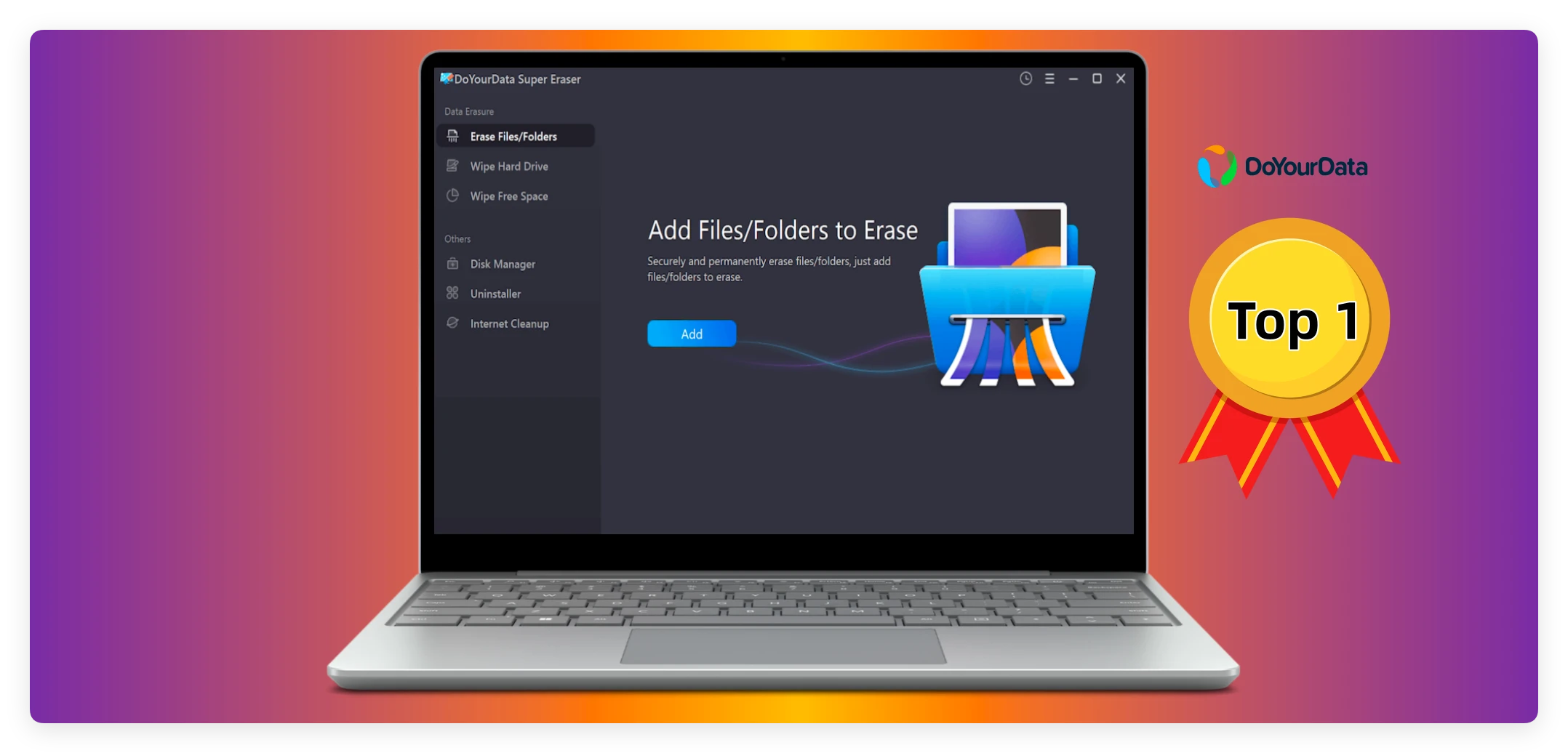
Many home users don't realize that standard file deletion doesn't actually erase the data itself. It only hides it, leaving it completely exposed to data recovery tools. Anyone with cheap or free software can bring your private records back in just a couple of clicks. That is exactly why you need a specialized tool to keep your identity safe. Today, we will break down exactly Why DoYourData Super Eraser is the best data erasure software on the market, and how it keeps your digital footprint secure using tools that anyone can master in seconds.
The Big Risk: Why Simple Deletion and Formatting Fail You
To understand why you need a reliable data wiping tool, let's take a look at how operating systems like Windows and macOS handle your files. Think of your hard drive like a huge book. When you delete a file or format a drive, your computer doesn't rip out the pages. Instead, it just goes to the table of contents and removes the entry for that file. The actual content stays on the drive until new data overwrites it.
If you hand your device over to a new owner or discard it in a recycling center, anyone can scan the drive and recover your information. This is a massive risk for identity theft, privacy leaks, and financial fraud. To prevent this, you need a solution that overwrites the space with random data, destroying the original traces completely. This specialized process is called permanent data erasure.
Why DoYourData Super Eraser is the Best Data Erasure Software
With so many utilities claiming to clean up your drives, why does DoYourData Super Eraser consistently stand out as the absolute best choice for everyday home users? The answer lies in its perfect combination of military-grade data destruction power, multi-purpose flexibility, and an interface that requires zero technical skills.
DoYourData Super Eraser
- Best data erasure software for Windows and Mac.
- Permanently wipe data to protect privacy safe.
- Support international data erasure standards.
Let's look closer at the standout advantages that make this tool your best choice for total privacy protection.
1. Certified, Unrecoverable Data Erasure Standards
DoYourData Super Eraser doesn't just delete your files; it completely replaces them using advanced data destruction standards. The software includes recognized wiping algorithms used by government agencies and international organizations, including HMG Infosec, DoD 5220.22-M, and Peter Gutmann's method. Once this tool processes your files, they are gone forever. No recovery program on earth can bring them back.
2. Three Flexible Wiping Modes for Every Situation
Different situations require different wiping strategies. This software provides three distinct modes, letting you choose exactly how you want to handle your data security:
- Erase Files/Folders: Permanently shreds chosen files or folders without affecting the rest of your storage system.
- Wipe Hard Drive: Wipes an entire local partition, hard disk drive, or external storage device in one single pass.
- Wipe Free Space: Cleans up the empty space left behind by files you previously deleted using regular methods. This ensures your past deletions are truly unrecoverable while keeping your current active files entirely safe.
3. Incredible Compatibility with Your Devices
You don't need a collection of different tools for your various electronics. DoYourData Super Eraser works smoothly across nearly every storage type. Whether you need to wipe an internal HDD or SSD, a portable USB flash drive, an SD memory card from your camera, a digital camera storage unit, or an external hard drive, this tool handles them all. It supports both Windows and macOS systems perfectly.
4. A Super Simple Interface Built for Home Users
Many privacy tools look like complex engineering programs with confusing jargon. DoYourData Super Eraser is built with a clean, conversational, wizard-based interface. If you can click a mouse, you can securely wipe your data. The software guides you step-by-step through the process, preventing accidental mistakes and making complex tech feel as simple as sending an email.
Step-by-Step: How to Use DoYourData Super Eraser Safely
Let's look at just how simple it is to wipe your private items using this software. Here is a quick guide to using the file shredding feature on your computer:
Step 1: Open the Software. Download and install the software DoYourData Super Eraser on your PC or Mac.
Step 2: Choose Your Mode. Select Erase Files/Folders from the main menu options on your screen.
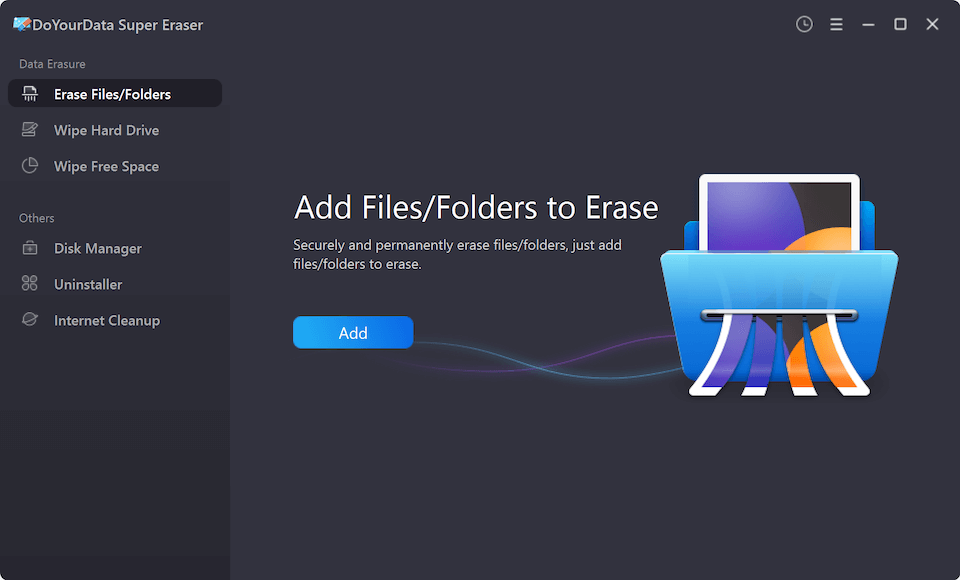
Step 3: Select Your Items. Click the Add buttons to select the specific files or folders you want to destroy forever.
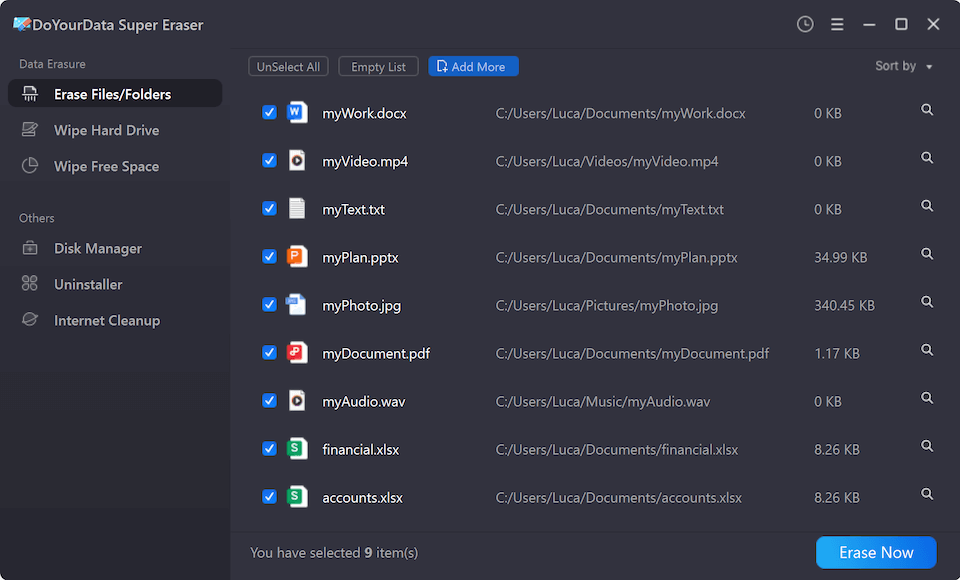
Step 4: Choose the wiping standard. Click the Erase Now button. The software will ask you to choose a data wiping level.
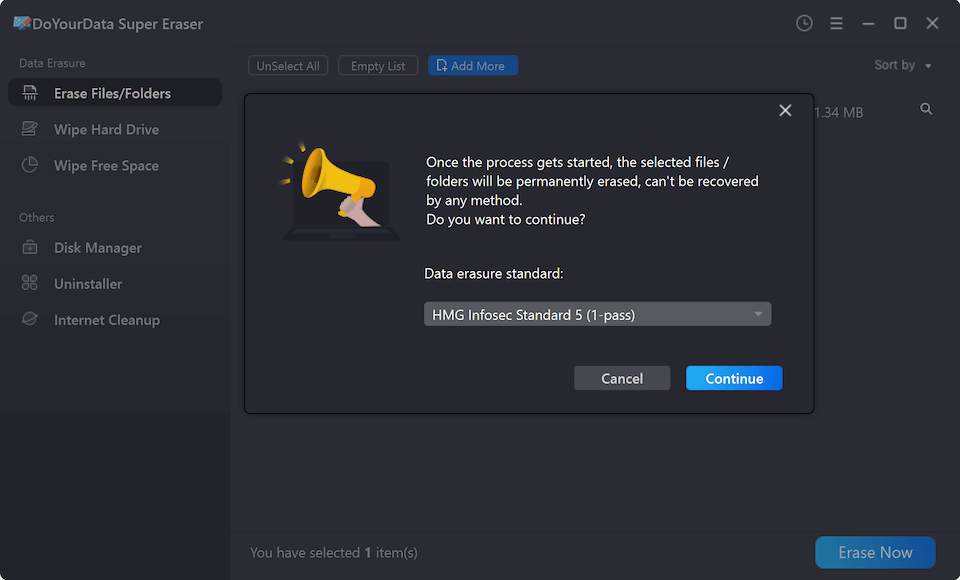
Step 5: Erase Permanently. Click the Continue button after confirming the data wiping algorithm. The software will securely overwrite the files in just a few moments.
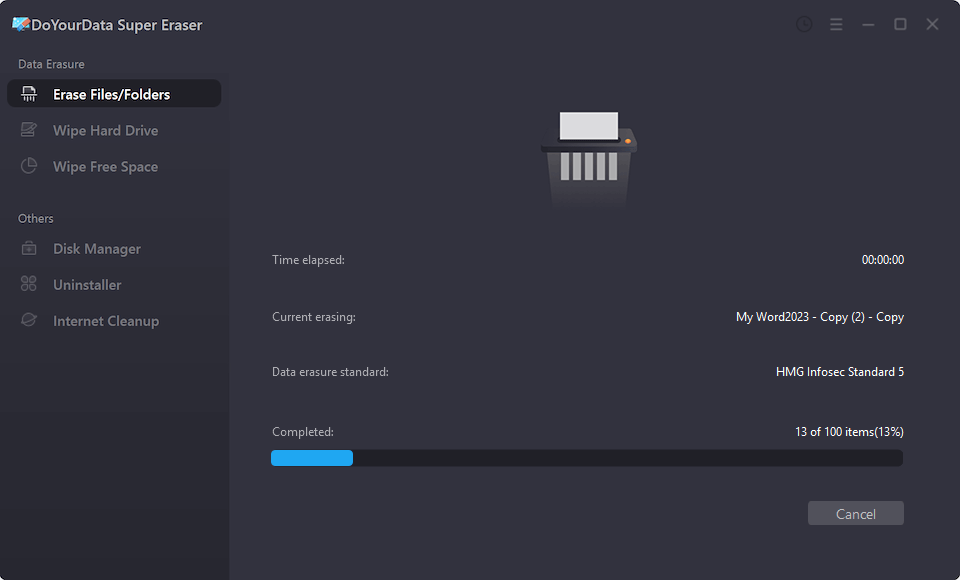
After the process finishes, the software provides a clean status update showing you that the action completed successfully. You can now rest easy knowing your personal details are completely safe from data recovery tools.
Smart Security: Protecting Your Storage Health
A common question among computer owners is whether wiping software will hurt their physical hardware, especially newer Solid-State Drives (SSDs). DoYourData Super Eraser is engineered to handle your drives with care. It applies optimized wiping passes that minimize wear and tear on SSDs while ensuring total data security. This means you get maximum protection without risking the lifespan of your expensive devices.
Additionally, the software features built-in safety checks. It clearly identifies system drives to ensure you do not accidentally wipe your active operating system files while trying to clean up ordinary personal documents. This keeps your machine running perfectly while ensuring your target data disappears completely.
FAQs about DoYourData Super Eraser
Conclusion:
Leaving your personal documents, passwords, financial forms, and private pictures on old drives is a serious risk. In an era where data privacy is incredibly valuable, taking a proactive step to protect your information is one of the smartest things you can do.
By choosing this software, you are getting a verified, reliable, and incredibly simple solution that completely cleans your storage media beyond recovery. That is exactly Why DoYourData Super Eraser is the best data erasure software for everyday users. Download your copy today and give yourself total peace of mind before you pass your old storage drives to anyone else.
DoYourData Super Eraser
DoYourData Super Eraser, the award-winning data erasure software, offers certified data erasure standards including U.S. Army AR380-19, DoD 5220.22-M ECE to help you securely and permanently erase data from PC, Mac, HDD, SSD, USB drive, memory card or other device, make data be lost forever, unrecoverable!
Written & Updated by Shirly Chen
Shirly Chen has been writing data recovery, data erasure articles for DoYourData over 4 years. She has been working as a professional website content writer & editor for quite a long time. She also writes articles about disk clone, Mac optimization, disk backup, etc.