Best Data Erasure Software for Windows 11: DoYourData Super Eraser
How to clear files from Windows 11 permanently and make sure the files are no longer recoverable? Choose the best data erasure software for Windows 11 - DoYourData Super Eraser. It can wipe data with military-grade data erasure algorithms to make sure the data is gone forever.
 Updated by Shirly Chen on June 11, 2026
Quick Navigation:
- The Invisible Risk of Deletion and Formatting
- What Makes Data Erasure Software Truly Reliable?
- DoYourData Super Eraser for Windows 11 Data Erasure [Top Choice]
- Frequently Asked Questions About Windows 11 Data Erasure
- Final Verdict
Have you ever wondered what happens to your files when you delete them in Windows 11? Most of us simply right-click a file, click the delete icon, and empty the Recycle Bin. We think the file is gone forever. But here is an eye-opening truth: it is still hidden right there on your hard drive.
This creates a massive privacy issue if you plan to sell your computer, donate an old external hard drive, or return a leased laptop. That is exactly why you need the best data erasure software for Windows 11. In this guide, we will explore why standard tools fall short and show you how to securely wipe your storage using the top solution: DoYourData Super Eraser for Windows 11 data erasure.

The Invisible Risk of Deletion and Formatting
Standard Windows deletion does not actually destroy data. It just frees up the path so the system knows new data can be written over it. Until that overwrite happens, anyone with basic data recovery software can bring your private photos, passwords, or financial records back to life in just a couple of clicks.
Many Windows 11 users assume that formatting a local drive or a USB flash drive makes it clean. Sadly, that is another common misconception. A quick format simply rebuilds the file tracking system while leaving the underlying data clusters untouched.
Even a complete factory reset can leave fragments of personal files behind. If you are recycling or changing your PC hardware, leaving these fragments behind exposes you to identity theft and data breaches. To protect your identity, you must use a tool that overwrites every single sector with random data strings, ensuring data destruction is total and irreversible.
What Makes Data Erasure Software Truly Reliable?
When looking for a reliable data shredder or wiper for your Windows 11 PC, you should look for specific essential features:
- Certified Erasure Standards: It must meet international standards such as U.S. DoD 5220.22-M or Peter Gutmann's algorithm. These ensure that data is overwritten multiple times, completely outsmarting professional forensic recovery tools.
- High Compatibility with HDDs and SSDs: Modern Windows 11 laptops rely heavily on Solid State Drives (SSDs) and NVMe storage. Traditional wiping tools made for older magnetic Hard Disk Drives (HDDs) can wear down or fail on modern SSDs. The right software handles both drive types efficiently.
- Clean and Simple Interface: You should not need an advanced engineering degree to secure your files. Look for a clean, logical dashboard that lets you complete tasks in just a few clicks.
- Flexible Operating Modes: Flexibility is key. Sometimes you need to destroy a single tax document; other times you need to clean out a 2TB external hard drive completely. The best software gives you options for both scenarios.
DoYourData Super Eraser for Windows 11 Data Erasure [Top Choice]
If you want a tool that ticks every single box perfectly, DoYourData Super Eraser for Windows 11 data erasure stands out as the premium recommendation. It is engineered exactly for modern hardware and fully optimized to handle the security changes in Windows 11.
DoYourData Super Eraser
- Top 1 data erasure software for Windows 11.
- Shred specified, wipe deleted data, or wipe entire drive.
- Permanently erase data to avoid data recovery.
Unlike basic tools that only handle complete drive wipes, this application gives you granular control over what you want to erase. It combines military-grade data sanitization algorithms with an incredibly smooth, user-friendly workspace.
Let's look closer at the three powerful data wiping modes included in the software:
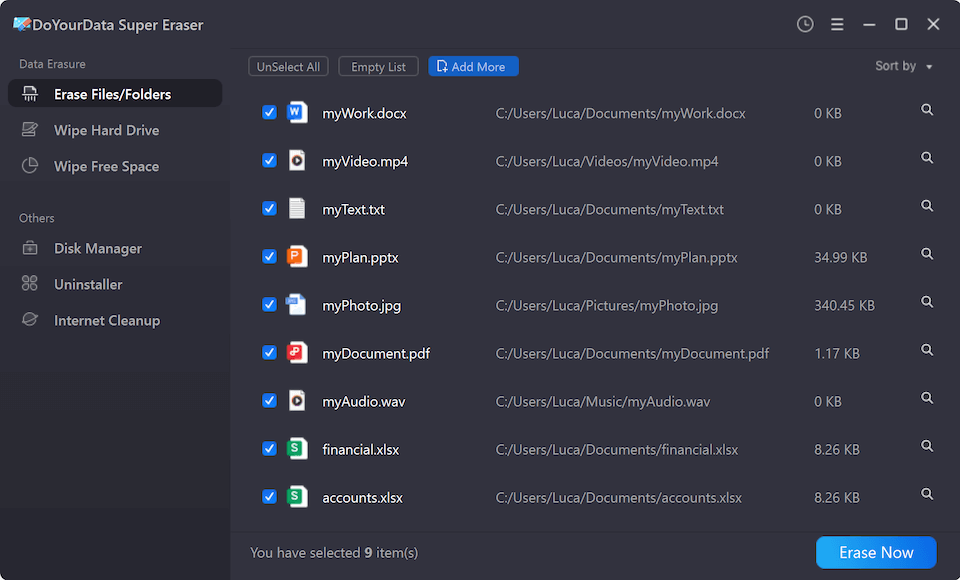
1. Erase Files and Folders: This mode is ideal if you want to permanently delete specific files or folders without affecting anything else. You simply select the items, click a button, and the software destroys them instantly. It leaves no trace for data recovery apps to find.
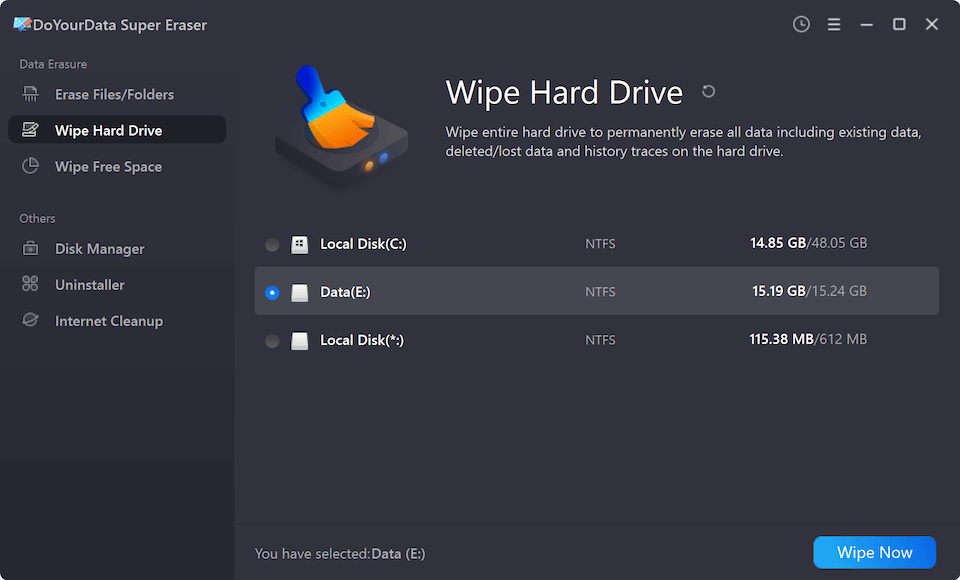
2. Wipe Hard Drive: Planning to sell your laptop or give away a USB flash drive? Use this option. It wipes the entire hard drive partition or external storage unit cleanly. It destroys all existing data and wipes the history, leaving the storage blank and completely safe for its next owner.
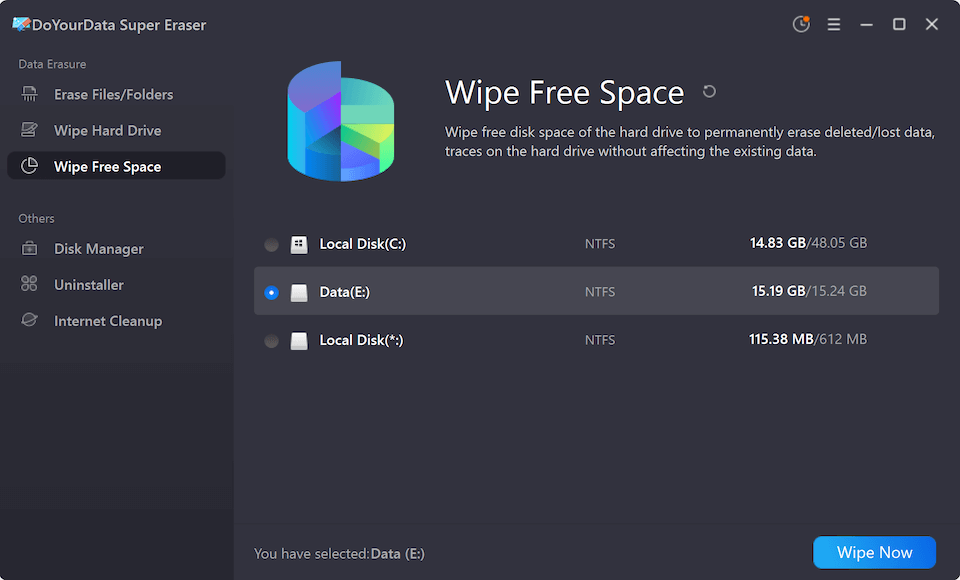
3. Wipe Free Space: What about files you already deleted days or weeks ago using standard Windows methods? This option target those exactly. It securely wipes the unused space on your drive to permanently erase deleted files and traces. Best of all, it leaves your current, active files completely untouched.
Extra Security Utilities Included
DoYourData Super Eraser goes beyond simple file shredding. It includes built-in utility features designed to keep your entire operating system clean and optimized:
- Disk Manager: Easily repair disk errors, scan for logical flaws, and format damaged external hard drives or memory cards before using them.
- Uninstaller: Completely remove unwanted apps, web plug-ins, and stubborn programs along with all their hidden leftover files.
- Internet Clean Up: Protect your digital footprint by cleaning out tracking cookies, browsing history, and temporary cache files from your internet browsers.
Frequently Asked Questions About Windows 11 Data Erasure
Final Verdict
Your privacy is irreplaceable. Leaving old data vulnerable on an old hard drive or external disk is a serious security risk. When managing files on modern systems, relying on standard deletion tricks simply isn't enough.
Using a trusted utility like DoYourData Super Eraser gives you total peace of mind. It ensures that when you choose to delete something, it stays deleted forever. Download the tool today to secure your digital world and keep your personal records safe from prying eyes.
DoYourData Super Eraser
DoYourData Super Eraser, the award-winning data erasure software, offers certified data erasure standards including U.S. Army AR380-19, DoD 5220.22-M ECE to help you securely and permanently erase data from PC, Mac, HDD, SSD, USB drive, memory card or other device, make data be lost forever, unrecoverable!
Written & Updated by Shirly Chen
Shirly Chen has been writing data recovery, data erasure articles for DoYourData over 4 years. She has been working as a professional website content writer & editor for quite a long time. She also writes articles about disk clone, Mac optimization, disk backup, etc.