How to Safely Clean an Old Family Apple Computer for Donation
Simply dragging files to the Trash or running a quick Disk Utility format feels convenient, but it leaves your family vulnerable. Standard deletion methods only hide file paths while leaving actual data blocks accessible to data recovery software. DoYourData Super Eraser can for Mac help you permanently wipe data to avoid data recovery possibility on Mac.
 Updated by Shirly Chen on October 28, 2026
Quick Navigation:
- Pre-Donation Checklist: Prepare Your Mac Before Wiping
- Why Standard Deletion and Disk Formatting Fall Short
- What Makes a Cleaning Tool 'Certified'?
- Certified Data Erasure Software for Mac
- FAQs about Permanently Wiping Family Apple Computer
- Conclusion
Donating an old family Mac to a local school, community center, library, or charity is a wonderful way to give your trusted computer a second life. Over the years, that family iMac or MacBook served as the digital heart of your household—storing school projects, family photo albums, tax forms, saved browser passwords, and personal financial records.
However, before handing your computer over to its next owner, you face a crucial security challenge: How do you guarantee that every trace of your family's personal memories and private information is wiped completely?
To protect your household while helping others, you need a certified software tool to clean old family apple computer for donation. In this guide, we will cover essential pre-donation steps, explain why standard wiping fails, and introduce DoYourData Super Eraser for Mac—the ultimate certified solution for permanent Mac data erasure.
Pre-Donation Checklist: Prepare Your Mac Before Wiping
Before executing a permanent data wipe, ensure you do not lock your hardware or lose important family memories. Complete these five preparatory steps first:
- Back Up Your Important Files: Transfer all personal photos, home videos, school assignments, and tax records to an external drive or cloud storage so you don't lose them.
- Sign Out of iCloud and Find My Mac: Go to System Settings > Apple ID and sign out of iCloud. Turn off Find My Mac to ensure the new owner can register and activate the computer without activation locks.
- Deauthorize iMessage, FaceTime, and Music: Open Music/iTunes, go to Account > Authorizations, and select 'Deauthorize This Computer' to free up your media license slots.
- Unpair Bluetooth Accessories: Unpair any Bluetooth keyboards, mice, trackpads, or headphones so they don't accidentally reconnect to your old Mac if used nearby.
- Turn Off FileVault Encryption: If your Mac features an Apple T2 Security Chip or Apple Silicon, ensure FileVault encryption is turned off or properly managed before performing deep disk sanitization.
Why Standard Deletion and Disk Formatting Fall Short
Many Mac owners believe that emptying the Trash or reformatting an APFS/HFS+ drive via Disk Utility makes data completely unrecoverable. Unfortunately, modern digital forensics tells a different story.
File Pointers vs. Physical Erasure
When you delete a file in macOS, the system merely marks the storage block as 'available for writing.' The original photo, tax document, or saved password remains physically present on the SSD or HDD until new data happens to overwrite that exact sector.
Flash Memory & Wear Leveling
Modern Mac computers use Solid-State Drives (SSDs) with APFS file systems. SSDs use wear-leveling controllers that scatter file fragments across flash cells. Standard format commands often miss residual data blocks stored in unallocated space.
The Privacy Threat
Anyone who receives your donated computer—or anyone who acquires it later—can download free data recovery tools to extract your family's personal documents, identity credentials, and financial histories in minutes.
What Makes a Cleaning Tool 'Certified'?
To guarantee complete privacy protection, look for a certified software tool to clean old family apple computer for donation. Certified data destruction software strictly follows internationally recognized erasure standards to overwrite storage blocks repeatedly.
Key international standards include:
- DoD 5220.22-M Standard: A trusted three-pass military algorithm that overwrites sectors with zeros, ones, and random pseudo-characters, neutralizing recovery tools.
- NIST 800-88 Compliance: Modern U.S. government guidelines for media sanitization, ensuring logical drives, flash controllers, and hidden sectors are fully purged.
- Peter Gutmann's Algorithm: An intensive multi-pass sanitization protocol designed for maximum security across magnetic and solid-state media.
Using a tool that complies with these standards ensures that your family's personal history vanishes forever, leaving zero chance for data recovery.
Certified Data Erasure Software for Mac
When preparing an old family computer for donation, DoYourData Super Eraser for Mac is the most reliable, easy-to-use software available.
Fully compatible with macOS Golden Gate, previous macOS versions, Apple Silicon (M1, M2, M3, M4, M5, M6), and Intel-based Macs, DoYourData Super Eraser delivers military-grade data destruction wrapped in a clear, friendly interface.
DoYourData Super Eraser for Mac
- Safe to wipe data permanently on Mac computers.
- Compatible with macOS 27 and Apple silicon M6.
- Support multiple certified data erasure algorithms.
Whether you need to destroy specific confidential folders or wipe the entire hard drive clean for donation, DoYourData Super Eraser ensures your private files are destroyed beyond recovery.
Core Features of DoYourData Super Eraser for Mac
DoYourData Super Eraser offers three tailored erasure modes to fit your donation needs:
1. Wipe Entire Hard Drive (Complete Donation Mode)
This is the ultimate choice for preparing a donated Mac. It completely wipes all data, partitions, system logs, user profiles, and application caches on your internal SSD or external drive, returning the storage to a factory-fresh, unrecoverable state.
2. Erase Selective Files and Folders
If you only want to destroy sensitive items—such as tax folders, bank PDFs, or private photo albums—before handing the computer over to a relative, this mode acts as a secure digital paper shredder.
3. Wipe Free Disk Space
If you already deleted family files via the Trash in the past, their remnants still linger in unallocated space. This mode scans and overwrites only the free disk space, permanently purging deleted traces while keeping your operating system intact.
Bonus System Cleaners
DoYourData Super Eraser also includes built-in tools to clean browser history, cookies, download logs, and residual app files, ensuring your computer runs cleanly for its next owner.
Step-by-Step Guide: How to Clean Your Family Mac for Donation
Wiping your family Mac with DoYourData Super Eraser is fast and straightforward. Follow these simple steps:
Step 1: Factory Reset macOS. First, you need to factory reset the macOS and remove all your personal data from the computer.
Step 2: Download and Install Data Erasure Software. Download DoYourData Super Eraser for Mac. Open the installer file and drag the application into your Mac's Applications folder.
Step 3: Choose Data Wiping Mode. Open DoYourData Super Eraser. On the left sidebar menu, select 'Wipe Free Space' to perform a complete system clean for donation. It will wipe the removed data from the disk permanently.
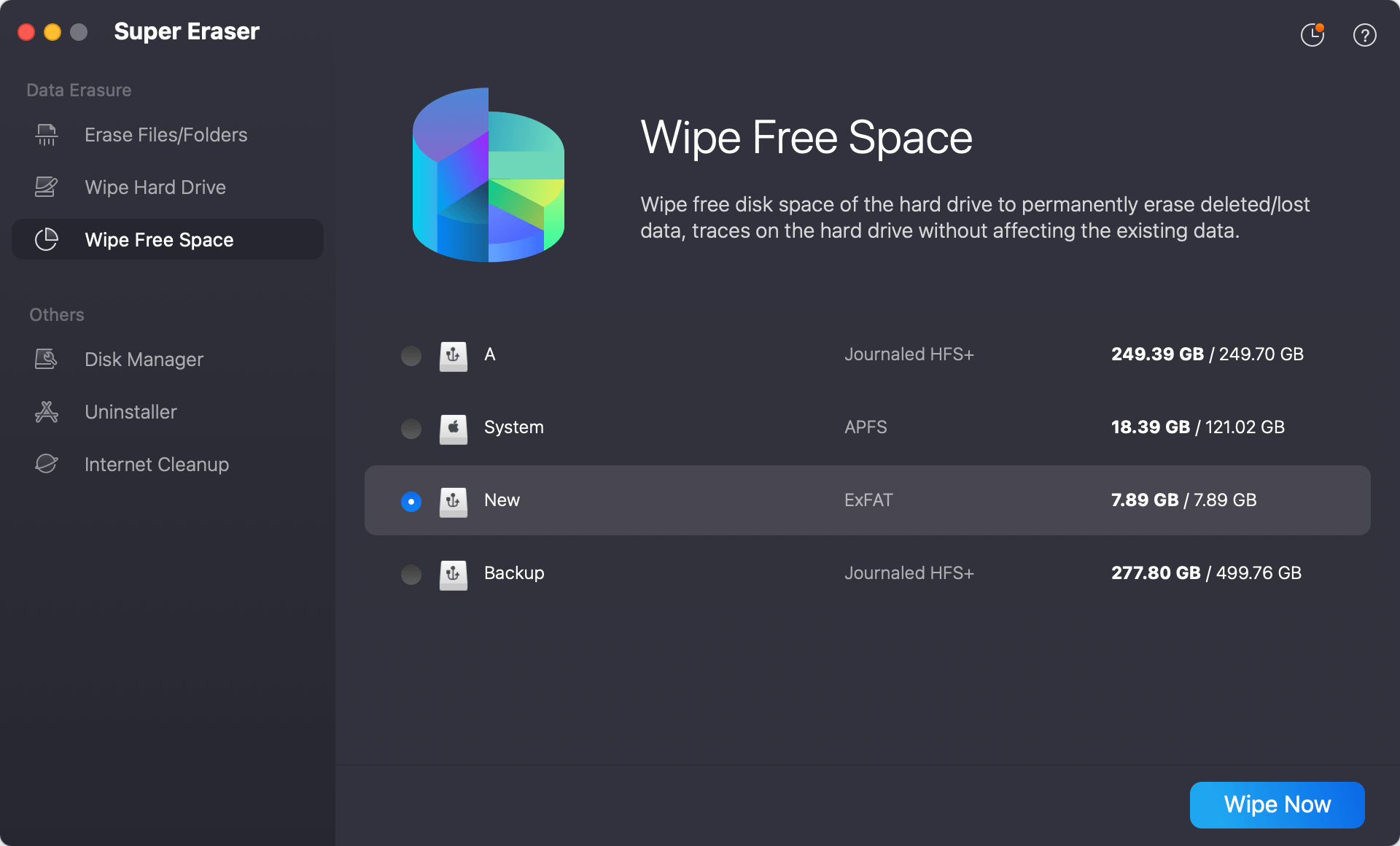
Step 4: Select Your Storage Volume and Algorithm. Select the hard drive volume to clean. Click 'Wipe Now' button and choose your preferred certified erasure standard (such as DoD 5220.22-M or NIST 800-88).
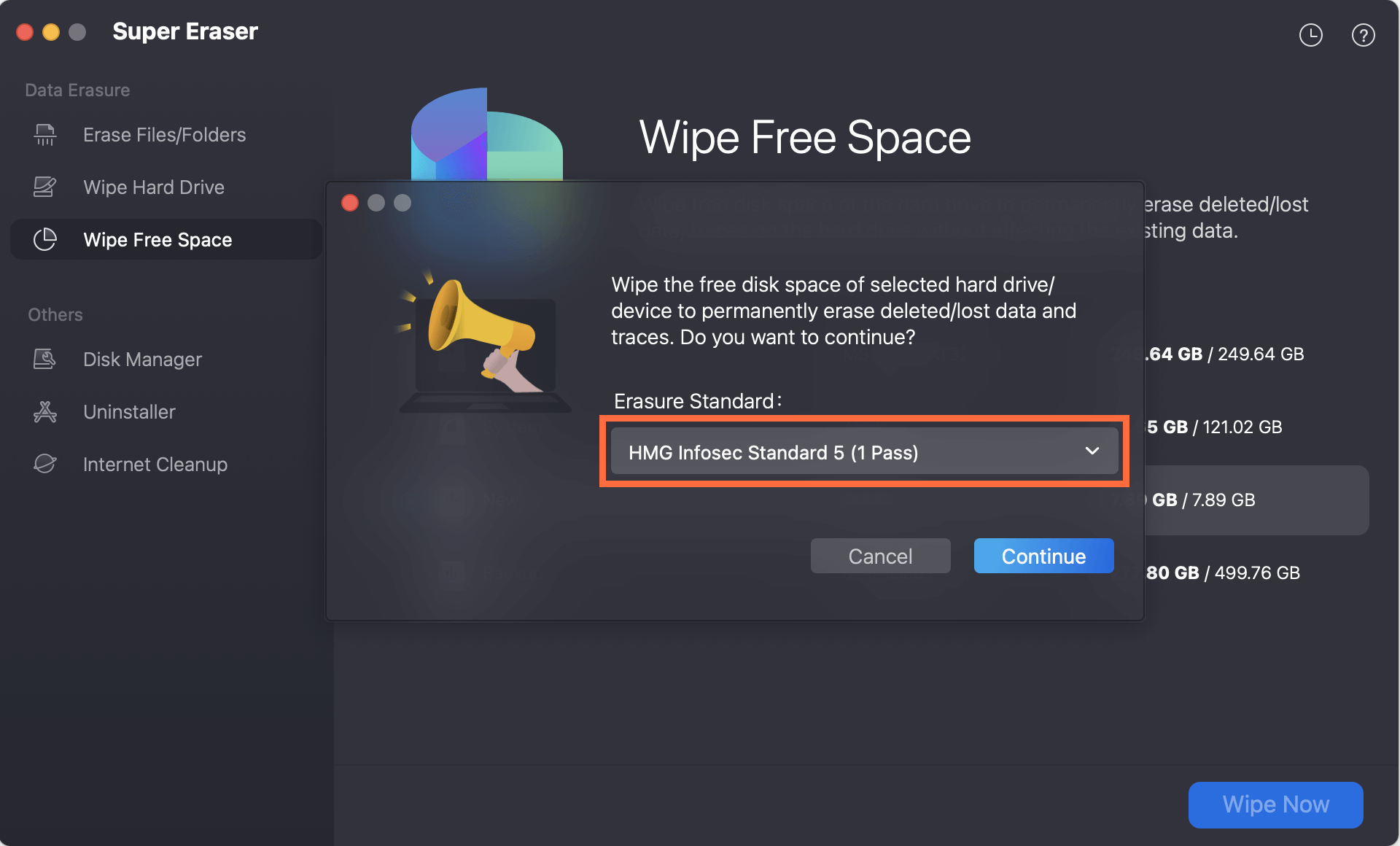
Step 5: Execute Permanent Erasure. Click the 'Continue' button. Confirm your choice when prompted. The software will begin overwriting every storage block with certified binary patterns.
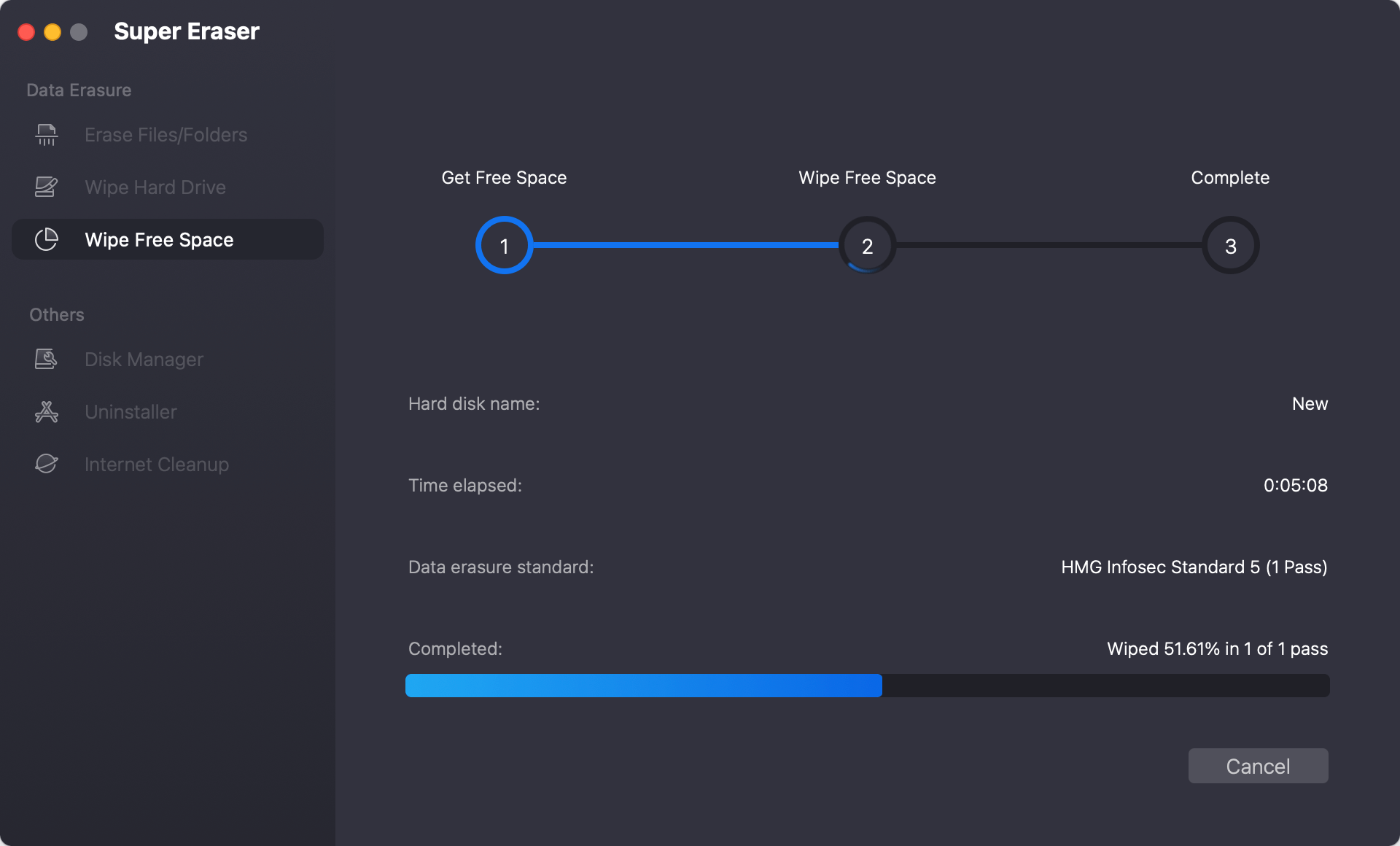
Once the process completes, all personal data is erased forever. You can now hand over your computer for donation with complete confidence.
FAQs about Permanently Wiping Family Apple Computer
Conclusion
Donating an old family Apple computer is a meaningful gesture that helps students, non-profits, and community members access digital opportunities. But protecting your family's personal privacy should always come first.
By choosing a certified software tool to clean old family apple computer for donation, you ensure that every photo, password, and financial record is permanently destroyed before your Mac enters new hands.
Download DoYourData Super Eraser for Mac today to wipe your family Mac safely, securely, and with total peace of mind.
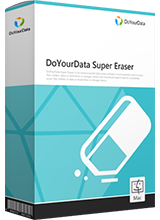
DoYourData Super Eraser for Mac
DoYourData Super Eraser for Mac is a 100% safe, powerful and easy-to-use data erasure program. It offers certified data erasure standards including Peter Gutmann, U.S. Army AR380-19, DoD 5220.22-M ECE to permanently erase data from Macs and external devices, making data recovery be impossible.
Written & Updated by Shirly Chen
Shirly Chen has been writing data recovery, data erasure articles for DoYourData over 4 years. She has been working as a professional website content writer & editor for quite a long time. She also writes articles about disk clone, Mac optimization, disk backup, etc.